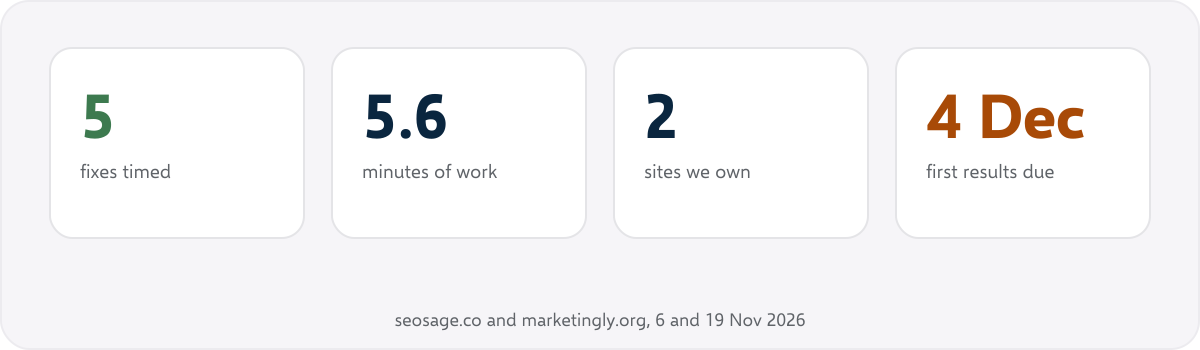
SEO quick wins are small fixes to pages Google already shows, each done in well under an hour, that can earn extra clicks without new content or new links. Below are ten of them, where to find yours in Google Search Console, and what happened when we made five on our own sites with a clock running: 5.6 minutes of work in all.
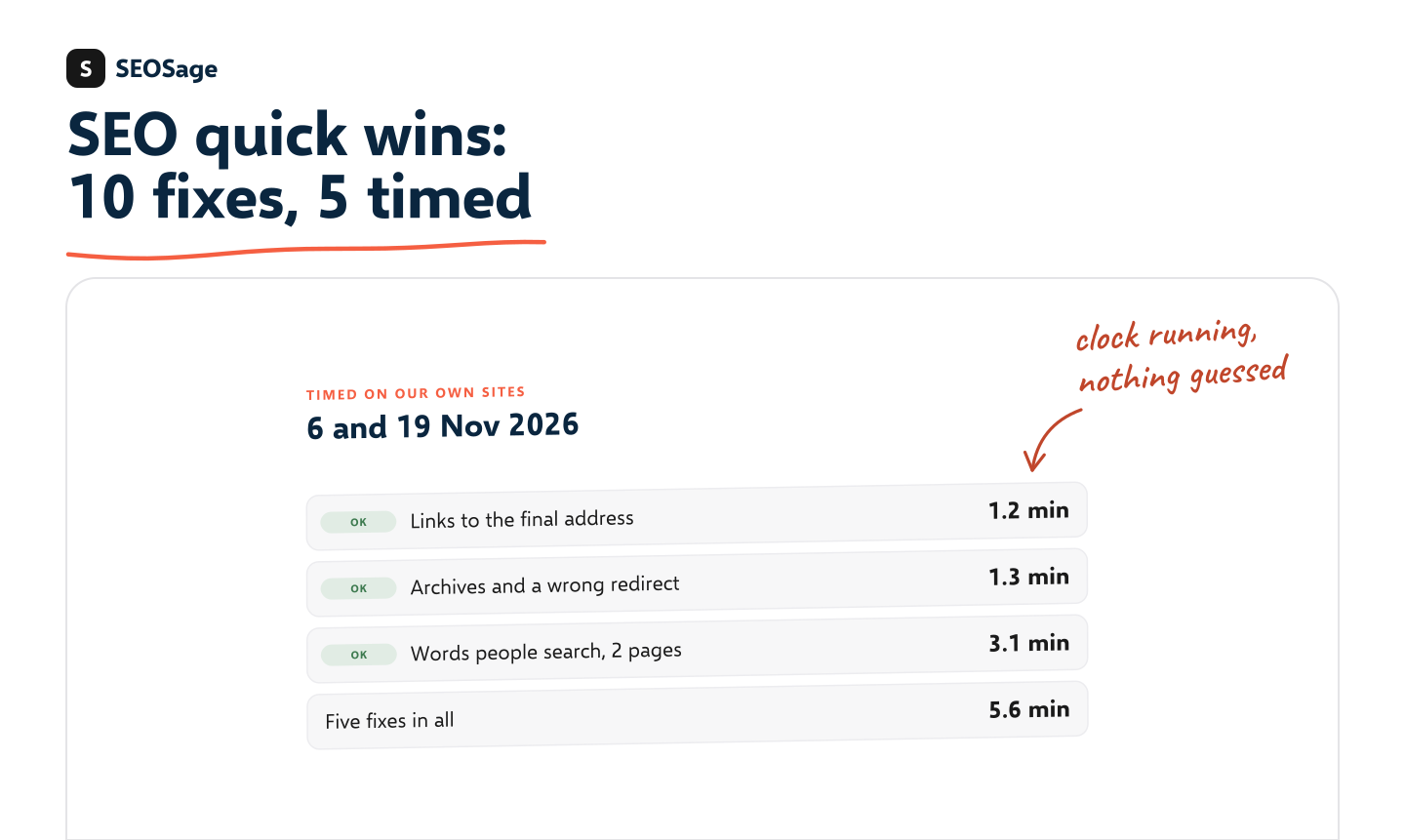
It is written by the maker of SEOSage, an SEO audit app. The times come from two sites we own, seosage.co and marketingly.org, on 6 and 19 November 2026. Each time was read from the computer clock when the work started and when it ended. Nothing was estimated afterwards, and where we did not time a fix, we say so.
TL;DR
- A quick win is a fix on a page Google already shows. Look for searches where you sit between positions 4 and 20, and for errors on the pages that already get clicks.
- Five fixes on our own sites took 5.6 minutes of work: links pointed at the final address (1.2 minutes), date archives kept out of Google and a wrong redirect mended (1.3 minutes together), and the words people search added to two pages (3.1 minutes together).
- Finding a quick win takes longer than making it. The finding is not in those times.
- A quick win needs enough searches behind it. Our ten largest searches at position 20 or better had 12 to 93 impressions each in 28 days, and not one click.
- New articles, links from other sites and pages Google has stopped showing are not quick wins.
This guide is part of our series on how to do an SEO audit. Keep your findings in the free SEO audit template.
What are SEO quick wins? #
SEO quick wins, also called quick SEO wins or low hanging fruit, are fixes that pass three tests:
- Small. One person can do it in under an hour, with no developer project.
- On a page Google already shows. The page gets impressions for a search today, so there is something to win.
- Checkable. You can read the result in Search Console a few weeks later.
The second test is the one most lists skip. A fix on a page nobody sees is tidy, but it wins nothing. SEOSage uses the same idea for its Quick wins list: searches with at least 20 impressions where your average position is between 4 and 10.
Where do you find SEO quick wins? #
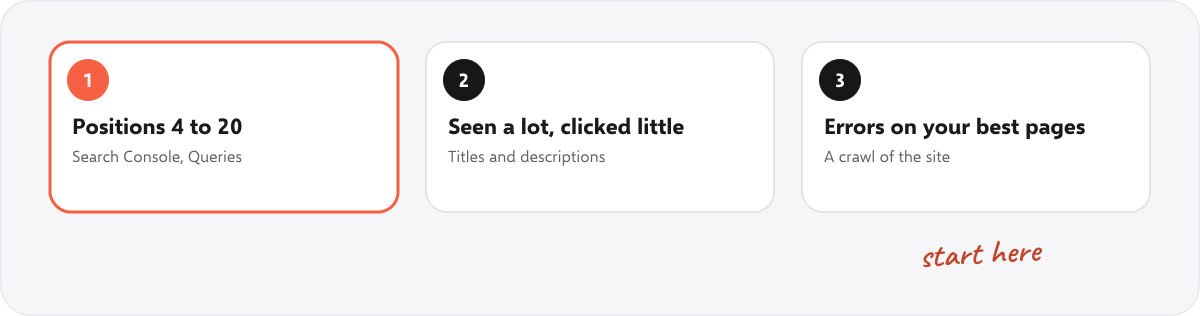
- Searches where you rank 4 to 20. In Search Console, open Performance, turn on Average position, open the Queries table and filter Position to “Smaller than 20”. Sort by impressions. Each row is a search where you are close.
- Pages that are seen a lot and clicked little. Open the Pages table and look for many impressions with a low click rate. A title or description that Google cuts, or that does not say what the page gives, is the usual cause.
- Errors on the pages that already get clicks. Crawl the site and read your best pages first: links that redirect or break, missing titles, pages hidden from Google by mistake.
Here is the first list for seosage.co: the ten largest searches at position 20 or better in the 28 days to 17 November 2026, leaving out searches for our own name.
| Search | Impressions | Average position | Clicks |
|---|---|---|---|
| website audit example | 93 | 17.9 | 0 |
| website audit report template free | 61 | 11.2 | 0 |
| seo site checkup asia | 32 | 13.0 | 0 |
| website audit report template free download | 26 | 16.0 | 0 |
| crawl rankings | 19 | 14.6 | 0 |
| seo audit presentation | 19 | 17.8 | 0 |
| moz title tag checker | 18 | 9.5 | 0 |
| site audit examples | 16 | 1.8 | 0 |
| moz title tag preview tool | 13 | 7.2 | 0 |
| test title tag | 12 | 15.0 | 0 |
Two things stand out. The two largest belong to one page, our website audit report template, so that is where we worked first. And none of the ten brought a click. In the latest week that page sat at position 8 for “website audit example”, with 66 impressions, and still got no click. Being close is not traffic yet. A quick win needs enough searches behind it to matter.
The 10 SEO quick wins #
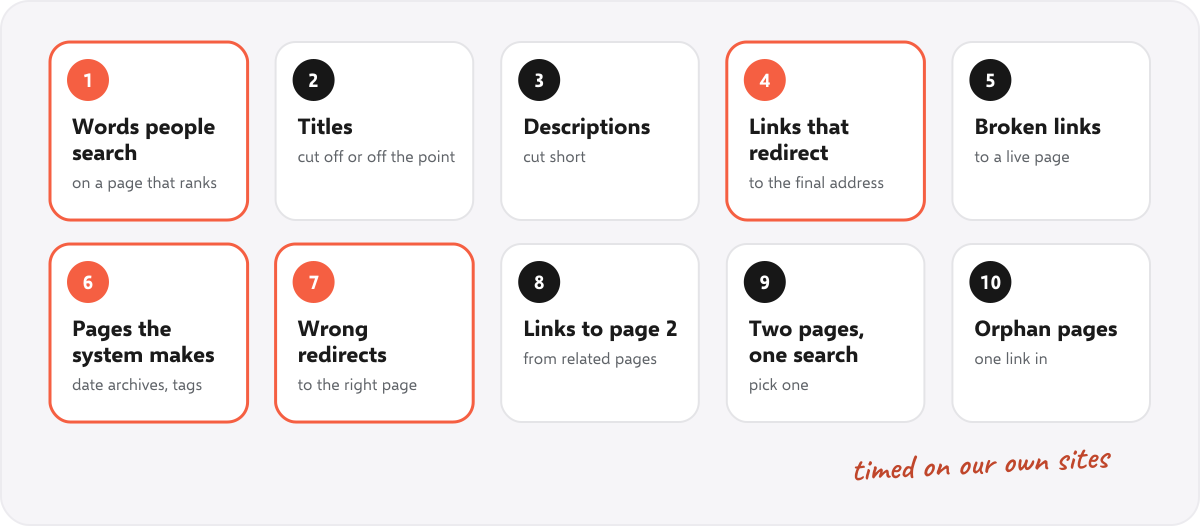
Each one says how to find it, how to fix it, and how long it took us, or that we did not time it.
1. Add the words people already search #
Search Console often shows a page ranking for a phrase that the page never uses in those words. Our website audit report template sat at position 8 for “website audit example” and did not contain that phrase once. Our SEO audit presentation guide sat just past position 20 for “website audit presentation” (20.5 over 28 days) and never said it either. We added each phrase once, where it reads naturally: in a first sentence and in an FAQ question.
Time: 3.1 minutes for four small text edits on two pages, including putting them live and reading them back (19 November 2026). Choosing the words came before the clock started and is not in that time. Check after: the position and the clicks for that exact search, 28 days later. One caution: if another of your pages ranks better for the phrase, leave it there. See fix 9.
2. Rewrite a title that is cut off or off the point #
Google shows about 600 pixels of a title on a desktop and cuts the rest. A title that loses its last words, or that does not say what the page gives, costs clicks at any position. Start with the pages that have many impressions and a low click rate. Our free title and meta description checker shows the width in pixels and where Google would cut.
On our site: a check of all 143 pages of seosage.co on 5 November 2026 found 7 titles wider than 600 pixels. All were shortened the same day. We did not time them, so we quote no time.
3. Rewrite descriptions that Google cuts short #
A description does not change your position. It is the line under your title that gives a reason to click, and Google cuts it at about 920 pixels on a desktop. Google may also show other text from the page, so put the main point in the first sentence of the description and of the page.
On our site: the same check found 44 descriptions wider than Google shows. All were shortened the same day, not timed.
4. Point internal links at the final address #
A link to an address that redirects still works, but every visitor and every crawler takes an extra step. Crawl the site, list the internal links whose target answers with a redirect, and change each link to the final address. For one page, the free internal link checker shows which links redirect.
Time: 1.2 minutes for 2 links in one post on marketingly.org, including the backup, the edit, the cache clear and the live check (6 November 2026). It was the only link problem a crawl of 65 pages found.
5. Fix broken internal links #
A link to a page that no longer exists sends visitors to an error page and wastes the link. Point it at a live page or remove it. See broken links and 404 errors for how to find them across a site.
On our site: a check of 143 pages and every internal link on 6 November 2026 found none, so there was nothing to time.
6. Keep pages your system makes on its own out of Google #
WordPress and most shop systems create pages nobody wrote: date archives, tag pages, search results. They repeat what is on other pages. If one is not useful to a reader, set it to noindex. The free noindex checker shows what a page tells Google.
Time: 1.3 minutes together with fix 7. One line of code set the date archives of seosage.co (/2026/, /2026/11/ and each day) to noindex (6 November 2026). The full list of WordPress addresses to test is in our WordPress SEO audit.
7. Mend a redirect that lands on the wrong page #
Open a few addresses that should not exist and see where they land. On seosage.co, page 2 of a category’s short address (/seo-audit/page/2/) redirected to an unrelated feature page, because WordPress guesses where a missing address should go. It now goes to the category’s own page 2.
Time: counted in the 1.3 minutes of fix 6: two small code changes, the upload, a backup, the cache clear and the live check.
8. Link to a page that sits on page 2 #
A page at positions 11 to 20 often needs one more push. Find two or three related pages that already get visits and link from them to that page, with link words that say what the page is about. Our internal linking audit has the steps.
On our site: not done yet, so not timed.
9. Pick one page when two of yours compete #
When two of your pages show for the same search, they share the attention one page could have. Search Console shows it: filter by the search and open the Pages table. Keep the phrase on the page that ranks better or answers the search better, and off the other one. For a whole site, see keyword cannibalization.
On our site: for “website audit template”, two of our pages showed in the week to 17 November 2026: the free template page at position 17.7 and the report article at 31.7. So we did not add that phrase to the article in fix 1. Leaving something out was the fix.
10. Give orphan pages a link #
A page with no internal link pointing to it is hard for Google to find and looks unimportant. A crawl that also reads the sitemap lists them. Add one link from a related page. See orphan pages.
On our site: the 5 November check found no page without an internal link, so there was nothing to time.
What we timed on our own sites #
| Fix | Site and date | Time | Result |
|---|---|---|---|
| Two links pointed at the final address | marketingly.org, 6 Nov 2026 | 1.2 minutes | To read about 4 Dec 2026 |
| Date archives set to noindex | seosage.co, 6 Nov 2026 | 1.3 minutes for both | To read about 4 Dec 2026 |
| A wrong redirect mended | seosage.co, 6 Nov 2026 | With the row above | To read about 4 Dec 2026 |
| The words people search, on the website audit report template | seosage.co, 19 Nov 2026 | 3.1 minutes for both | To read about 17 Dec 2026 |
| The same, on the SEO audit presentation guide | seosage.co, 19 Nov 2026 | With the row above | To read about 17 Dec 2026 |
| Five fixes | 5.6 minutes |
The clock covers making the change, putting it live, clearing the cache and reading the page back. It leaves out finding the problem and, for the two phrase fixes, choosing the words. The crawls ran on their own, and the two phrases came out of a read of all 41 of our articles in Search Console, which we did not clock.
We will read each result in Search Console 28 days after the fix and write it in this table as it is, including “no change”. Counted but not timed: the 7 titles and 44 descriptions of 5 November.
What is not a quick win #
- New content. A new article takes days to write and weeks to be shown.
- Links from other sites. They move rankings more than any fix here, and they are slow to earn.
- A site move or a redesign. Use a migration checklist, not a quick-win list.
- Pages Google has stopped showing. A fix cannot win clicks for a page with no impressions.
The last one is from our own numbers. In the week of 10 to 17 November 2026, 14 of our 40 articles had more than five impressions. Another 19 had been shown for a week or two after they went out and then not at all. Google still has them indexed and they have no errors, so there is nothing quick to fix on them. What they lack is links from other sites: Search Console lists links to 9 of our pages, and none of them is an article. No title rewrite replaces that.
A weekly routine for quick wins #
- Open the list. Search Console, Queries, the last 28 days, positions under 20, sorted by impressions.
- Pick one search and check which of your pages shows for it. If two do, settle that first.
- Make one fix from the ten above on that page.
- Write down the date, the page, the search, its position and its clicks.
- Read last month’s notes. What moved, and what did not?
One fix a week on a page that is already close beats ten fixes on pages nobody sees. If you look after several sites, a weekly SEO to-do list keeps the fixes for all of them in one place.
How does SEOSage help find quick wins? #
SEOSage is a desktop SEO audit app for Mac and Windows that crawls on your own computer with no page limit. Three of its lists are quick-win lists. Quick wins, on the Search page, shows searches with at least 20 impressions where your average position is between 4 and 10, with a rough guess of the extra clicks a top-3 spot would add and a CSV export. It reads your own Search Console data with read-only access. Quick fixes, on the Dashboard, groups technical fixes that touch 30 pages or fewer. Fix these first lists your best pages by Search Console clicks that have errors in the last crawl. A fix is ticked off when a new crawl proves it is gone. Plans start at $9 a month, and the free trial lasts 14 days. You still choose the page and write the words yourself.
Common mistakes with SEO quick wins #
- Fixing pages nobody sees. Start from impressions, not from the error list.
- Changing two things at once. We changed our report template twice in one day, so we cannot tell which change did what.
- Chasing a phrase another of your pages ranks better for. Check the Pages table first.
- Expecting clicks from 20 impressions. Position 8 for a rare search is still close to nothing.
- Not writing down the date. Without it you cannot read the result.
- Calling new content a quick win. It is real work, on a longer clock.
Summary #
SEO quick wins are small, checkable fixes on pages Google already shows. Find them in Search Console at positions 4 to 20 and on your best pages in a crawl, make one at a time, and write down the date. Ours took 5.6 minutes for five fixes, and finding them took longer. They do not replace links or new content, and they cannot help a page Google has stopped showing.
FAQ #
What are SEO quick wins? #
Small fixes, each under an hour, to pages Google already shows, such as adding the words people search, shortening a title that is cut off, or pointing a link at the final address.
What is low hanging fruit in SEO? #
The same thing. Low hanging fruit keywords are searches where you already rank between positions 4 and 20, so a small change to the page can move you up.
How do I find quick wins in Google Search Console? #
Open Performance, turn on Average position, open the Queries table and filter Position to “Smaller than 20”. Sort by impressions and start at the top.
How long does an SEO quick win take? #
Minutes. Five fixes on our own sites took 5.6 minutes of work in all. Finding them took longer and is not in that time.
How soon do quick wins show results? #
Give it about four weeks, because Google has to read the page again first. Our own results are due about 4 and 17 December 2026, and we will add them to the table above.
Are quick wins enough to rank a new site? #
No. They help pages Google already shows. A new site also needs links from other sites and time.
Sources #
- Google Search Console Help: Performance report (Search results)
- Google Search Central: Influencing your title links in search results
- Google Search Central: Control your snippets in search results
- Google Search Central: Link best practices for Google
- Google Search Central: Redirects and Google Search
- Google Search Central: Block search indexing with noindex
- Google Search Central: SEO starter guide
Recommended #
- Google Search Console Audit: 12 Checks and a Free Checklist
- Internal Linking Audit: 8 Steps to Find and Fix Weak Links
- Broken Links and 404 Errors: How to Find and Fix Them
- Duplicate Title Tags: How to Find and Fix Them (With Examples)
- WordPress SEO Audit: 15 Checks We Ran on Our Own Site
- How to Do an SEO Audit: 12 Steps (With Free Tools)
- Canonical Tag Issues: 10 Problems, Checked on 177 Top Sites
- Orphan Pages in SEO: How to Find and Fix Them
Run your own SEO audit
SEOSage crawls every page of your website, lists what is wrong and turns it into a report you can send to a client.