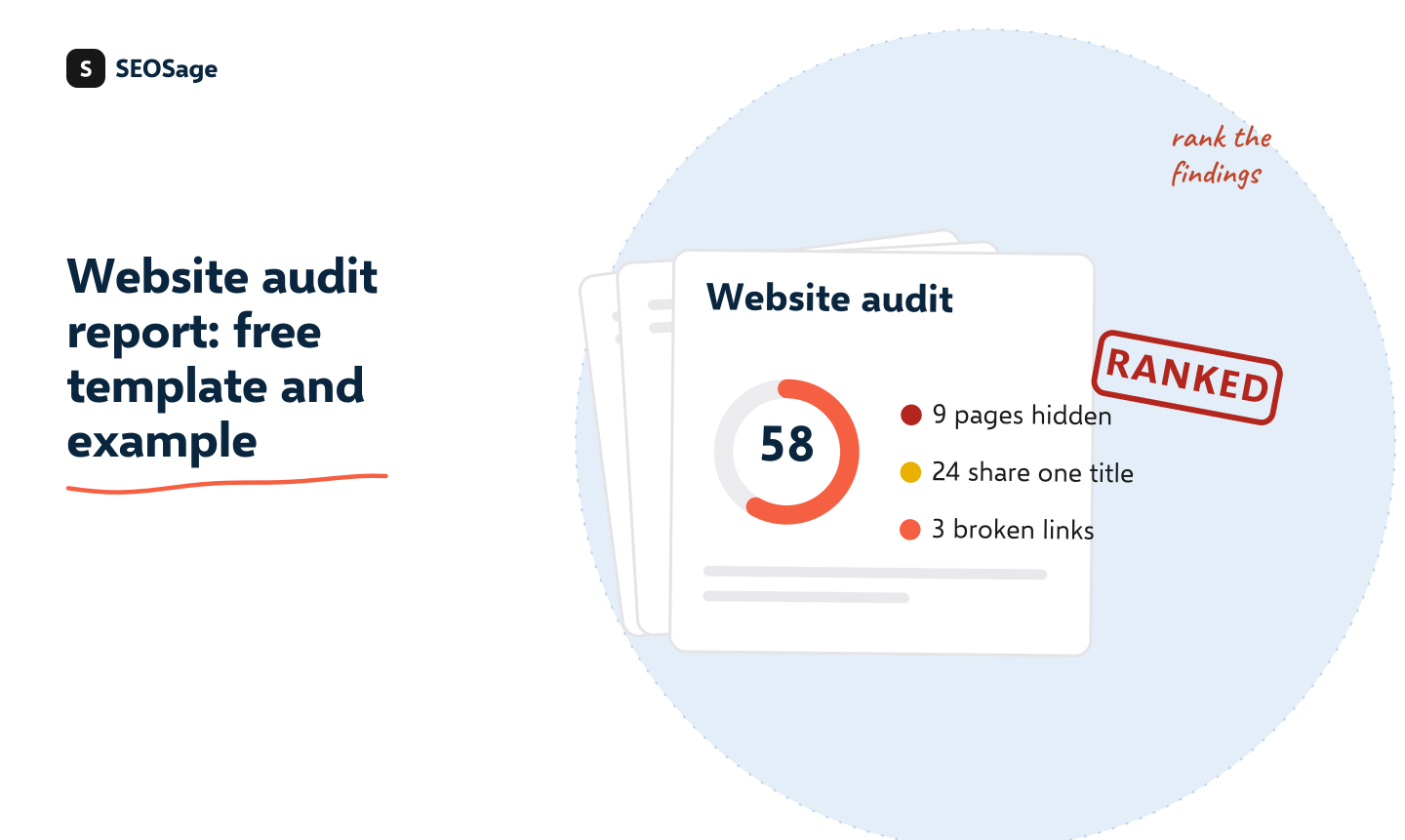
A website audit report is the document you give a client or a boss after checking a site. It says how healthy the site is, what matters most, and what to fix first, in plain words. It is not a list of every error from a tool. Below is a six-section structure, a way to rank findings, and a free editable Word template with a filled-in example.
It is written by the maker of SEOSage, an SEO audit app with branded client reports. If you want the checklist you work through before writing the report, use the free SEO audit template (a spreadsheet). This page is the report you hand over afterwards.
Download the free website audit report template (Word) · See the filled-in example (PDF) · Works in Word, Google Docs and Pages. No sign-up and no email form.
TL;DR
- Use six sections: summary, the three biggest findings, all findings by area, the fix plan, what you checked and next steps.
- Rank every finding by impact and effort, so the reader knows where to start.
- Write the three biggest findings in plain words, each with a number.
- Say what you did not check. It makes the rest more believable.
- Do not paste the tool’s full export as the report. Attach it, and write the part that matters.
What is a website audit report? #
A website audit report is a written summary of an SEO audit. The audit is the checking. The report is what you say about it, in an order the reader can act on. If you are not sure what an audit covers, see what an SEO audit is. A good report answers three questions for the reader: how is the site doing, what matters most, and what happens next.
What are the six sections of a website audit report? #
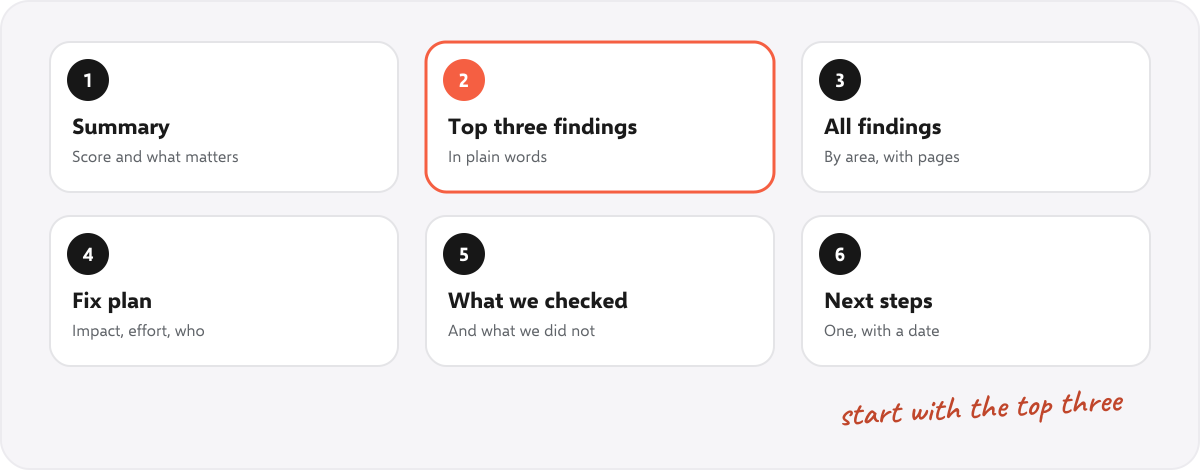
- Summary. The health score, the number of pages checked, and two sentences about what matters most.
- The three biggest findings. Plain words, with a number for each. Findings the client could repeat to someone else.
- All findings, by area. Grouped (indexing, links, page basics, content), with the number of pages touched and the impact.
- The fix plan. Each fix with its impact, its effort and who does it.
- What we checked. A short list, including what was not covered.
- Next steps. One, with a date.
Aim for three to five pages. Put the full tool export in an attachment for anyone who wants it.
How do you rank the findings? #
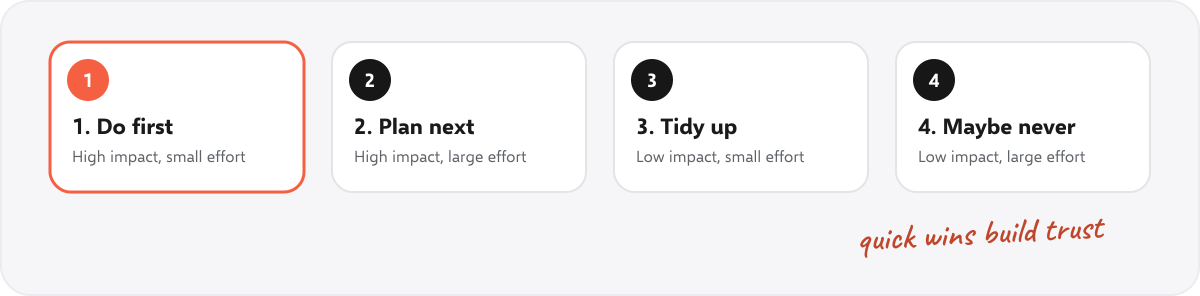
Give every finding an impact and an effort:
- High impact: hides pages from Google, or touches many pages. Example: a noindex tag left on from the site build.
- Medium impact: affects a group of pages, or how they look in search. Example: the same title on every product page.
- Low impact: small, but easy to tidy up. Example: one missing description.
- Small effort: an hour or less, by one person.
- Large effort: needs a developer or a content rewrite.
Then order the fix plan: high impact and small effort first, because quick wins build trust, then high impact and large effort. For a full 25-point check to work from, see the technical SEO audit checklist.
How do you write the report, step by step? #
- Crawl the whole site and save the crawl with its date.
- Sort the findings by how many pages they touch, and check the biggest ones by hand.
- Pick the top three by impact, and write each in one sentence with a number.
- Fill in the template, section by section. Replace every yellow bracket and delete the tips.
- Build the fix plan, in order of impact and effort, and name who does each fix.
- Write the summary last, from the rest.
- Read it as the client, and cut anything they would skip.
What does a finished website audit report look like? #
We made a two-page example for a made-up bakery, with made-up numbers, so you can see the layout and the level of detail. Open the example (PDF). Every name and number in it is invented, and it says so on the first page. For a real, branded audit report exported from SEOSage, see the white label SEO audit reports page, and for a report you send every month, the monthly SEO report template.
What should you do after you send the report? #
- Book a call to walk through the top three findings. A report sent alone is often not read.
- Agree the first fixes and who does them.
- Crawl again after the fixes. The compare view shows what was fixed, what is new and what got worse.
- Report progress in a client report each month.
How does SEOSage help with website audit reports? #
SEOSage is a desktop SEO audit app for Mac and Windows that crawls on your own computer with no page limit. It finds and groups the issues, saves every crawl, compares any two, and exports a branded PDF, PowerPoint, Excel or CSV report with your logo on every plan. Plans start at $9 a month, and the free trial lasts 14 days. The export gives you the findings. You still write the summary and the fix plan yourself.
Common mistakes in website audit reports #
- Dumping the tool’s output. A 90-page export is a data file, not a report.
- No ranking. If everything is urgent, nothing is.
- Jargon. Write “pages hidden from Google”, not “noindex directives”.
- No numbers. “Many pages” is weaker than “9 pages”.
- Promising results. Do not say a fix will raise rankings by a number.
- No next step. End with one action and a date.
Summary #
A good website audit report is short, ranked and plain. Use six sections, write the three biggest findings first, rank every fix by impact and effort, say what you did not check, and end with one next step. Our free template does the layout for you.
FAQ #
What should a website audit report include? #
A summary, the three biggest findings, all findings by area, a fix plan, what was checked and the next steps.
How long should an SEO audit report be? #
Three to five pages, with the full tool export as an attachment.
Is there a free website audit report template? #
Yes. Download ours in Word. It also opens in Google Docs and Pages.
How do I present an audit report to a client? #
Walk through the top three findings on a call, then agree the first fixes and who does them.
What is the difference between an SEO audit template and an audit report? #
The template is the checklist you work through. The report is what you give the client afterwards. See our SEO audit template for the checklist.
How do I rank audit findings? #
By impact and effort. Do high impact and small effort first.
Should the report promise better rankings? #
No. Say what you found and what you will fix. Rankings depend on many things outside the site.