A technical SEO audit checklist is a list of the checks that tell you whether search engines can crawl, index and understand a website. This one has 25 checks in five groups, each with how to test it, the issue to look for in a crawl and how to fix it. There is a free printable PDF, and it works for your own site or a client’s.
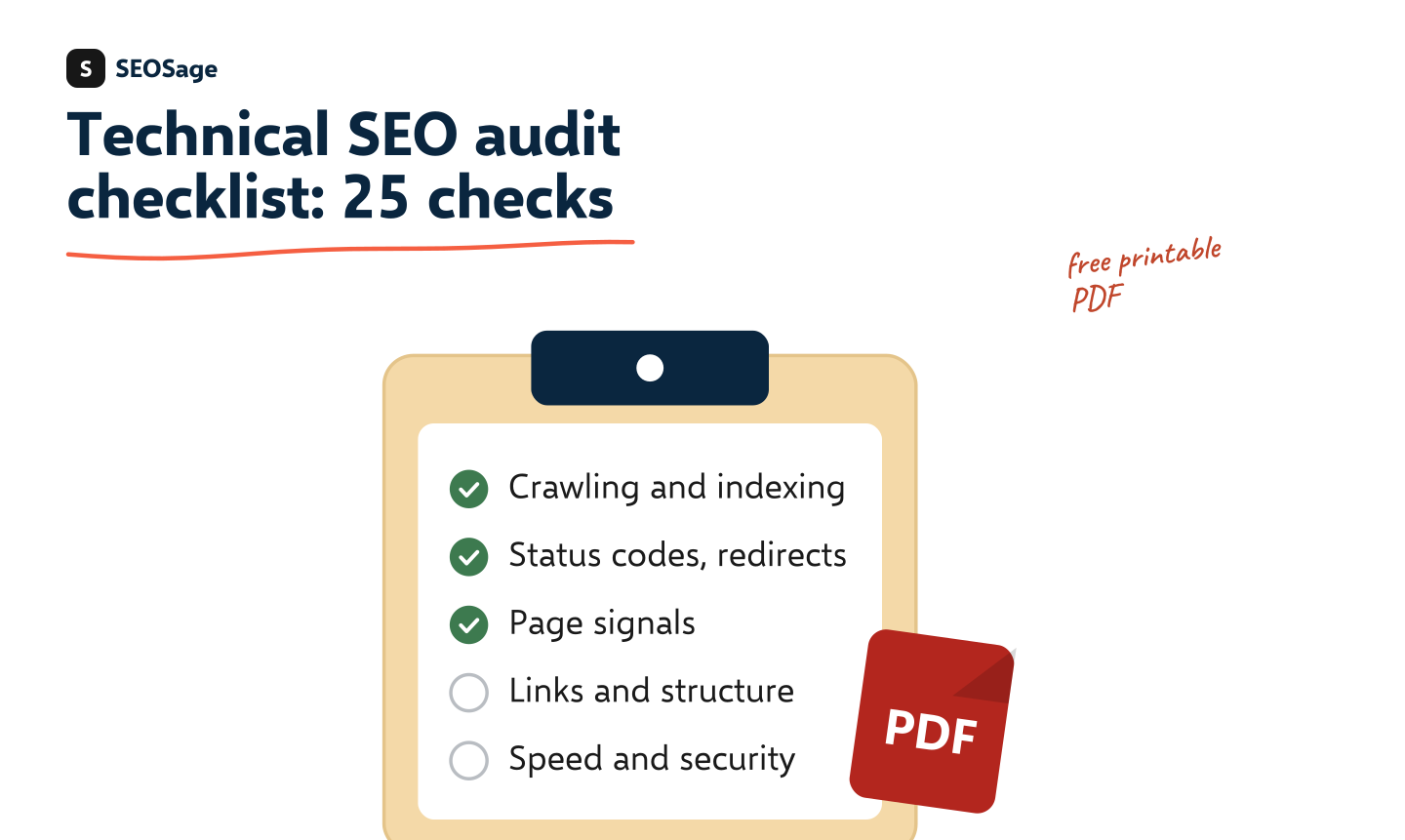
Download the free printable checklist (PDF) · A printable A4 PDF with a tick box for each check. No sign-up and no email form.
It is written by the maker of SEOSage, a desktop SEO audit app. The “SEOSage shows it as” column uses the real names of issues in the app, so you can match the checklist to a crawl.
TL;DR
- A technical SEO audit has 25 checks in five groups: crawling and indexing, status codes and redirects, page signals, links and structure, and speed, security and data.
- Crawl first, then work down the list. A crawler finds most of the checks in one pass. Search Console and a speed test cover the rest.
- Fix in this order: anything that stops Google indexing a good page, then errors, then duplicates, then polish.
- This checklist is the technical part of an audit. For the wider view, see our SEO audit checklist and the guide to what an SEO audit is.
What is a technical SEO audit? #
A technical SEO audit checks the parts of a website that decide whether search engines can find, read and index its pages, without looking at the quality of the writing. It covers crawling, indexing, redirects, status codes, canonical tags, links, speed, security and structured data.
It is one part of a full SEO audit. The other parts, such as content and links from other sites, ask different questions. A content audit asks whether pages deserve to exist. A technical audit asks whether the pages that should exist actually work.
How do you use this checklist? #
- Crawl the whole site. A crawler follows every link and records status, titles, canonicals, links, response time and more. SEOSage does this on your own computer with no page limit.
- Work through the five groups in order. Each check says how to test it, what the issue is called in SEOSage, and how to fix it.
- Tick what passes. Note what fails. For each failure, write the number of pages and an example address.
- Rank the fixes. Put anything that hides a good page from Google first.
- Crawl again and compare with the first crawl, to prove the fixes worked. See compare crawls.
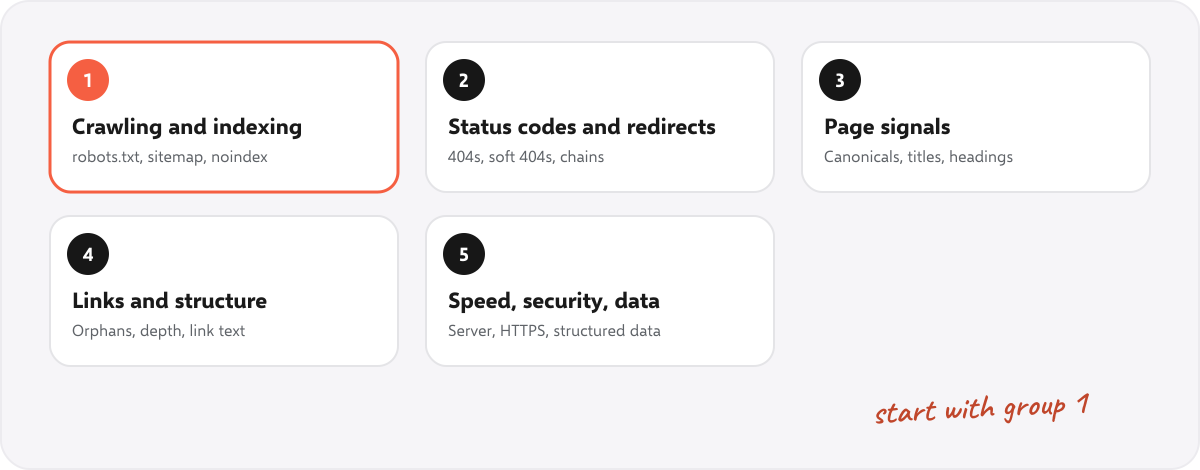
The 25-check technical SEO audit checklist #
Group 1: Crawling and indexing #
| # | Check | How to test it | SEOSage shows it as | How to fix it |
|---|---|---|---|---|
| 1 | robots.txt does not block pages you want found | Open /robots.txt, or paste a page into the robots.txt tester | robots.txt tester, robots.txt and sitemap audit | Remove the rule, or move the page out of the blocked folder |
| 2 | The XML sitemap lists only live, indexable pages | Open the sitemap and run it through the sitemap checker | Broken page in sitemap, Redirect in sitemap | Remove dead and redirected addresses and add missing pages |
| 3 | No important page carries a noindex tag | Check the page source and the HTTP header, or use the noindex checker | Noindex Tag Present, Noindex in HTTP header | Remove the tag from pages that should rank |
| 4 | Pages you want found can be reached by a crawl | Compare the crawl with the sitemap and with Search Console | Page not in sitemap, Orphan page | Link to the page from a related page and list it in the sitemap |
| 5 | Search Console shows the pages as indexed | Look at the Pages report in Google Search Console | Search Console (not the crawl) | Fix the reason Google gives for each excluded page |
Group 2: Status codes and redirects #
| # | Check | How to test it | SEOSage shows it as | How to fix it |
|---|---|---|---|---|
| 6 | No error pages that have links or visits | List 404 pages from the crawl and sort by links to them | 404 Client Error, Page links to broken page | Restore the page or 301 it to the closest match, then fix the links |
| 7 | No soft 404 pages | Look for pages that say "not found" but return status 200 | Soft 404 | Return a real 404 or 410, or redirect to a relevant page |
| 8 | Redirects are permanent and direct | Follow each redirect to its end, or use the redirect chain checker | Redirect chain, Address version uses a temporary redirect | Point the first address straight at the last, using 301 |
| 9 | Internal links point to the final address | List links that lead to a redirect | Page links to redirect | Edit the links to use the final address |
| 10 | One version of the site answers: https, one host name | Try http, https, www and non-www | Address version cannot be reached | Redirect every other version to the one you chose |
Group 3: Page signals #
| # | Check | How to test it | SEOSage shows it as | How to fix it |
|---|---|---|---|---|
| 11 | Each page has one canonical, pointing at the right address | Check the canonical tag of each page template | Missing Canonical URL, Canonical URL Different | Add a self-referencing canonical, and fix wrong ones |
| 12 | Every page has its own title tag | Sort the crawl by title and look for repeats | Duplicate page title, Multiple title tags, Title Too Long | Write a unique title of about 50 to 60 characters |
| 13 | Every page has a meta description | Filter the crawl for pages with none | Missing Meta Description, Duplicate meta description | Write a unique description of about 140 to 160 characters |
| 14 | One H1 per page, and headings in order | Check the heading outline of key pages | Missing H1 Tag, Multiple H1 tags, Heading Levels Skipped | Add one H1 and fix the heading levels |
| 15 | Language and hreflang are right on multilingual sites | Test pages with the hreflang checker | hreflang checker | Make every alternate point back, using correct language codes |
Group 4: Links and structure #
| # | Check | How to test it | SEOSage shows it as | How to fix it |
|---|---|---|---|---|
| 16 | Important pages are within about three clicks of the home page | Look at the click depth of key pages | Link strength: pages five or more clicks deep | Link to them from the home page, the menu or hub pages |
| 17 | No orphan pages | List pages that no other page links to | Orphan page | Add links from related pages, or remove the page |
| 18 | Internal links use descriptive text | Scan for "click here" and "read more" | Vague link text | Rewrite the link text to describe the target page |
| 19 | No broken links to other websites | List outbound links that return an error | Broken external link, External link redirects | Update, replace or remove the link |
| 20 | Web addresses are short, readable and stable | Scan for long addresses, parameters and capital letters | URL too long, Pages with URL parameters | Shorten them, and 301 any address you change |
Group 5: Speed, security and data #
| # | Check | How to test it | SEOSage shows it as | How to fix it |
|---|---|---|---|---|
| 21 | The server answers quickly | Sort the crawl by response time | Slow Response Time, Moderate Response Time | Look at hosting, caching and heavy plugins |
| 22 | Core Web Vitals pass on the main templates | Test a home, category and article page | Core Web Vitals report | Fix the largest image, the slowest script and layout shifts |
| 23 | Images are sized, compressed and described | Look for images with no size or no alt text | Images Without Dimensions, Images Without Alt Text | Set width and height, compress, add alt text |
| 24 | HTTPS everywhere, with no insecure parts | Look for http links on https pages, and for missing security headers | HTTPS page links to HTTP, Security headers missing | Update the links and add the security headers |
| 25 | Structured data is present and valid | Test one page of each type with the schema markup validator | No Structured Data | Add the right markup for the page type and fix errors |
In what order should you fix technical SEO problems? #
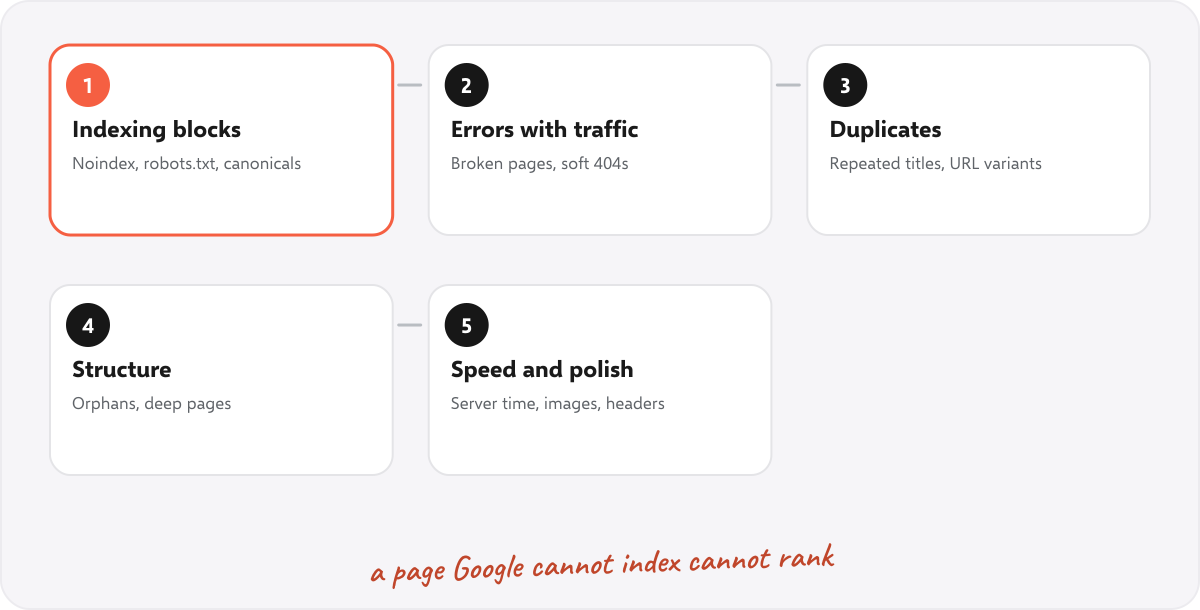
Work from the problems that hide pages to the ones that polish them:
- Indexing blocks. Noindex tags, robots.txt rules, wrong canonicals and error pages on important addresses. A page Google cannot index cannot rank at all.
- Errors with traffic or links. Broken pages, soft 404s and redirect problems on addresses that get visits or have links.
- Duplicates. Repeated titles, near-copies and URL variants that split the credit between pages.
- Structure. Orphan pages, deep pages and weak internal links.
- Speed and polish. Server time, image sizes, security headers and structured data.
Our guide to the SEO content audit covers the next stage, once the technical problems are under control.
What does a technical audit find on a real site? #
We crawled marketingly.org with SEOSage on 29 September 2026. It scored 53 out of 100 across 90 pages. Most of the serious findings came from the first three groups of this checklist:
| Group | What the crawl found | Pages |
|---|---|---|
| 1. Crawling and indexing | Noindex tag present | 14 |
| 1. Crawling and indexing | Broken page in sitemap | 1 |
| 2. Status codes and redirects | 404 client error | 4 |
| 2. Status codes and redirects | Page links to a redirect | 147 |
| 3. Page signals | Multiple title tags | 28 |
| 3. Page signals | Missing meta description | 19 |
| 3. Page signals | Canonical URL different | 17 |
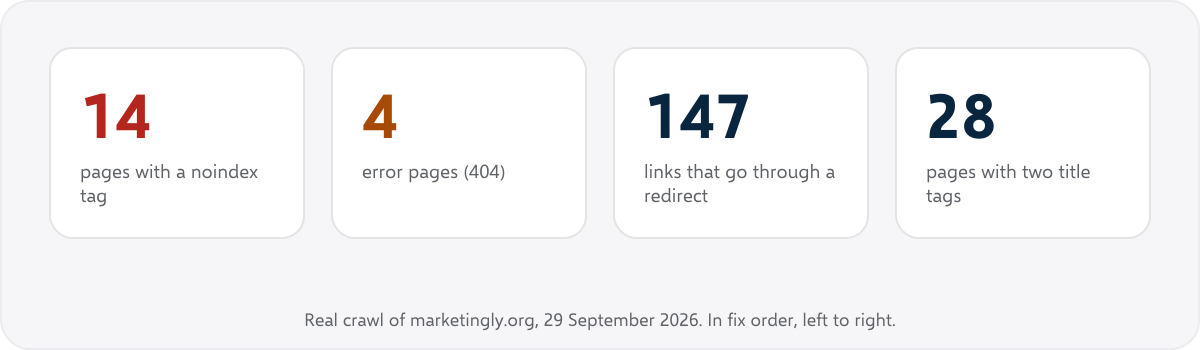
The fix order was clear: the 14 pages hidden from Google first, then the four error pages and the 147 links that take a detour through a redirect, then the double titles. That order comes from the priority list above, not from the size of the numbers.
How does SEOSage help with a technical SEO audit? #
SEOSage is a desktop SEO crawler for Mac and Windows. A crawl lists issues in plain words, ranked as error, warning or notice, with why each one matters and how to fix it. For a closer look at one page, page audit checks a page or up to 25 without a full crawl. After the fixes, the compare view shows what changed.
It does not do everything on the list. The Search Console check (number 5) uses Google’s own report, and a real-device speed test needs Google’s tools. SEOSage also has no backlink or keyword database. See the SEO crawler for the full list of what it checks, and the free SEO tools for one-page tests. Plans start at $9 a month and the free trial lasts 14 days.
How do you use the checklist on a client’s site? #
Run the crawl before the first call, tick the checklist, and pick the three findings a business owner will understand. Put the rest in an attachment. Our SEO proposal template has an audit snapshot section and a table that turns technical names into plain words, and the SEO client report guide shows how to present the result. Export the audit with your own logo and colours using the white label SEO audit tool.
How often should you run a technical SEO audit? #
Run the full checklist when you take on a site, after a redesign or a platform move, and when traffic drops without a clear reason. Crawl monthly in between and compare with the last crawl. New problems appear whenever a site changes, and a monthly check is much easier than a yearly clean-up.
Common technical SEO audit mistakes #
- Fixing in the order the tool lists issues. Rank by what hides pages from Google first.
- Auditing a sample. The problem is often in the part you did not crawl.
- Blocking a page in robots.txt to hide it. Google then cannot see a noindex tag on it. Use one method on purpose.
- Treating the score as the goal. A score of 90 with a noindex tag on your best page is still a problem.
- Not re-crawling. Without a second crawl you cannot show that anything improved.
Summary #
A technical SEO audit checks whether search engines can crawl, index and understand a site. Use the 25 checks in five groups, crawl first, rank the fixes by what hides pages from Google, and crawl again to prove the change. Download the free PDF to tick off the checks as you go.
FAQ #
What is a technical SEO audit checklist? #
It is a list of checks for the technical side of SEO: crawling, indexing, status codes, redirects, canonicals, links, speed, security and structured data. This one has 25 checks in five groups.
How do you do a technical SEO audit? #
Crawl the site, work through the checklist, note what fails, rank the fixes by impact and crawl again to prove the fixes worked.
What is included in a technical SEO audit? #
Crawling and indexing, status codes and redirects, page signals such as titles and canonicals, links and site structure, and speed, security and structured data.
How long does a technical SEO audit take? #
The crawl takes minutes for a small site and a few hours for a very large one. Working through the results takes longer, from an hour for a small site to days for a big one.
Is there a free technical SEO audit tool? #
The free SEO tools on this site test one page or one file at a time. A crawl of the whole site needs a crawler. SEOSage has a 14-day free trial.
What is the difference between a technical audit and an SEO audit? #
An SEO audit also covers content and links from other sites. The technical audit is the part about whether the site works for search engines.
Can I use this checklist for client sites? #
Yes. It is free to use and share. Add your own logo to the exported report, and turn the findings into plain words for the client.
Is the PDF really free? #
Yes. There is no sign-up and no email form.