Skip to content

Year-end offer: 30% off your first year on any yearly plan with code YEAREND30 Get Pro yearly

SEOSage

White label SEO reports that go out in your name

Turn an SEO audit into a client report with your logo on every PowerPoint, PDF, Excel and CSV file. For agencies and freelancers.

Start your 14-day free trial See a sample white-label SEO report (PDF)

Mac and Windows. 14-day free trial, no card needed.

Made-up example

1 / 4 Cover

Accent colour

A live illustration of a made-up client with made-up issues. The Marketingly brand is real: it is our own site.

How to create a white-label SEO report, from crawl to client

From a white-label SEO audit to a branded report, in real SEOSage screens on the example site marketingly.org.

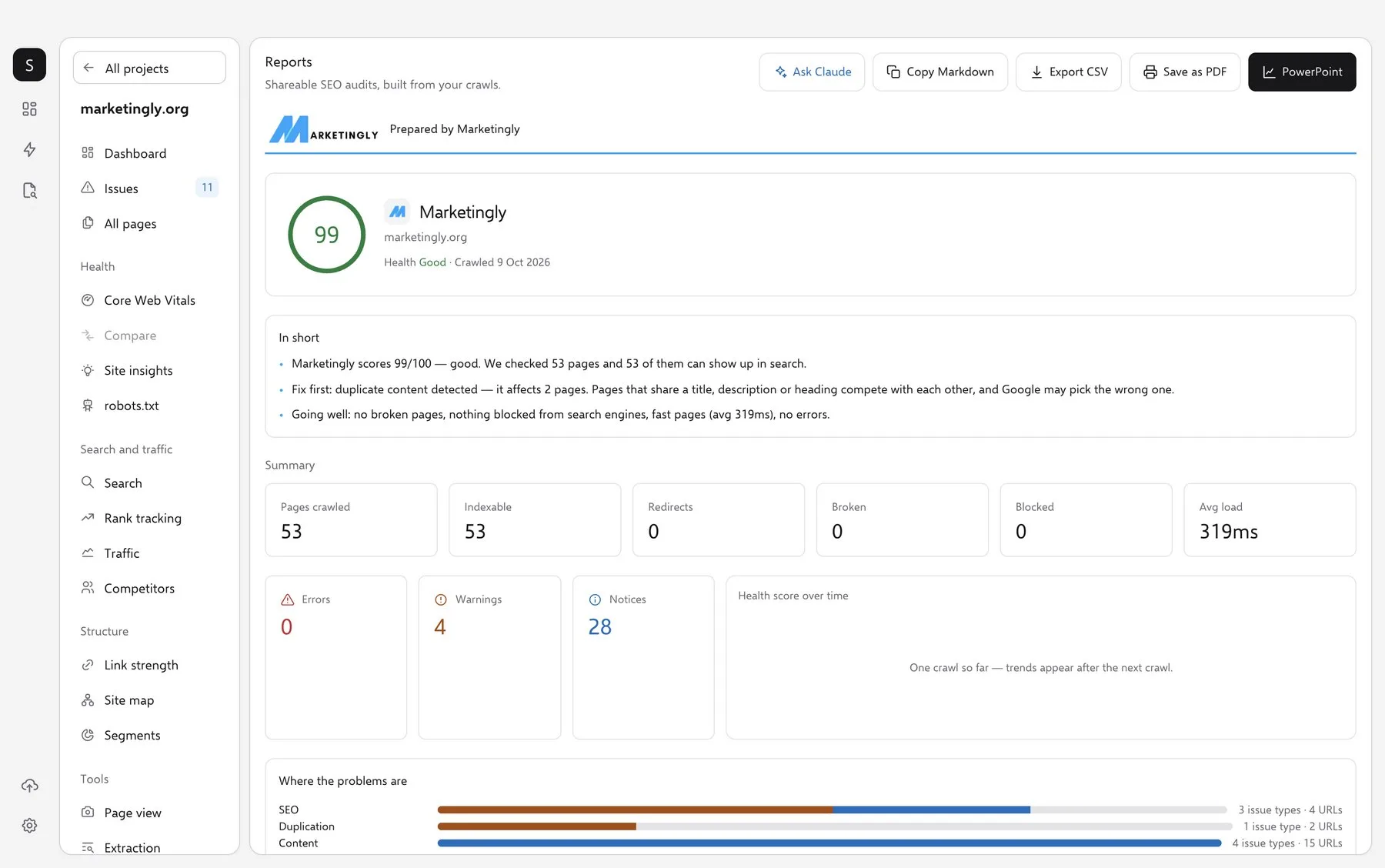
SEOSage Reports screen for marketingly.org: health score 99, a short summary and export buttons
Real SEOSage: the Reports screen for marketingly.org, crawled on 9 October 2026.

01 Crawl

Crawl the client's website

Add the site as a project and press crawl. SEOSage runs on your Mac or Windows computer and checks every page it can reach, with no page limit. You get a health score and a plain-English summary. Each client is one more project.
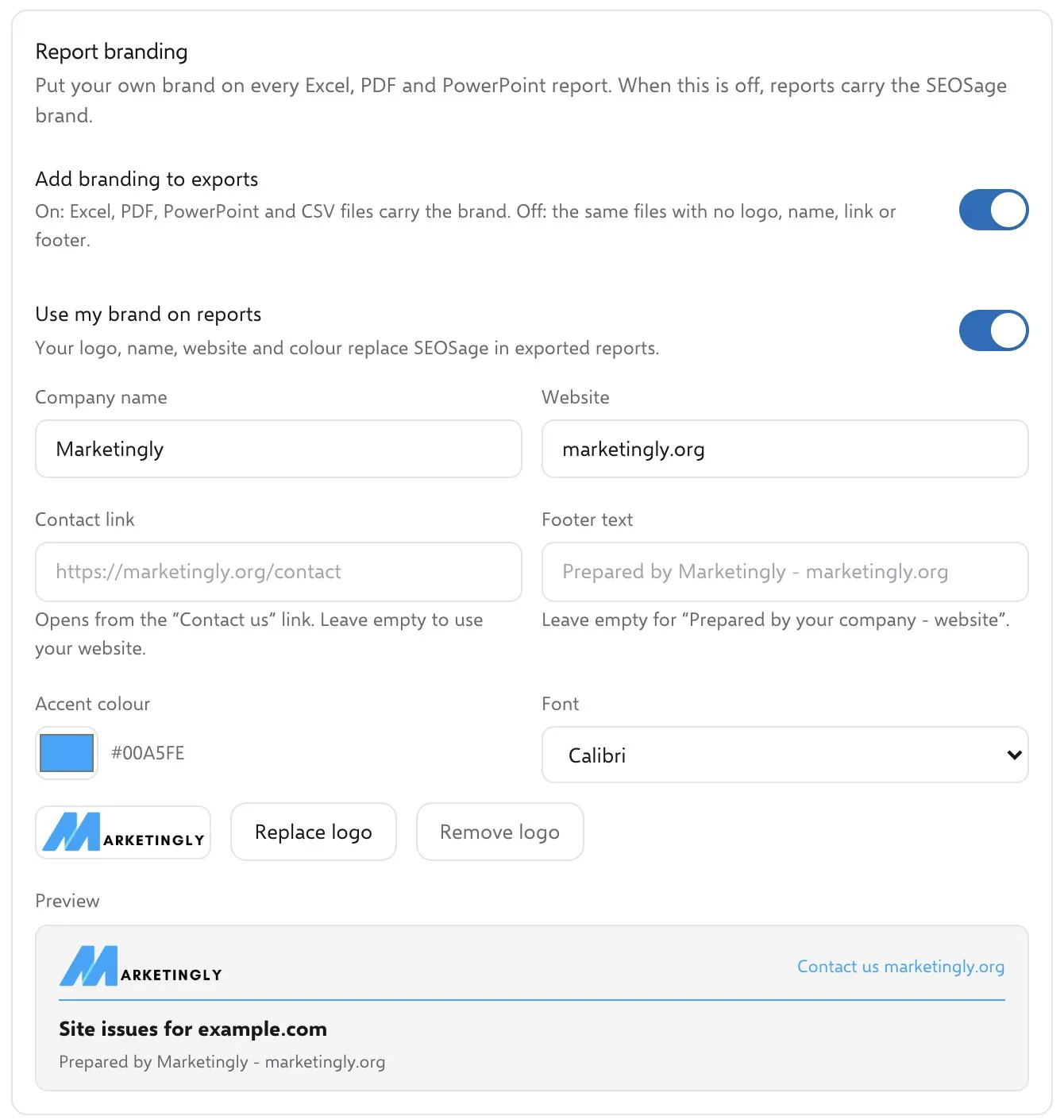
SEOSage Report branding settings with company name, accent colour, logo and a live header preview
Real SEOSage: Settings, then Report branding.

02 Add your brand

Put your brand on it, once

Open Settings, then Report branding, and switch on Use my brand on reports. Add your company name, website, accent colour, font and logo. The SEOSage name then drops off every file you export. Want a plain file? Switch the brand off.

  • .pptxPowerPoint18 slides. Nine templates, or your own theme.Marketingly
  • .pdfPDFA one-line verdict, then a Fix these first table.Marketingly
  • .xlsxExcelOne row per issue, for sorting and filtering.Marketingly
  • .csvCSVThe same rows as plain text, for any tool.Marketingly
Four formats from one crawl, in your brand. The tiles are an illustration; the sample report is a real export.

03 Export

Export the file your client opens

Pick the format on the Reports screen. Every file comes from the crawl you already ran, so nothing is crawled again, and each one carries your brand. Not sure what goes in the report? Read what to include in an SEO client report.

Open a real sample report (PDF)

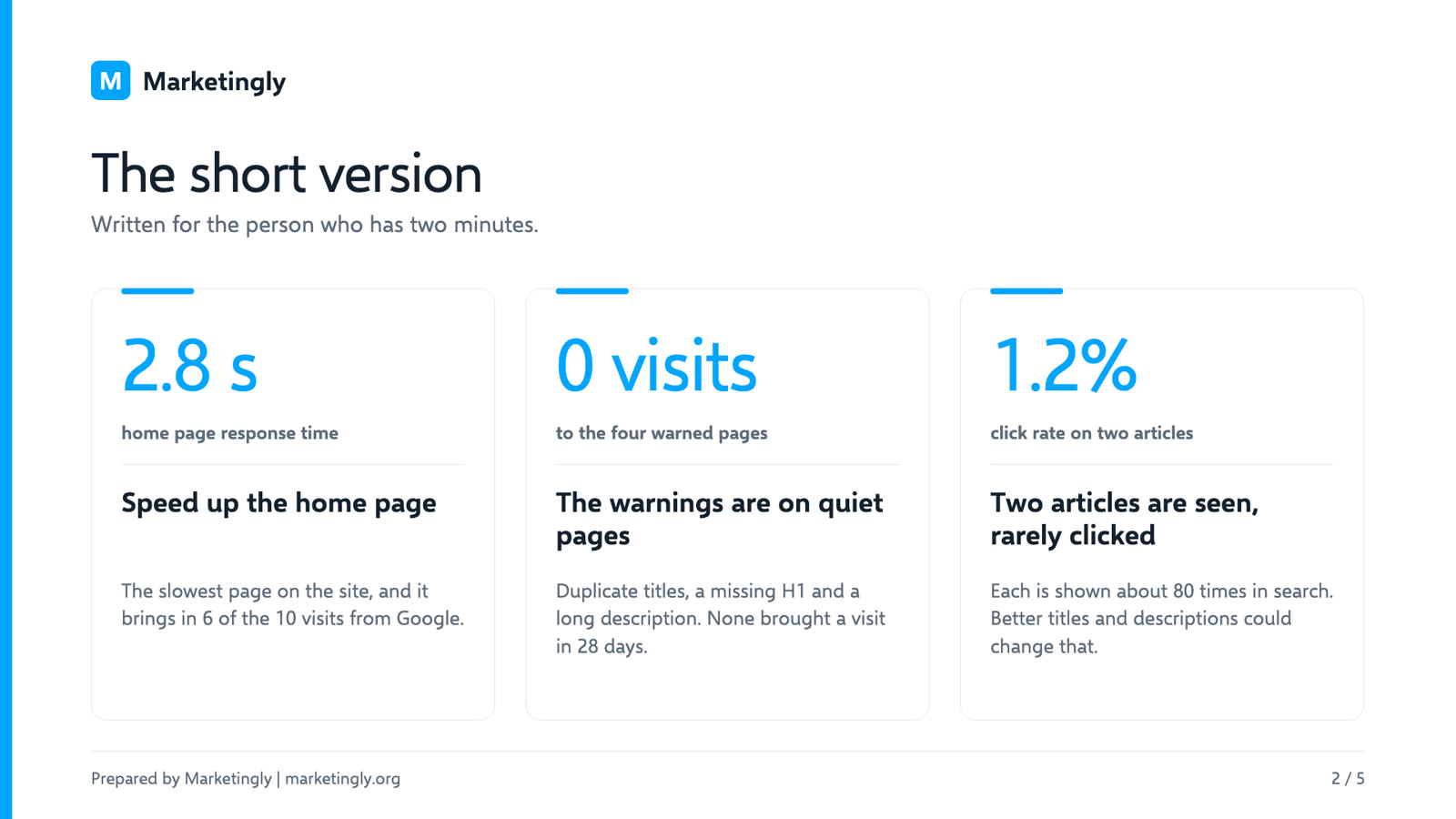
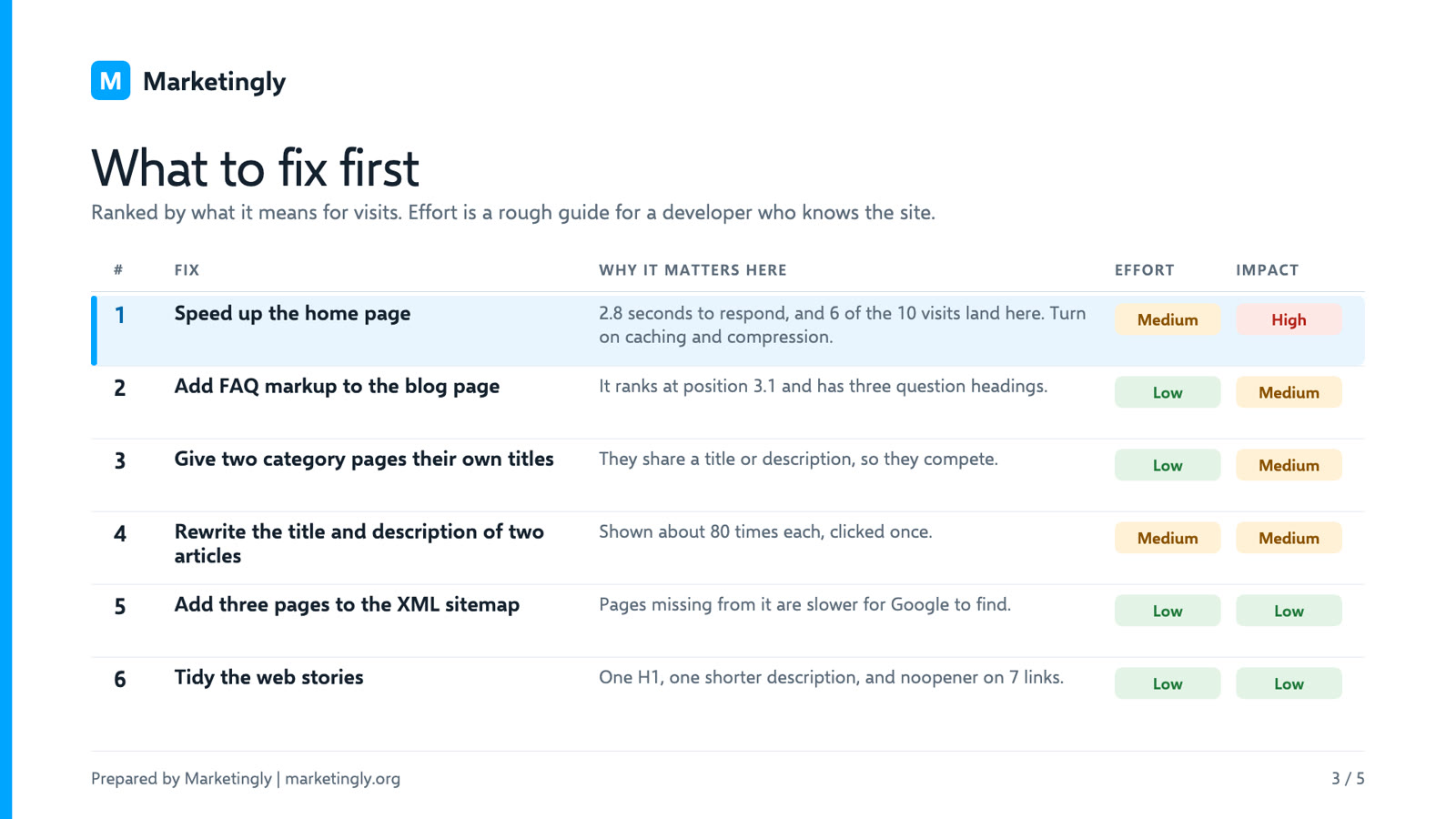
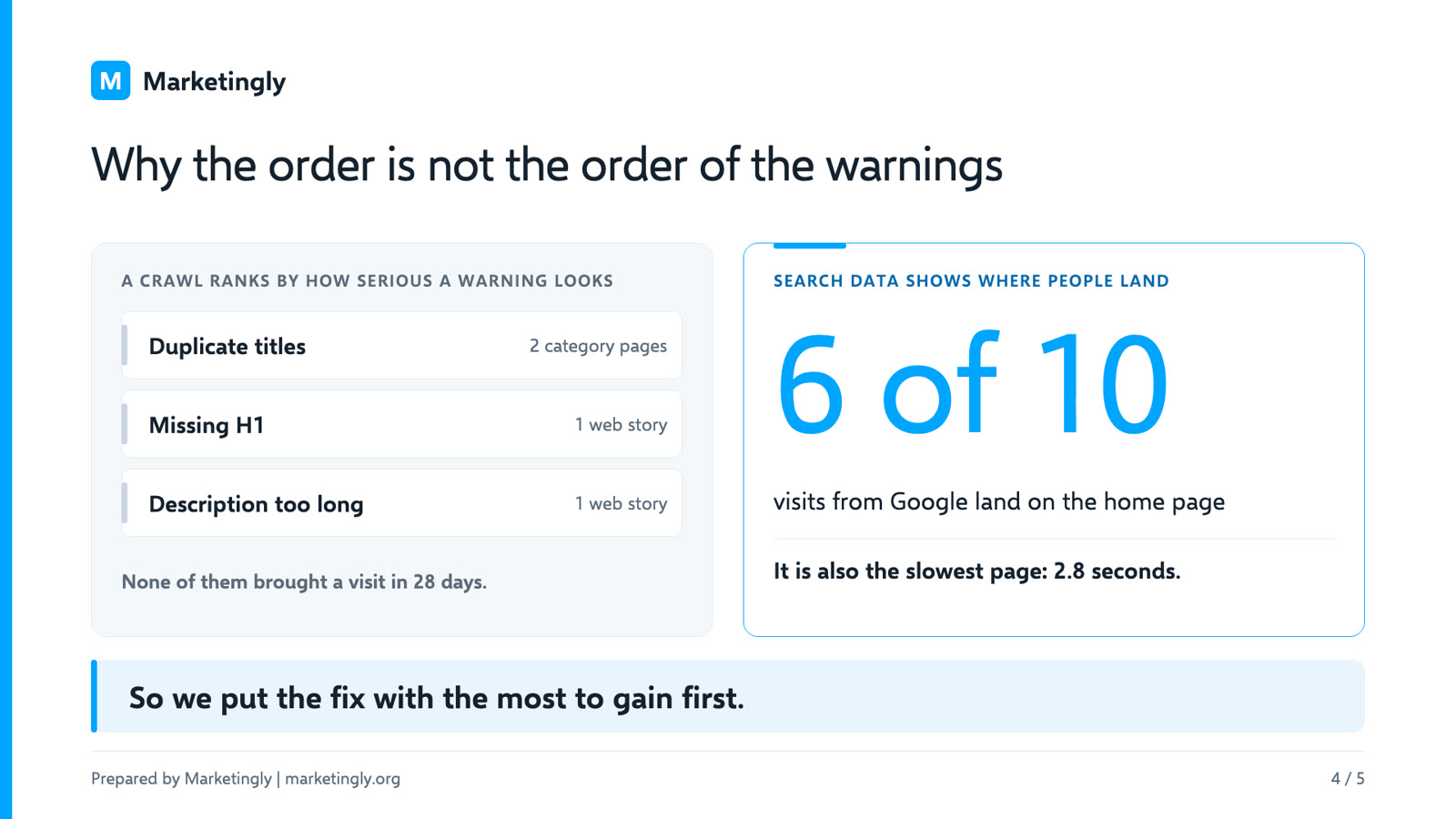
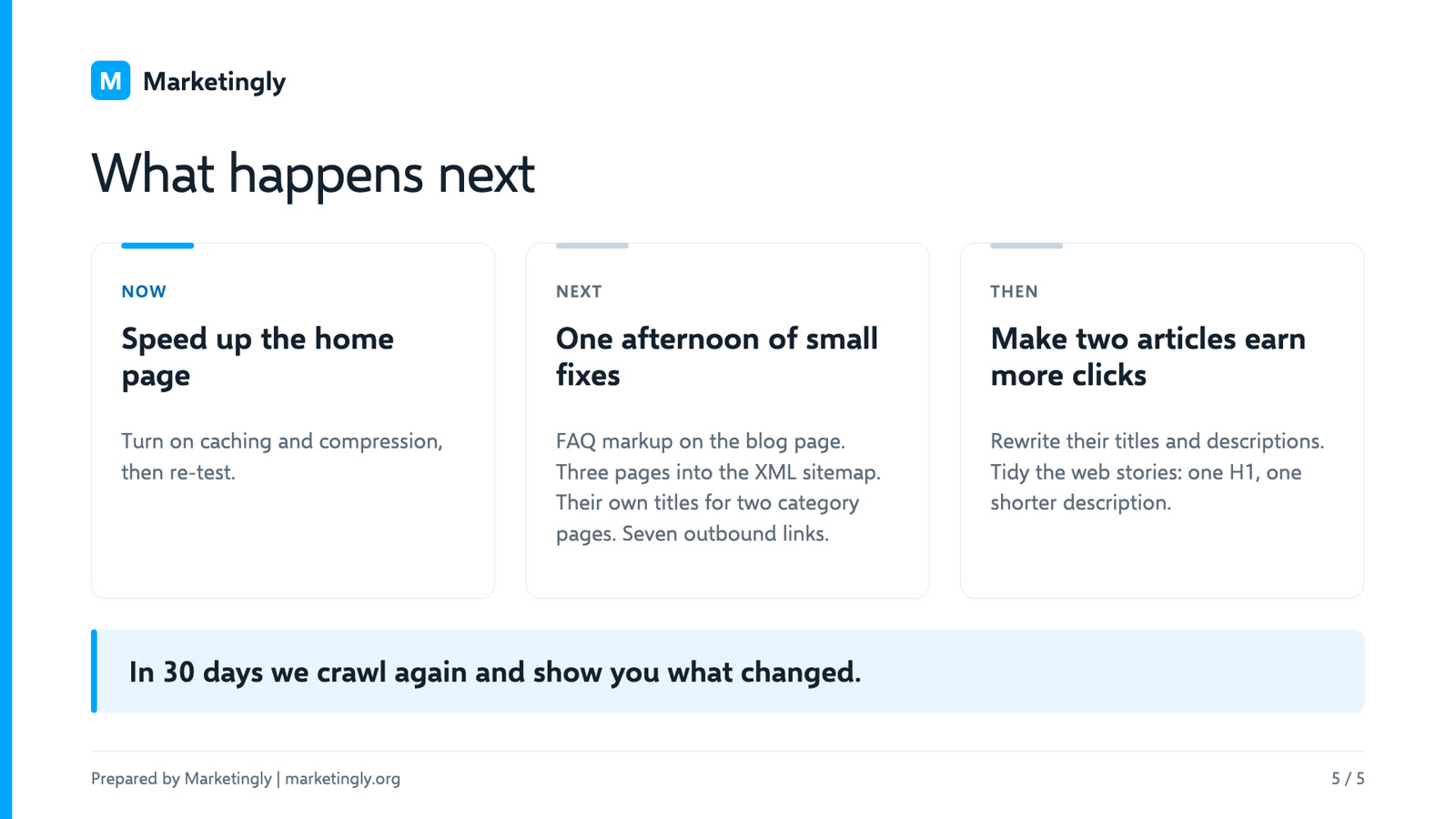
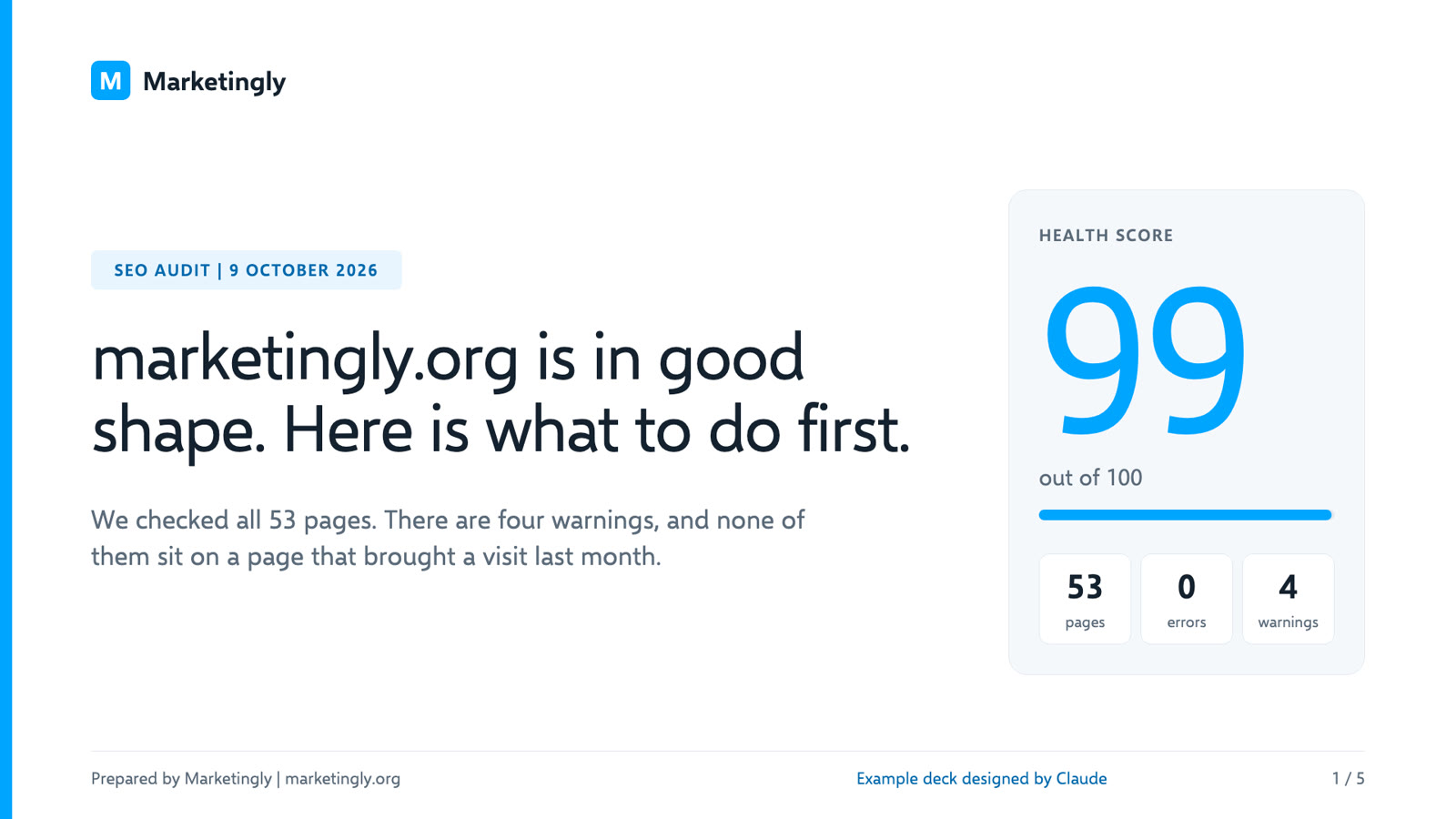
Slide 1 of the deck Claude designed: marketingly.org is in good shape, with a health score of 99
We asked Claude to design this deck for the example crawl, to show the kind of deck it makes. It was not made by pressing the button in the app.

04 Claude Optional

Or let Claude build the deck

Press Build with Claude in the PowerPoint window. Claude reads your crawl through the SEOSage connector and designs an on-brand deck from scratch. Ask Claude can also write the client summary. Every report works without Claude, and you need your own Claude access to use it.

Download the example deck (PPTX)

Slide 1 Slide 2 Slide 3 Slide 4 Slide 5
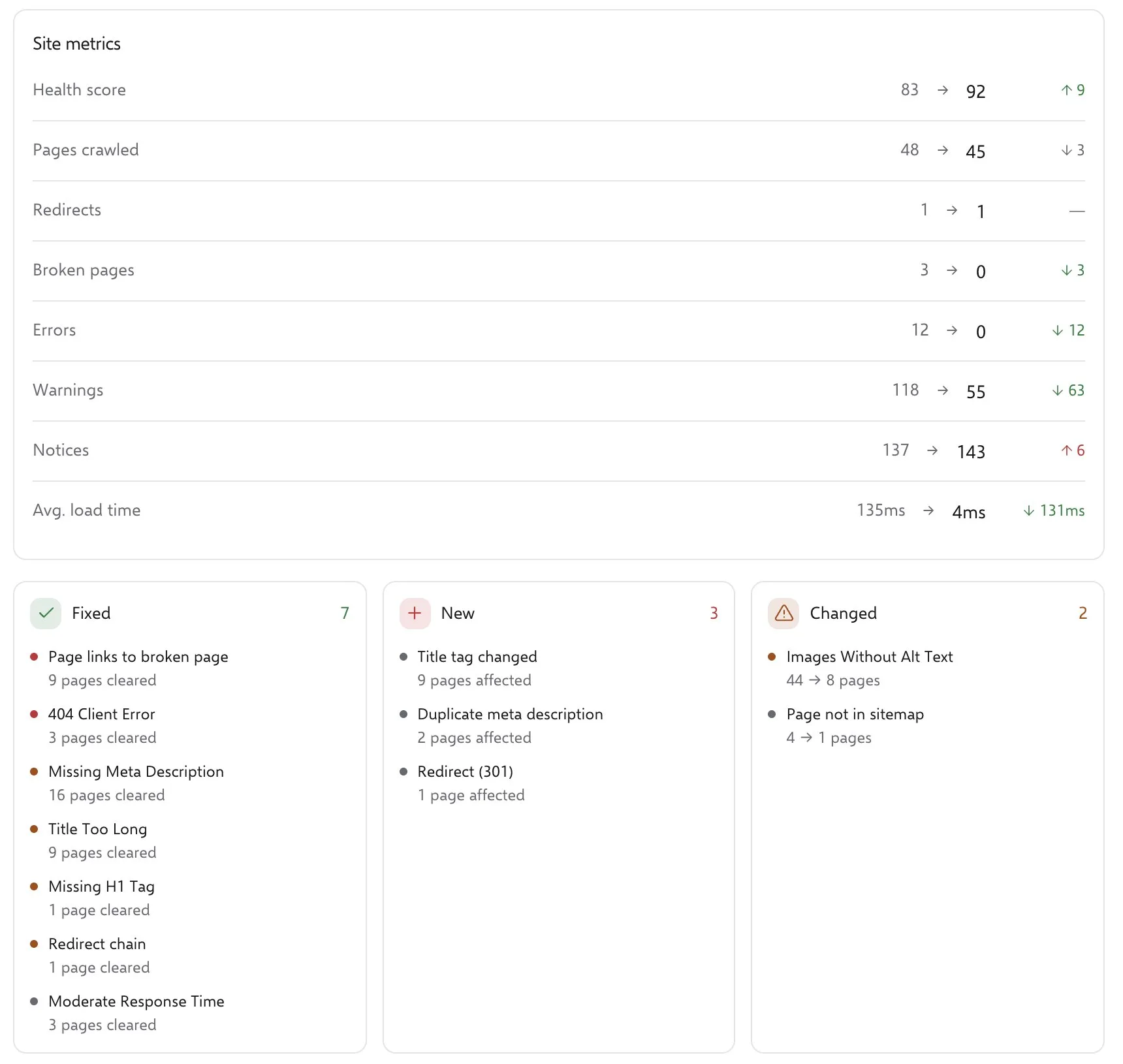
SEOSage Compare screen: health score 83 then and 92 now, with errors and warnings before and after
  • 83 → 92 score
  • 7 fixed
  • 3 new
  • 2 changed
Real SEOSage: the Compare screen, on a small made-up site built to show a before and after.

05 Show what you fixed

Crawl again and show what you fixed

After the fixes, crawl again and open Compare. Pick the two crawls and SEOSage shows the health score then and now, with every issue type sorted into fixed, new or changed. Export it in your brand.

More on comparing crawls

What is a white-label SEO reporting tool?

A white-label SEO reporting tool is software that runs a technical SEO audit and exports the results as a branded report — with your agency name, logo and colours instead of the software vendor's. The underlying audit data is the same; only the presentation changes. Agencies and freelancers use white-label SEO reporting software to deliver professional client reports without building their own audit engine.

SEOSage is a desktop white-label SEO audit software for Mac and Windows. It crawls a client's website on your computer, checks for more than 160 technical SEO issues across eight categories, then exports a branded PowerPoint deck, PDF, Excel spreadsheet or CSV in your name. The audit data stays on your machine. Plans start at $9 a month with a 14-day free trial and no card required. White-label reporting is included on every plan.

Compared with cloud-based alternatives such as AgencyAnalytics, Semrush or SE Ranking, SEOSage has no page-limit cap, no per-seat pricing for reports, and no data sent to a third-party server. The trade-off: it runs on your computer rather than a hosted dashboard, and it does not include a backlink database or client-login portal.

White-label SEO reporting: what it costs, and who it is for

  • Price$9a month, from. White-label SEO reporting comes with every plan, at no extra cost.See pricing
  • Free trial14 daysfree, with every feature. No card needed to start.
  • Usage capsNoneNo cap on pages, or on how many client websites you crawl.
  • ClaudeOptionalClaude deck building needs your own Claude access. Every report works without it.

Is this white-label SEO reporting tool right for you?

A good fit if

  • You send clients a deck, PDF or spreadsheet
  • You look after several client sites
  • You want your logo and colours on everything

Look elsewhere if

See white label SEO software

Questions about white-label SEO reports

What is a white-label SEO audit report?

A white-label SEO audit report is an SEO report with your own brand on it instead of the tool maker's, so you can send it to a client as your own work. SEOSage makes them as PowerPoint, PDF, Excel and CSV files.

Can I try white label SEO reports for free?

Yes. SEOSage has a 14-day free trial with every feature, including your own logo and colours on reports. No card is needed to start. You can also download a sample white-label report as a PDF first, with no sign-up.

Which fonts can I use?

In Settings, pick Calibri, Arial, Helvetica, Georgia, Verdana, Segoe UI or Times New Roman. For PowerPoint decks, choose New theme and type the name of any font you own, such as Montserrat. It must be installed on the computer that opens the deck, or PowerPoint swaps it.

Can Claude build my client deck?

Yes. In the PowerPoint window, press Build with Claude. Claude, the AI assistant, designs an on-brand deck from scratch using your crawl data, through the SEOSage connector. On the Reports page, Ask Claude can also write a client summary, rank what to fix first, or show what you fixed. Claude is optional: the built-in templates and every white-label report feature work without it. You need your own Claude access (chat, Cowork or Claude Code), and Claude cannot change your settings or see your sign-in details.

What users say on G2

Real reviews from people who audit websites with SEOSage.

4.8out of 5 on G2 · 3 reviews

“It crawls my whole site with no page limits, then sorts the problems so I know what to fix first.”

“The Quick Wins list saves me hours, and I can send clients a branded report in a few clicks.”

Deepak S.Social & Performance Marketing Manager, small business

“I like that SEOSage is cost-effective compared with other SEO audit tools.”

“We went from paying almost $249 a month for Ahrefs to around $179 a year. It runs on our own desktop, so it was easy to allow through our security systems. We can crawl our website and check issues on our local site, which HREF couldn’t do. The initial setup was really easy.”

Dev K.Mid-market company (51 to 1,000 employees)

“It’s much easier for new people to understand than Screaming Frog.”

“Anyone can use it after around 10 days instead of needing about six months of training. I also like the Claude integration: I can ask Claude to audit a website, get a list of issues, and ask it to fix them.”

Verified UserMid-market company (51 to 1,000 employees)

14 days free, no card

Send your first white-label SEO report in your name

Start your 14-day free trial, crawl a client's website and export a report in your name.

Start your 14-day free trialSee a sample report (PDF)

Mac and Windows. Plans from $9 a month.

Read the video transcript

Client reports, built with Claude, in your brand. Open Settings, turn on your brand, and add your company name, colour, font, and logo. One crawl becomes an eighteen slide deck and a PDF, with your logo on every page. Or press Build with Claude. It designs a bespoke deck from your crawl, in your brand. Here is a deck it designed: the short version, then the fixes, ranked by what they mean for visits. Ask Claude can also write the client summary, and tell you what to fix first. Crawl again, and compare, to show your client what you fixed. Start your fourteen-day free trial at seosage.co.