White label SEO means SEO work, software or reports that one company makes and another company sends to clients under its own name. The client sees your brand. The company behind the work stays out of sight.
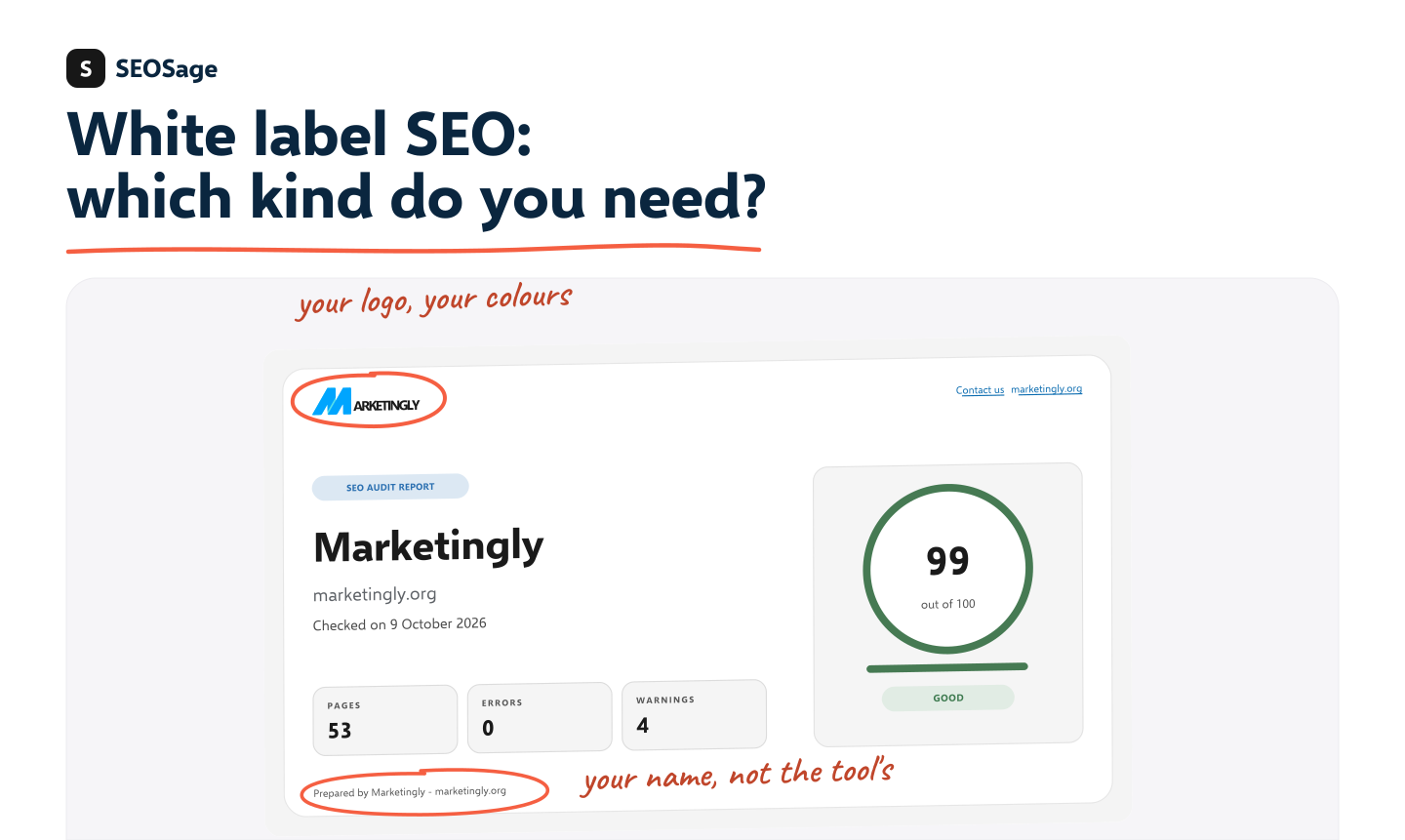
The phrase covers three different things, and people often mix them up. This guide explains each one, the risks, and how to tell which kind you need. It is written by the maker of SEOSage, which is software, so we say plainly where we fit and where we do not.
TL;DR
- White label SEO is work, software or reports made by one company and sold or sent under another company’s name.
- There are three kinds: services (someone else does the SEO work), software (you do the work with a tool that carries your brand) and reports (the branded file or dashboard your client sees).
- Services save time, but you answer for work you did not do. Software and reports keep the work in your hands.
- Pick by one question: who will do the SEO work?
- SEOSage is software with branded reports. It does not do SEO work for you, and it has no client login.
How white label SEO works #
Think of a shop that sells bread baked by a supplier, with the shop’s own label on the bag. The customer buys from the shop and may never learn who baked it. White label SEO works the same way, in three steps:
- You win a client and agree what they will get.
- A provider makes the work, the tool output or the report.
- You deliver it under your name and your price.
One thing never changes: the client holds you responsible. If the work is poor, it is your name on it.
The three kinds of white label SEO #
Most guides only talk about services. In practice there are three kinds, and they solve different problems.
1. White label SEO services #
Another company does the SEO work for you: audits, content, fixes, link building. You resell it to your clients at your own price.
- Good for: agencies with more clients than staff, or with no in-house SEO skills.
- Watch for: quality you cannot see, how links are built, long contracts and minimum fees, and who speaks to your client.
2. White label SEO software #
You do the SEO work or the advice yourself, with a tool that puts your logo and colours on what it produces. The thinking stays with you and the tool saves you time.
- Good for: freelancers, consultants and small agencies that want to keep control.
- Watch for: limits on pages or sites, branding that stops at the cover, and whether the tool gives the client a login.
We compare the types of tools in our guide to white label SEO software.
3. White label SEO reports and dashboards #
This is the part your client actually sees: a PDF, a slide deck or a live dashboard with your brand on it. Reports often come from software (kind 2) or from a reporting tool.
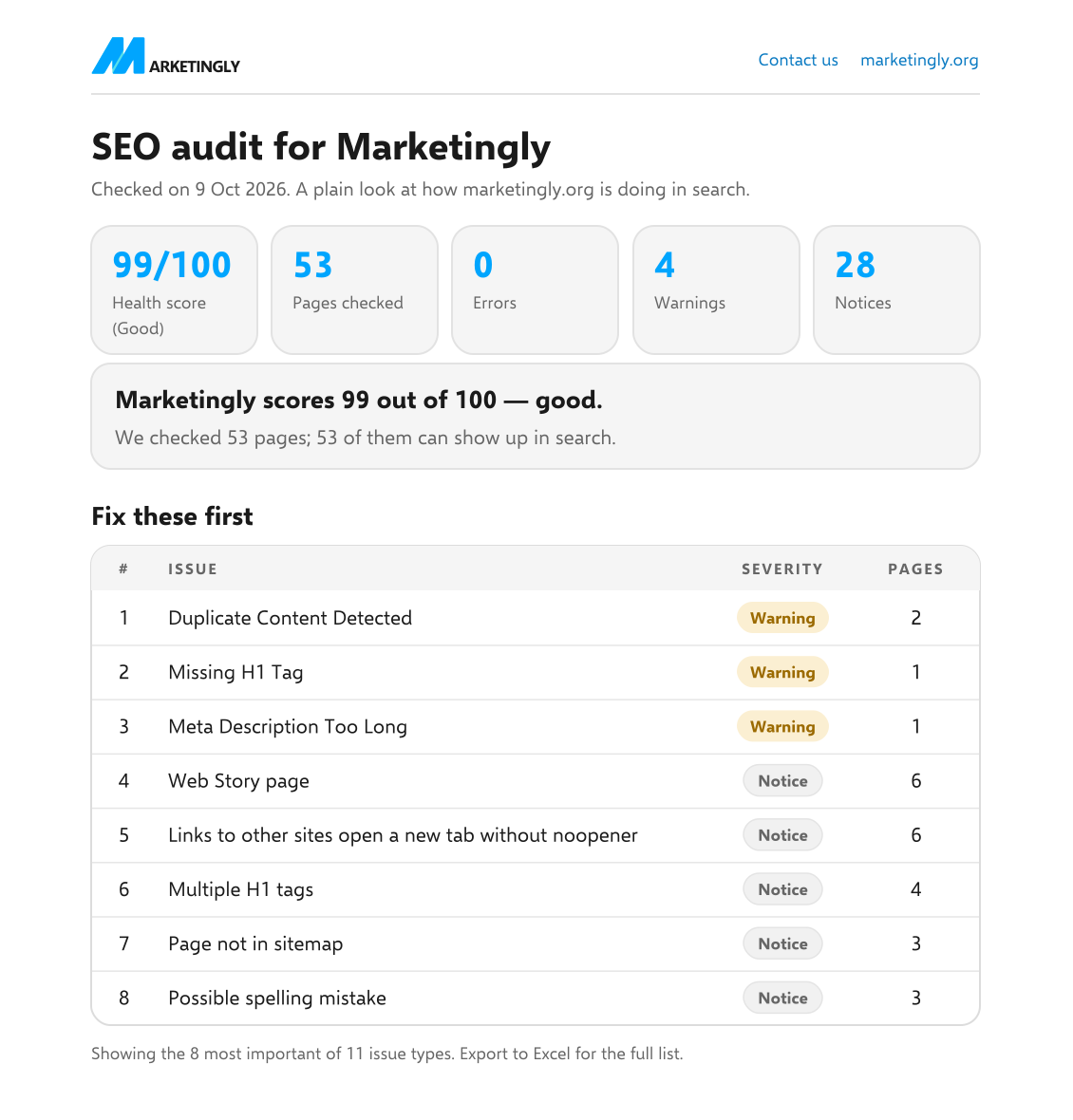
- Good for: showing clients what was found and what changed.
- Watch for: a polished report with no real audit behind it. See what to include in an SEO client report.
| Kind | Who does the work | What the client gets | Best for |
|---|---|---|---|
| Services | The provider | The finished SEO work | Agencies with more clients than staff |
| Software | You | Your own audits, under your brand | Freelancers and consultants who keep control |
| Reports | You, or the tool | A branded file or dashboard | Showing progress and results |
What SEO work can be white labeled? #
Almost any part of SEO can be passed to a provider or made by a tool. These are the usual ones:
- Technical audits. A crawl of the site that finds broken pages, redirects, missing tags and speed problems.
- On-page work. Titles, descriptions, headings and internal links, fixed or rewritten.
- Content. Articles and landing pages written to a brief.
- Link building. Outreach and placements. This is the riskiest part, so read the mistakes section below.
- Local SEO. Business profiles, listings and local pages.
- Reporting. Monthly reports and dashboards with your brand on them.
A tool like SEOSage covers the audit and reporting parts. It does not write content or build links.
Who uses white label SEO? #
- Web design and development agencies that want to add SEO to a site build.
- Social media and ad agencies whose clients keep asking about search.
- Freelancers and consultants who sell audits and advice but cannot take on every task.
- Small SEO agencies that want extra hands in busy months.
- IT and marketing firms that give clients reports under their own name.
If you run a business and want better rankings for your own site, white label SEO is not aimed at you. You want an SEO agency or an in-house hire, and a tool to audit your site.
Benefits and risks #
Benefits #
- You can grow without hiring.
- You look established: one brand, one voice.
- Costs are easier to predict, especially with software on a fixed plan.
- You spend your time on clients, not on building tools.
Risks #
- You own the result. A provider’s mistake becomes your mistake.
- Quality varies. Ask for real samples, not a sales deck.
- Client data moves. With services, the provider usually sees your client’s site and accounts. With software that runs on your own computer, such as SEOSage, the crawl data stays on your machine.
- Hidden limits. Page caps, per-client fees and minimum terms.
- Honesty. You do not have to name your provider, but do not claim work you did not do, and answer honestly if a client asks.
Which kind do you need? #
Ask one question: who will do the SEO work?
- “A provider will.” You need white label SEO services. Check their sample work and their contract first.
- “I will.” You need white label SEO software, so your audits carry your brand.
- “I already do the work and only need to show results.” You need branded reports. Many tools make them.
Many people use two kinds at once: services for the heavy work, and software for audits and reports.
White label SEO or hiring your own people? #
White label is one way to add SEO capacity. Hiring is another. Here is how the choices differ.
| Hire staff | White label services | White label software | |
|---|---|---|---|
| Who does the work | Your own team | The provider | You, with a tool |
| How fast you can start | Slow: hiring and training | Fast, after a trial job | Fast: install and crawl |
| Control over quality | High | Lower: you check, they do | High |
| Cost shape | Salaries, whatever the workload | Per job or per month | A plan price |
How agencies price white label SEO #
Three methods are common. None is right for everyone.
- Markup. You add a percentage on top of what the provider charges you.
- Fixed packages. You sell set bundles, such as an audit or a monthly plan, at a set price.
- Retainer. The client pays a monthly fee, and you cover the provider and your own time out of it.
Whatever you choose, work out the numbers first: what the client pays, minus the provider’s cost, minus the hours you spend managing the work and talking to the client. If little is left, the price is too low. With software on a fixed plan, your cost does not rise with each new client, so the margin on audits and reports grows as you add clients.
What to check before you sign up #
- Who really does the work? Ask what the team looks like and where it is based.
- Is there a real sample? A full report or a piece of finished work, not a screenshot.
- How deep is the branding? Logo, name, colours, font and footer should all change, and nothing should point back to the provider.
- What are the limits and the exit? Look for page caps, per-client fees, minimum terms and how to leave.
- Where does your client’s data go? Find out who can see it and where it is stored.
Common mistakes #
- Choosing on price alone. The cheapest provider often cuts the work you cannot see.
- Skipping the sample. If a provider will not show real work, treat that as an answer.
- Promising rankings. Nobody controls Google. Promise work and reporting, not positions.
- Ignoring how links are built. Google’s spam policies cover buying and selling links that pass ranking credit, and breaking them can hurt your client’s site. Ask how every link is earned.
- Letting the provider contact your client. Keep your brand, your emails and your calls.
- Sending work you have not read. You sign off on it, so read it first.
How to start in five steps #
- Pick the kind. Use the question above: who will do the work?
- Start small. Test with one client or one paid audit, not your whole client list.
- Set up your brand. Logo, name, colours and a footer line, so everything looks like yours from day one.
- Agree what the client gets. Write down the deliverables, the dates and how you will report.
- Review and report each month. Read the work, send a short report and note what changed. Our guide to the SEO client report shows what goes in it.
Where SEOSage fits #
SEOSage is white label SEO software with branded reports. It is a desktop app for Mac and Windows. It crawls any website on your own computer, lists what is wrong and exports a PDF, a PowerPoint deck, an Excel file or a CSV with your logo, name and colours. Ask Claude can draft the client summary. Plans start at $9 a month, and the free trial lasts 14 days.
It does not do SEO work for you, so it is not a services provider. It has no client login or dashboard, and no backlink or keyword database. Your client receives a file. If you need any of those things, you will need another tool next to it.
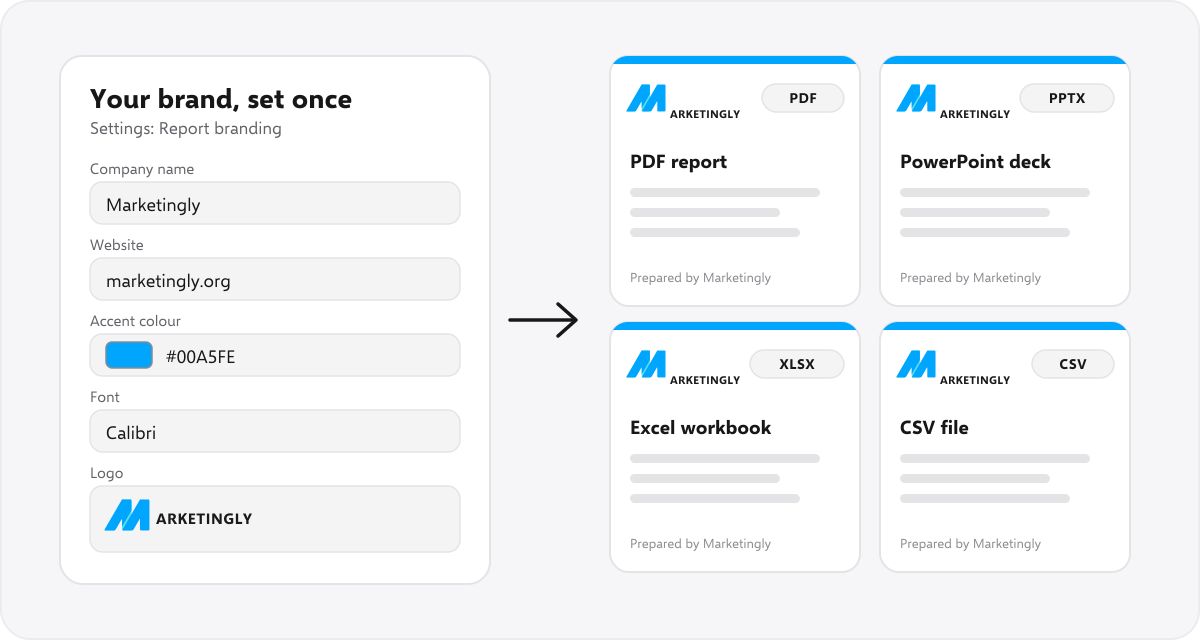
To see what a client receives, open the sample report (PDF), or read about our white label SEO audit tool.
FAQ #
What does white label mean in SEO? #
It means the work, tool or report is made by one company and shown under another company’s brand. The client sees the brand of the company they pay.
Is white label SEO legal? #
Yes, in general. Reselling work under your own name is a normal business model. Read the provider’s terms and your own client contract, and be honest if a client asks who does the work. This is not legal advice.
How much does white label SEO cost? #
It depends on the kind. Services are priced by the job or by the month, and the range is wide, so ask for a written quote and samples. Software is usually a plan price. SEOSage is from $9 a month, with branded reports on every plan.
Is white label SEO software the same as white label SEO services? #
No. Software is a tool you use yourself to audit websites and make reports under your own brand. Services mean another company does the SEO work and you resell it. SEOSage is software.
Can a freelancer use white label SEO? #
Yes. A freelancer can use white label software to send professional audits under their own name, without hiring anyone. Start with one client and a sample report.
Who uses white label SEO? #
Web design agencies, social media and ad agencies, freelancers, consultants and small SEO agencies. Anyone who sells SEO or reports to clients, but does not want to build every tool or do every task alone.
How do agencies price white label SEO? #
Most add a markup to the provider’s price, sell fixed packages, or charge a monthly retainer. Work out what is left after the provider’s cost and your own time before you quote.
What is the biggest risk of white label SEO? #
Quality you cannot see. You answer for the work, so ask for samples, read the output before it reaches the client and keep a contract that says what happens if the work is poor.