The best SEO reporting tools in 2027 are SEOSage for branded audit reports at the lowest price, AgencyAnalytics for an all-in-one client portal, DashThis and Swydo for simple white-label dashboards, Databox and Whatagraph for dashboards across many data sources, SE Ranking, Semrush and Ahrefs if you already pay for their SEO data, and Data Studio (formerly Looker Studio), which is free. Below is what each SEO reporting software costs for one client and for ten, whether it can put your logo on the report, what goes into its reports, and who it suits.
TL;DR
- Cheapest branded reports: SEOSage, $149 a year for 10 client projects (Pro, billed yearly), with your logo on every plan. Reports are files you send, built from a full crawl.
- Client dashboards with your logo: Swydo (about $1,368 a year for 10 clients, billed monthly), DashThis ($1,668) and AgencyAnalytics ($2,400), all with white label included.
- If you already use an SEO suite: SE Ranking adds white label for $69 a month (yearly only), Semrush charges $20 a month per branded report, and Ahrefs has no white label.
- Many data sources, bigger budget: Databox ($3,348 a year for 10 clients with white label) and Whatagraph (from $812 a month, billed yearly).
- Free: Data Studio, with Google’s own Search Console and Analytics connectors, but no true white label.
This guide is part of our series on white label SEO and client reporting. To put your own brand on audits and reports, see our white label SEO software.
Which kind of SEO reporting tool do you need? #
SEO reporting tools come in three kinds, and the kind matters more than the brand. Pick the kind that matches the report you need to send, then the tool.
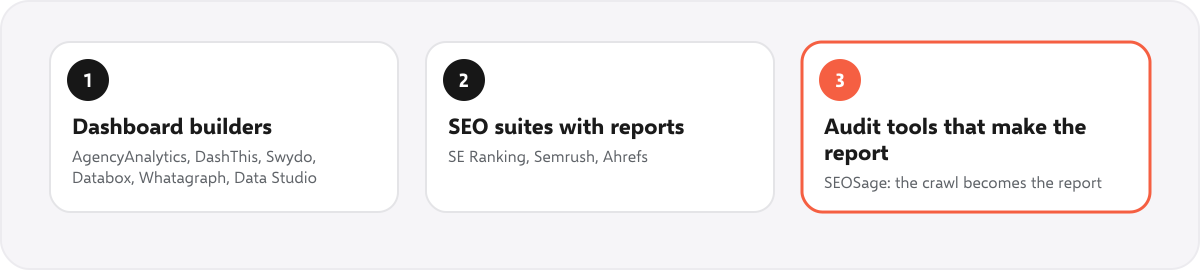
- Dashboard and report builders (AgencyAnalytics, DashThis, Swydo, Databox, Whatagraph, Data Studio) pull numbers from tools you already use, such as Search Console and Google Analytics, and lay them out as a dashboard or a scheduled report. Most do not crawl a site themselves; AgencyAnalytics is the exception.
- SEO suites with a report builder (SE Ranking, Semrush, Ahrefs) turn their own rankings, site audit and backlink data into reports. Good if you already pay for the suite; the report is an extra, and so is the logo.
- Audit tools that make the report (SEOSage) crawl the site, find what is wrong and turn it into a branded file: PowerPoint, PDF, Excel or CSV. The audit itself is the report.
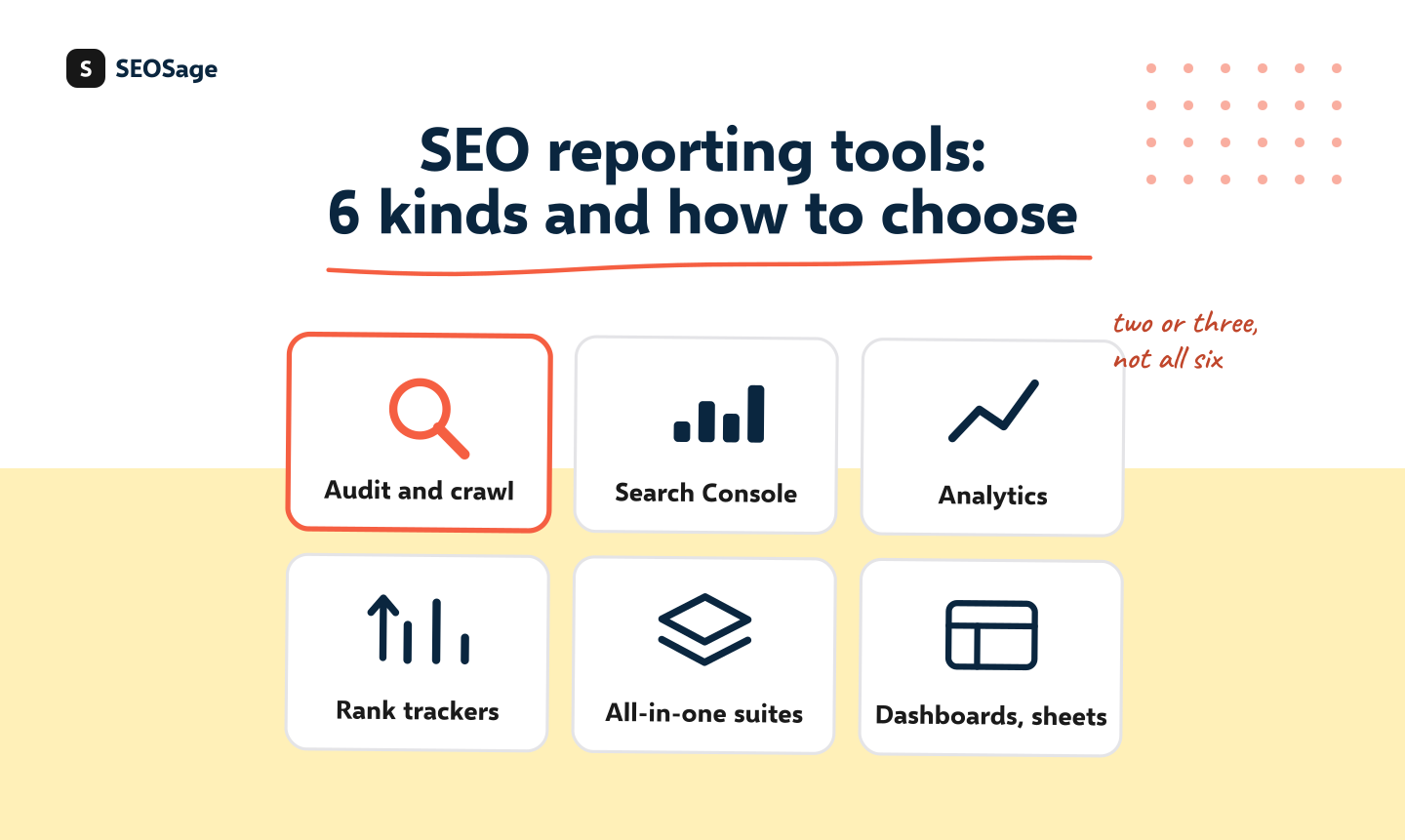
Underneath them are the same six sources of data, and no single tool covers all six well. Most agencies use two or three.
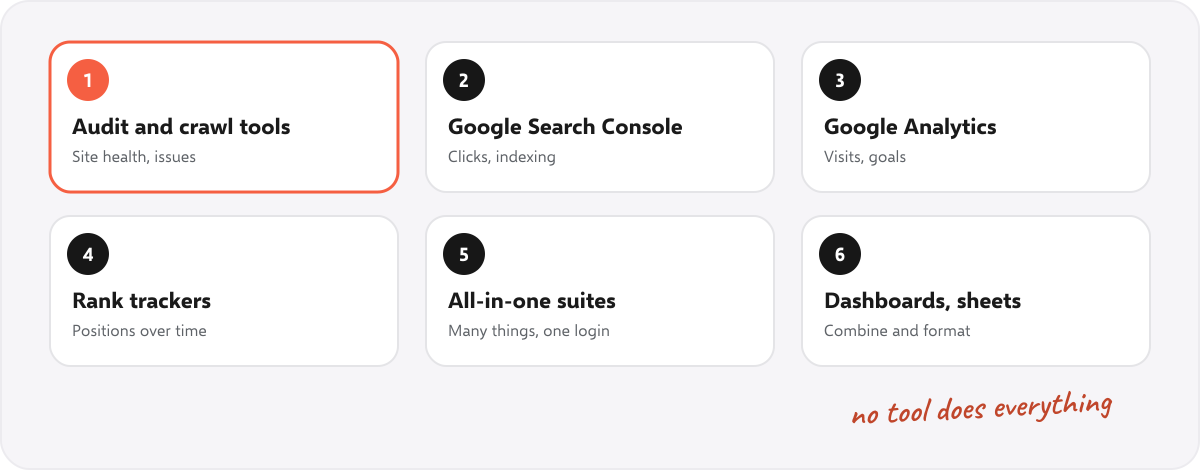
| Data | What it reports | Where it comes from |
|---|---|---|
| Site health | Errors, broken links, missing titles, hidden pages, speed | A crawl: an audit tool or a suite’s site audit |
| Search results | Clicks, impressions, average position, indexing | Google Search Console (free) |
| Visits and results | Visits, where they come from, enquiries and sales | Google Analytics (free) |
| Rankings | Positions for chosen keywords over time | A rank tracker, or Search Console’s average position |
| Links | Backlinks and referring sites | A backlink database: Ahrefs, Semrush, Majestic and others |
| The report itself | Your logo, your commentary, the layout | The reporting tool, a deck or a document |
What each SEO reporting tool costs a month #
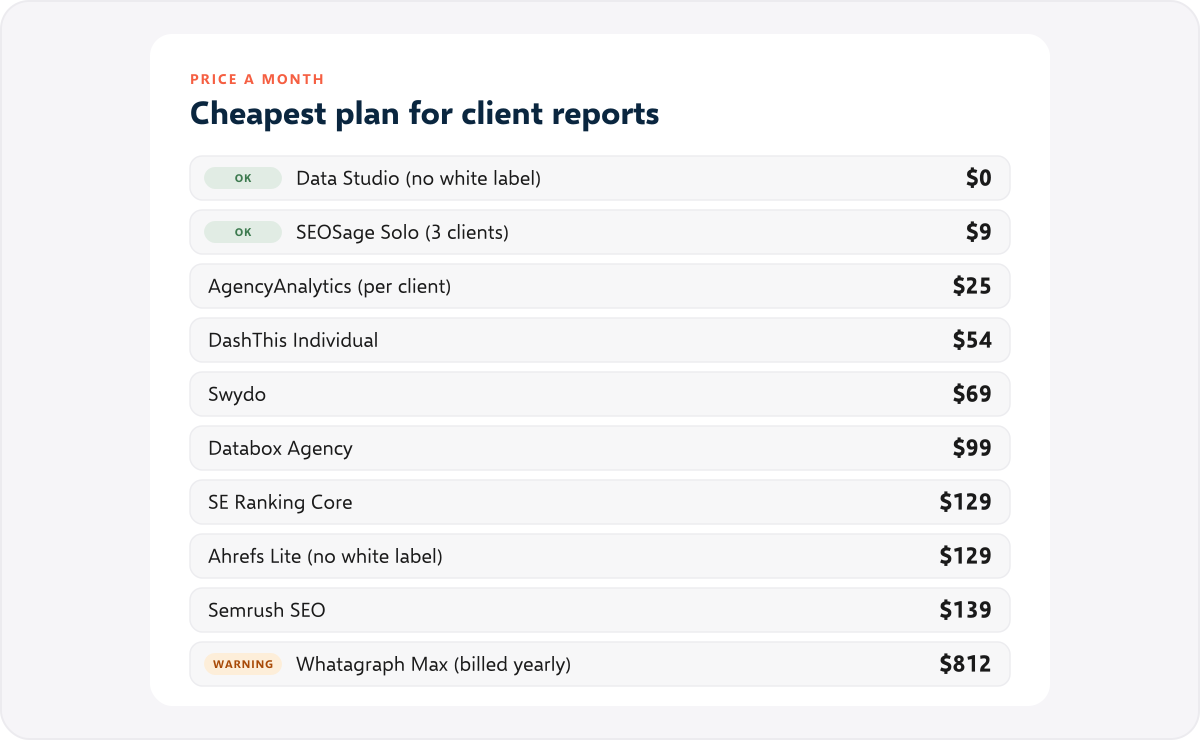
The cheapest plan that lets you send reports to a client, billed monthly unless the tool only sells yearly plans. Checked on each tool’s own pricing page on 10 November 2026, in US dollars. G2 ratings are from G2 on the same day; how many reviews each is based on is under each tool below.
| Tool | G2 rating | Cheapest plan for client reports | Price a month | Billed yearly | Your logo on the report |
|---|---|---|---|---|---|
| Data Studio | 4.4 | Free | $0 (Pro $9 per user) | Not shown | Logo image only, no white label |
| SEOSage | 5.0 | Solo, 3 client projects | $9 | $79 a year | Every plan |
| AgencyAnalytics | 4.7 | Core, per client | $25 per client | $20 per client | Included |
| DashThis | 4.7 | Individual, 3 dashboards | $54 | $44 | Every plan |
| Swydo | 4.6 | One plan, 10 data sources | $69 | 10% less (price shown only in euros) | Included |
| Databox | 4.4 | Agency, 4 client accounts | $99 | $79 | Add-on, $100 a month ($80 yearly) |
| SE Ranking | 4.8 | Core, 10 projects | $129 | $103.20 | Agency Pack, from $69 a month, yearly only |
| Ahrefs | 4.5 | Lite, 5 reports | $129 | $108 | Not offered |
| Semrush | 4.4 | SEO plan | $139 | $117.33 | Pro report, $20 a month per report |
| Whatagraph | 4.5 | Max | No monthly plan | From $812 | Included on Max |
What reporting on 10 clients costs for a year #
Monthly prices hide the real cost, because most reporting tools charge by the client, the dashboard, the data source or the report. So here is one worked example: a monthly report for 10 client websites, each using Search Console and Google Analytics, for one year, on the cheapest plan that covers it, billed yearly where that is offered.
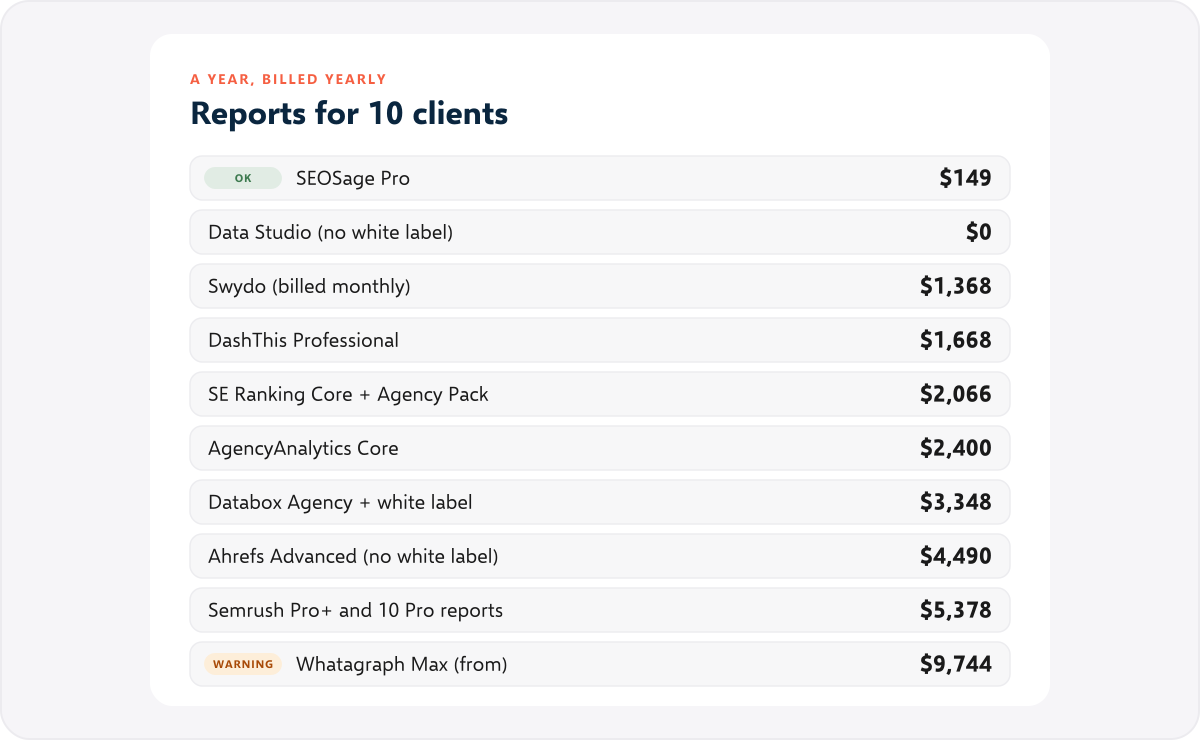
- SEOSage Pro: $149. 10 client projects on 2 computers, white label on every plan.
- Data Studio: $0. Free, but no white label, and no crawl, rankings or backlinks without paid connectors.
- Swydo: about $1,368. One plan with 10 data sources, plus 10 more at $4.50 each (two per client), billed monthly. Billed yearly it is 10% less, but Swydo shows the yearly price only in euros.
- DashThis Professional: $1,668. 10 dashboards and 40 data sources, at one dashboard per client.
- SE Ranking Core with the Agency Pack: $2,066. Core’s 10 projects and 10 reports fit 10 clients exactly; the Agency Pack adds white label and is billed yearly only.
- AgencyAnalytics Core: $2,400. $20 per client a month billed yearly; rank tracking is extra.
- Databox Agency with white label: $3,348. $2,388 without the white label add-on (Agency plus six account packs).
- Ahrefs Advanced: $4,490. 15 reports, but the reports carry Ahrefs’ logo, not yours.
- Semrush Pro+ with 10 Pro reports: about $5,378. Pro+ covers 15 websites; each branded Pro report costs $20 a month.
- Whatagraph Max: from $9,744. From $812 a month, billed yearly, bought through sales.
These are list prices for one person. Several tools offer volume pricing above 25 clients, and all of them change prices, so check again before you buy.
Which tools put your logo on the report #
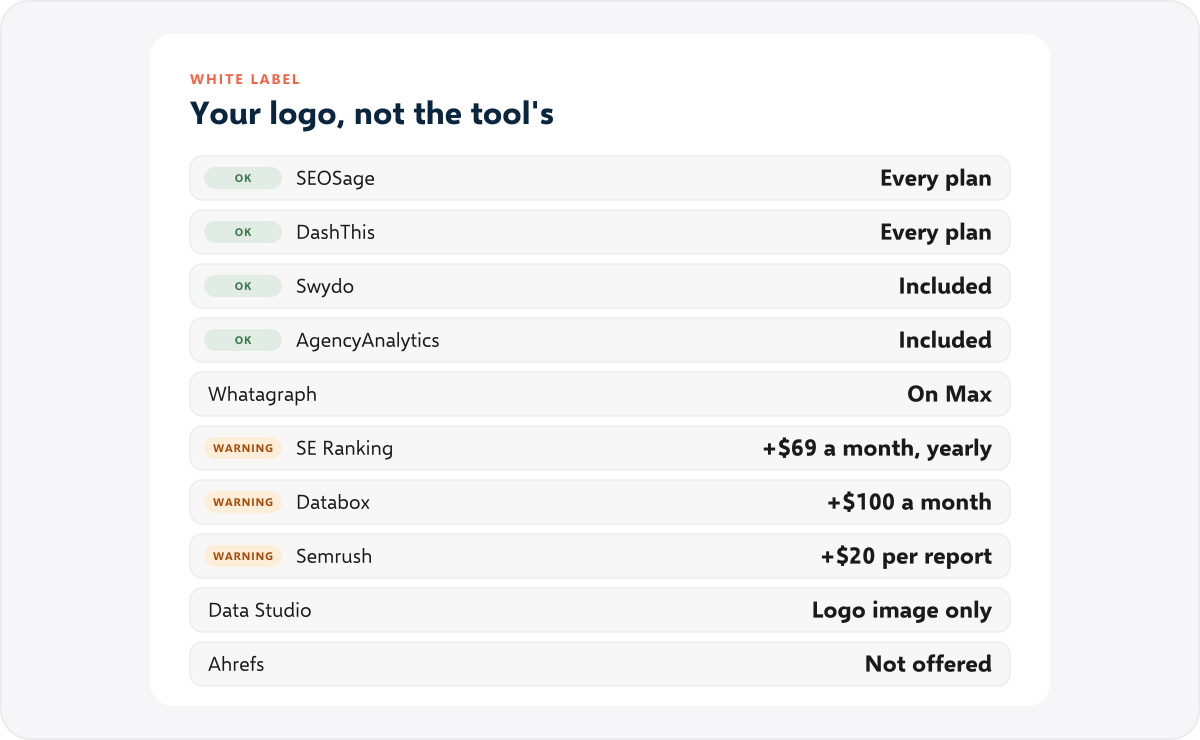
White label means the client sees your brand, not the tool’s: your logo and colours on the report, ideally a link on your own domain and an email from your own address. It is the line that matters most for agencies, and it is where most of the extra charges hide.
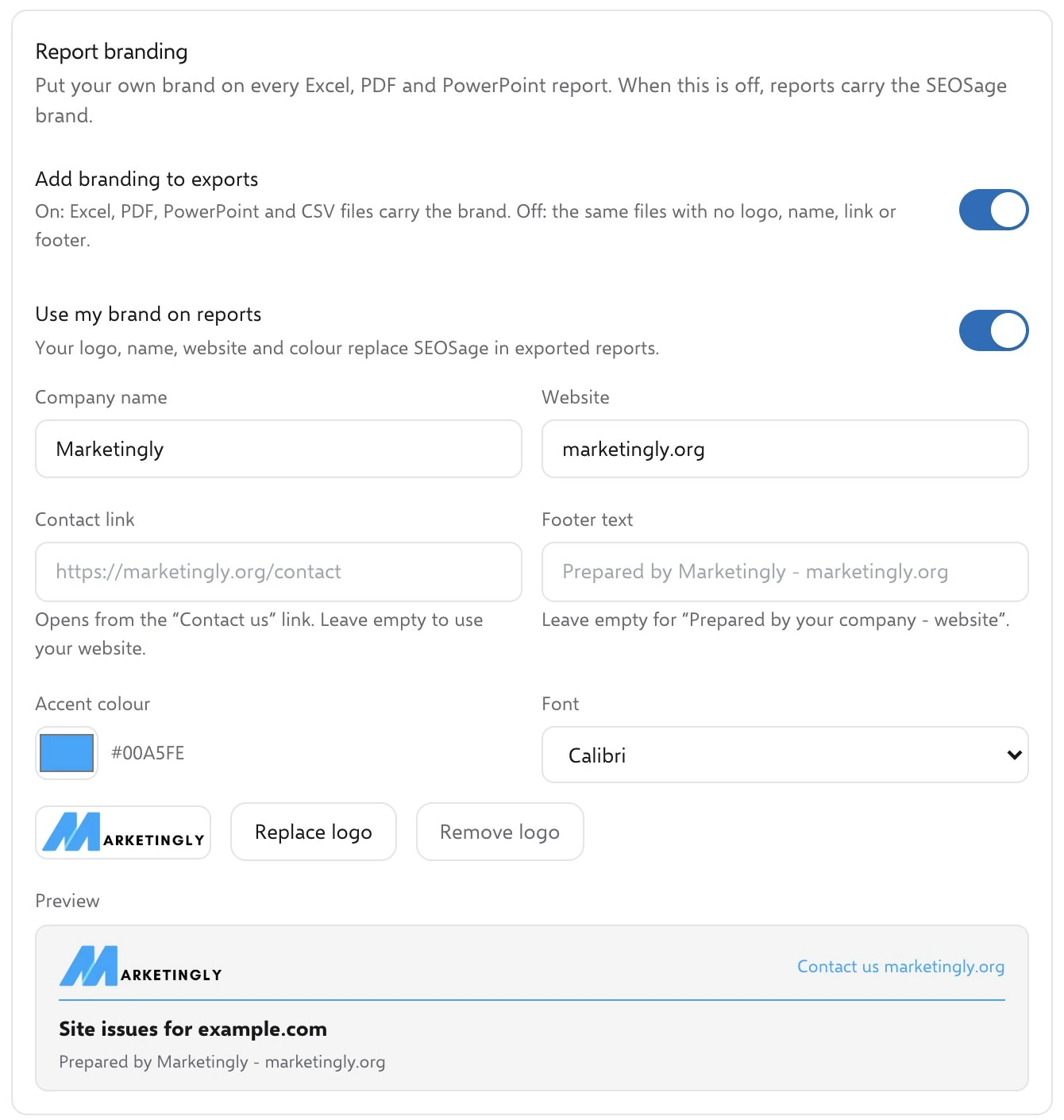
In SEOSage you set the logo, accent colour, font and footer once, and every export carries them: the PowerPoint deck, the PDF, the Excel workbook and the top and bottom of each CSV file.
How we chose and compared them #
- We included tools whose main job, or one of whose main jobs, is sending SEO reports to clients, and that show up in the lists people read today.
- For each, we read the price, plan limits, white label terms and trial from the tool’s own pricing, product and help pages on 10 November 2026, not from review sites.
- The G2 rating under each tool is the score and number of reviews on its G2 page on 10 November 2026. Look at the number of reviews as well as the score: a score from a few reviews says less than one from hundreds. For Semrush, Ahrefs and SE Ranking the rating covers the whole product, not only its reports.
- Where a tool’s own pages disagree with each other, we say so.
- We judged each on what it is for, not on a score: who it suits, what its report shows, what it is good at, and where it falls short.
- The screenshots of other tools are their own screens as shown on their own websites, and each caption says so. The SEOSage screenshots are ours.
- SEOSage is listed first because it is built for exactly this job: a branded client report at a low price. Its limits are listed like everyone else’s.
The 10 best SEO reporting tools in 2027 #
1. SEOSage #
Best for: freelancers and agencies who sell SEO audits and monthly reports, and want a branded report built from a full crawl of each client’s site, at the lowest price.
G2 rating: 5.0 out of 5 from 2 reviews. SEOSage is new on G2, so two reviews are a first look, not a verdict.
Price: Solo $9 a month or $79 a year (1 computer, up to 3 client projects), Pro $19 a month or $149 a year (2 computers, 10 client projects), Team $39 a month or $299 a year (5 computers, unlimited client projects). White label is on every plan. 14-day free trial, no card needed.
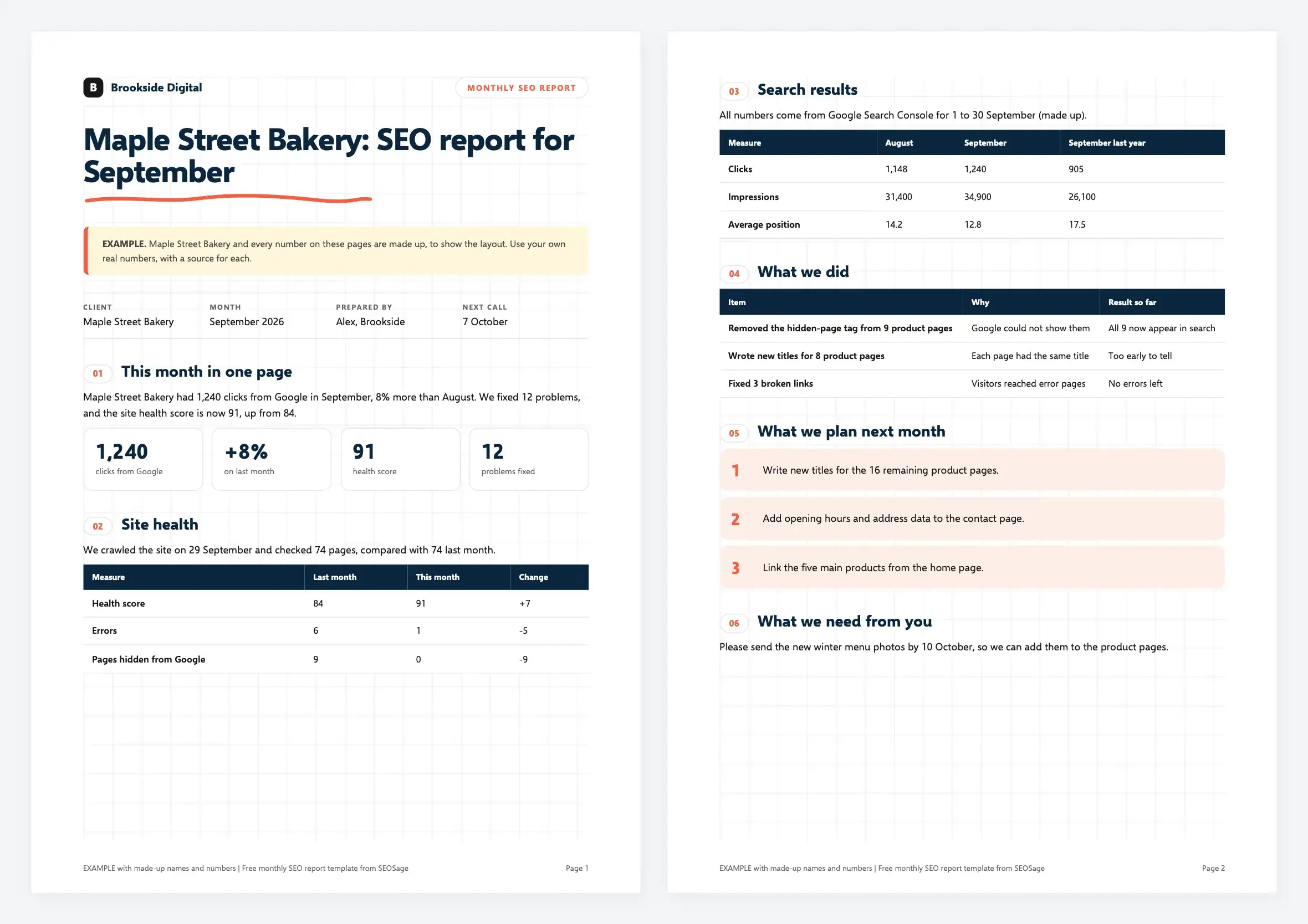
What the report gives you: a health score and the issues found on every page, sorted by how much they matter, with what each means and how to fix it, plus what changed since the last crawl. Next to the crawl, SEOSage shows the site’s Search Console clicks, impressions and average position, and Google Analytics visits for each page, so a report can say both what is broken and how much traffic the page gets.
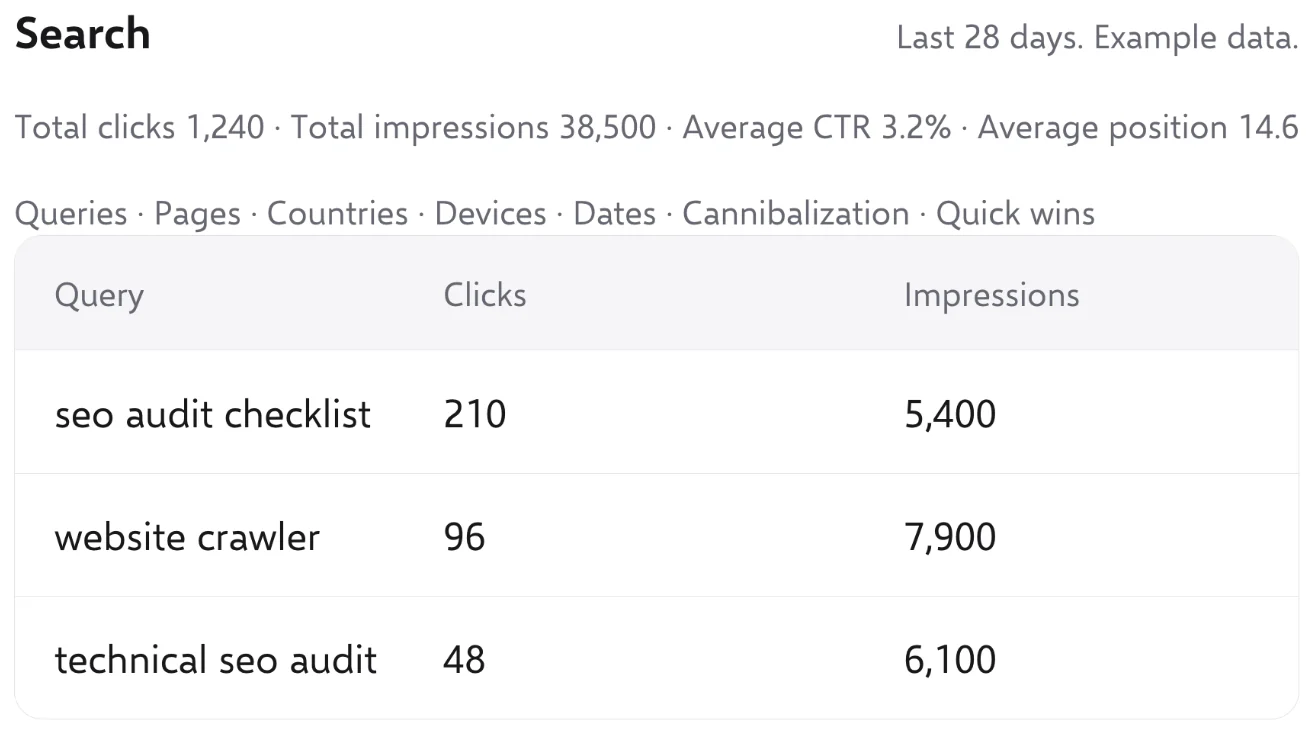
Good at: it is the cheapest way on this list to send branded reports to 10 clients. The crawl has no page limit and runs on your own computer, so your clients’ data is not uploaded to anyone’s server. It exports PowerPoint, PDF, Excel and CSV with your logo, and it tracks the keywords you pin from your own Search Console data, with drop alerts.
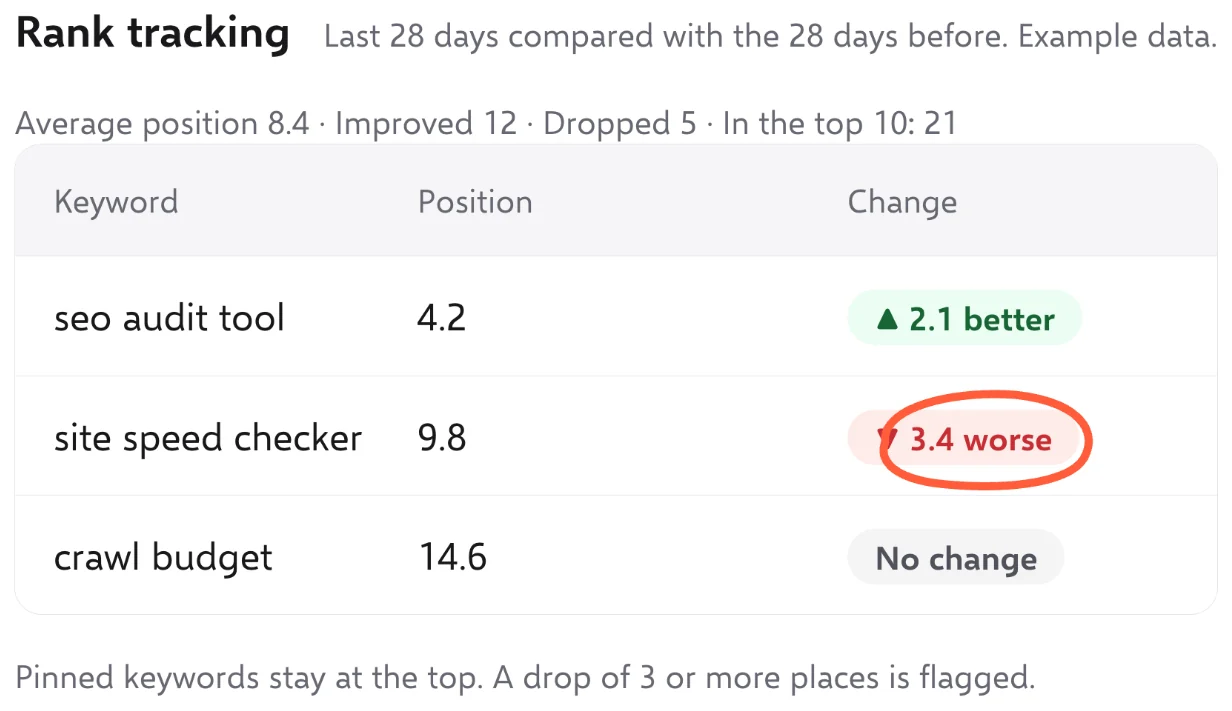
Falls short: reports are files you send, not a live client dashboard or portal, and SEOSage does not email them for you. It has no backlink or keyword volume data, so use a separate tool for those. Rank positions are Search Console’s average positions, not a daily rank check from a set location.
See the white label SEO reports page for what the exports look like, or pricing.
2. AgencyAnalytics #
Best for: agencies that want one branded client portal with dashboards, rankings, backlinks and site audits together.
G2 rating: 4.7 out of 5 from 464 reviews.
Price: one plan, Core: $25 per client a month, or $20 per client a month billed yearly, with unlimited dashboards, reports, data sources and staff accounts. Rank tracking is an add-on, $50 a month for 500 keywords ($41.67 billed yearly). Volume pricing above 25 clients. 14-day free trial, no card needed.
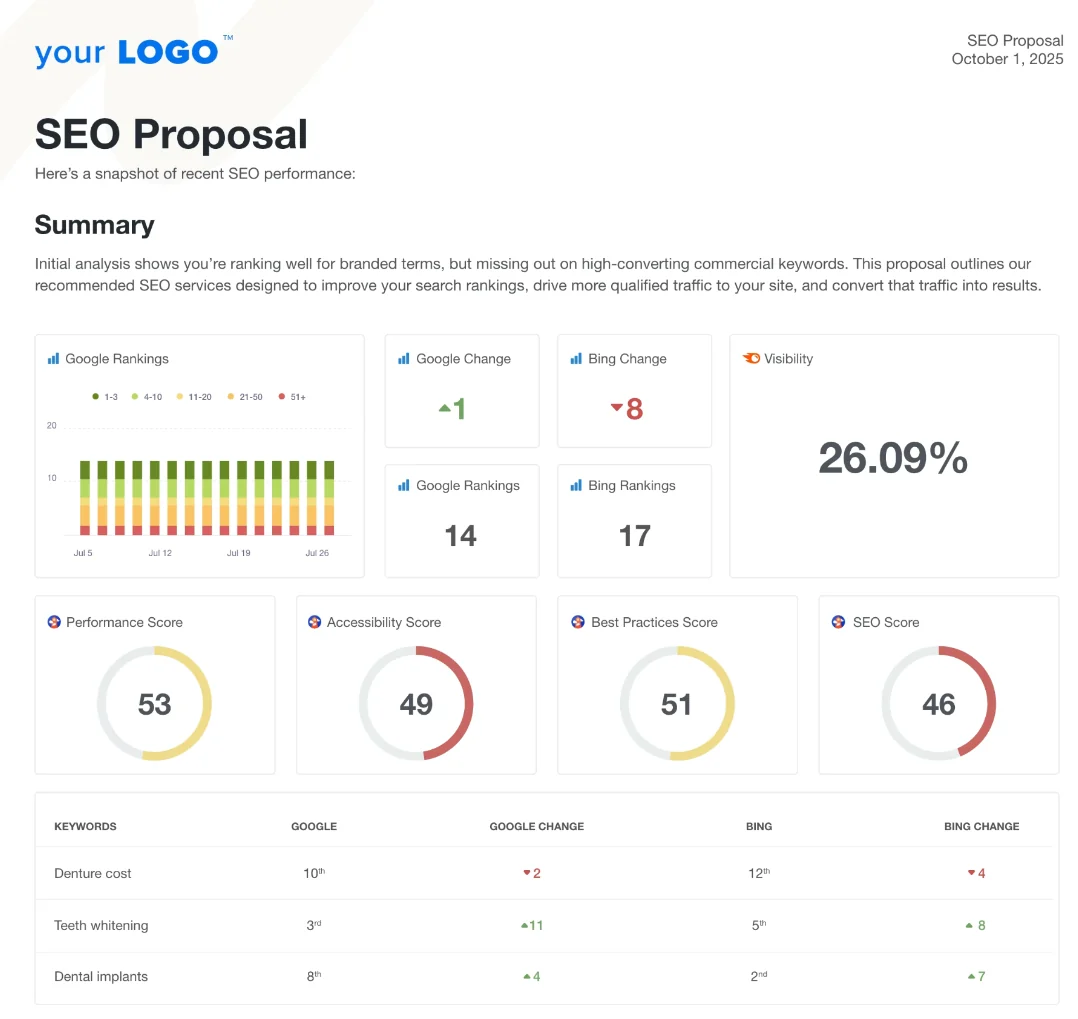
What the report gives you: dashboards and scheduled reports from more than 90 integrations, including Search Console and Google Analytics, plus its own Site Auditor, which crawls 100 to 30,000 pages per audit, a rank tracker covering Google, Bing and local results, and backlinks from Majestic’s database.
Good at: it is the only dashboard tool here with its own crawler, rank tracker and backlink data, so one login can cover most of a client report. Clients get a white-label portal with your logo, and staff accounts are unlimited.
Falls short: the price grows with every client: $2,400 a year for 10 billed yearly, more with rank tracking. Its own pages disagree on which white-label parts, such as a custom email and full custom domain, are on every plan, so check before you rely on them.
3. DashThis #
Best for: agencies that want simple white-label dashboards fed by the SEO tools they already use.
G2 rating: 4.7 out of 5 from 94 reviews.
Price: Individual $54 a month or $44 billed yearly (3 dashboards, 15 data sources), Professional $164 or $139 (10 dashboards, 40 sources), Business $324 or $279 (25 dashboards, 100 sources), Standard from $499 or $429 (50 dashboards and up). Unlimited users on every plan. 14-day free trial, no card needed.
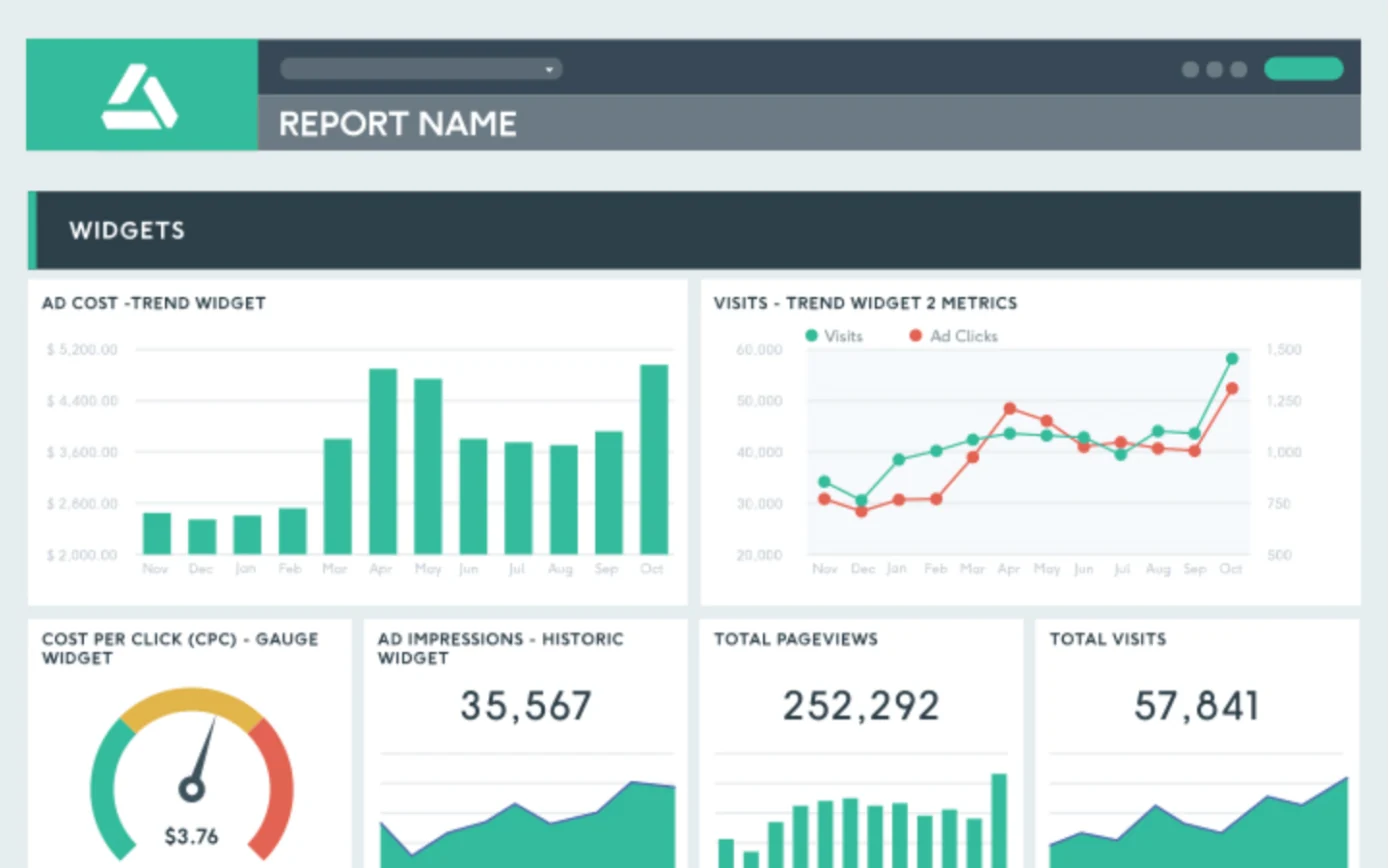
What the report gives you: one dashboard per client, built from integrations such as Search Console, Google Analytics 4, Semrush, Moz, Ahrefs, Majestic and Google Business Profile, sent automatically by email.
Good at: full white label on every plan, the cheapest included: your logo, no DashThis branding, a custom domain and a custom sender email. The pricing is simple to read.
Falls short: it has no crawler or rank tracker of its own, so the SEO data has to come from another paid tool. Plans cap dashboards and data sources, so 10 clients means Professional, $1,668 a year billed yearly.
4. Swydo #
Best for: agencies with many clients who want branded reports at a flat price.
G2 rating: 4.6 out of 5 from 117 reviews.
Price: one plan with every feature: $69 a month; billed yearly it is 10% less, but the yearly price is shown only in euros. It includes 10 data sources; more cost $4.50 each up to 100, then less. Every connected account counts as one data source. Clients, users, dashboards and reports are unlimited. 14-day free trial, no card needed.
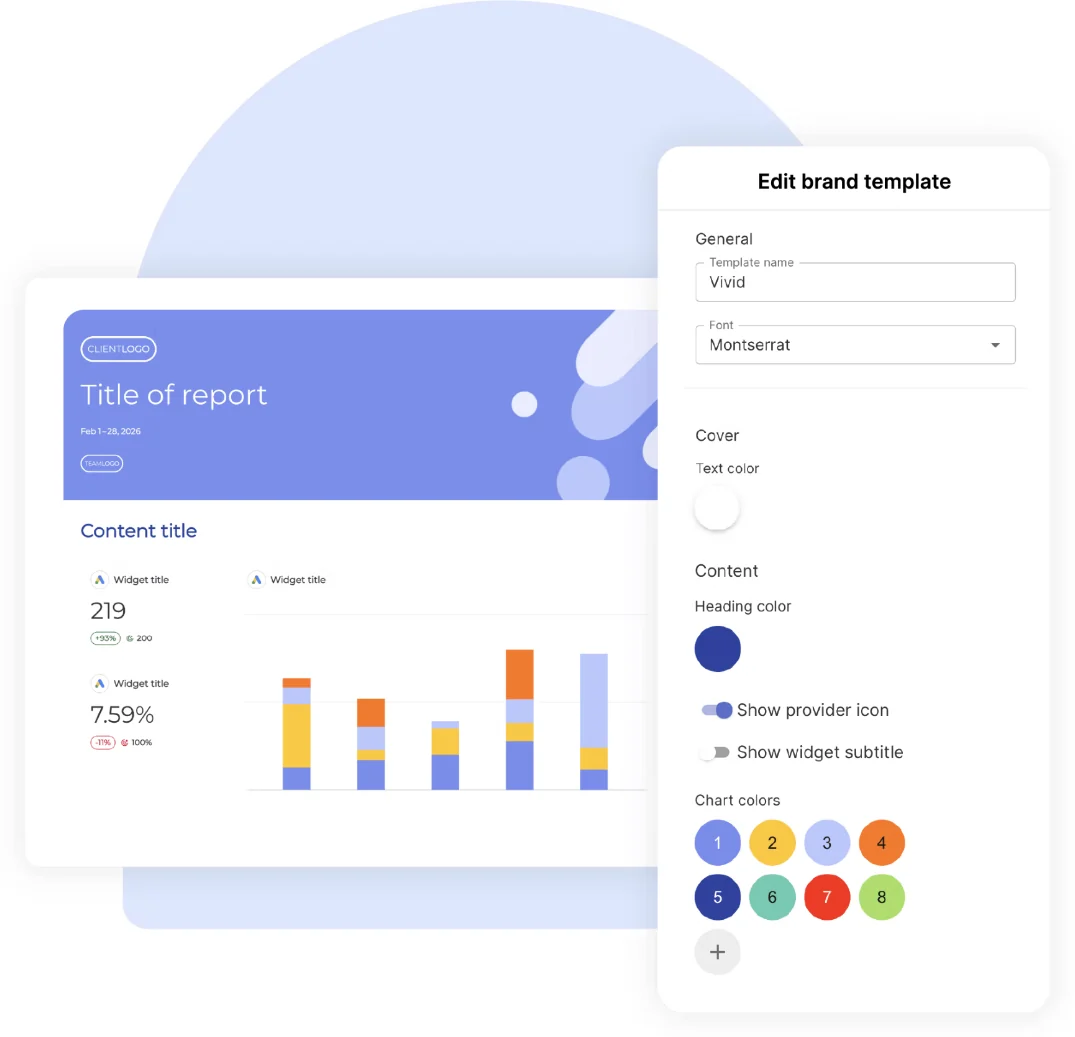
What the report gives you: scheduled reports and dashboards from Search Console, Google Analytics 4, PageSpeed, SE Ranking, AccuRanker and Semrush, with your branding.
Good at: white label is included, with a custom domain and branded report emails. With unlimited reports, the cost depends only on how many accounts you connect: about $1,368 a year for 10 clients with Search Console and Analytics each, billed monthly.
Falls short: no crawler of its own. Its Ahrefs connection is marked “Soon”, and its Semrush page says that data arrives mainly through Google Sheets. It cannot blend Search Console and Analytics numbers into one widget.
5. Databox #
Best for: agencies and teams who want dashboards across many data sources, with a real free plan to start.
G2 rating: 4.4 out of 5 from 194 reviews.
Price: Free (1 user, 3 data sources, 1 dashboard). For agencies, Agency from $99 a month or $79 billed yearly (unlimited users, 4 client accounts, 20 data sources), plus account packs at $25 a month ($20 yearly), each adding 1 account and 5 sources. White label is an add-on: $100 a month, or $80 billed yearly. 14-day free trial of any plan, no card needed.
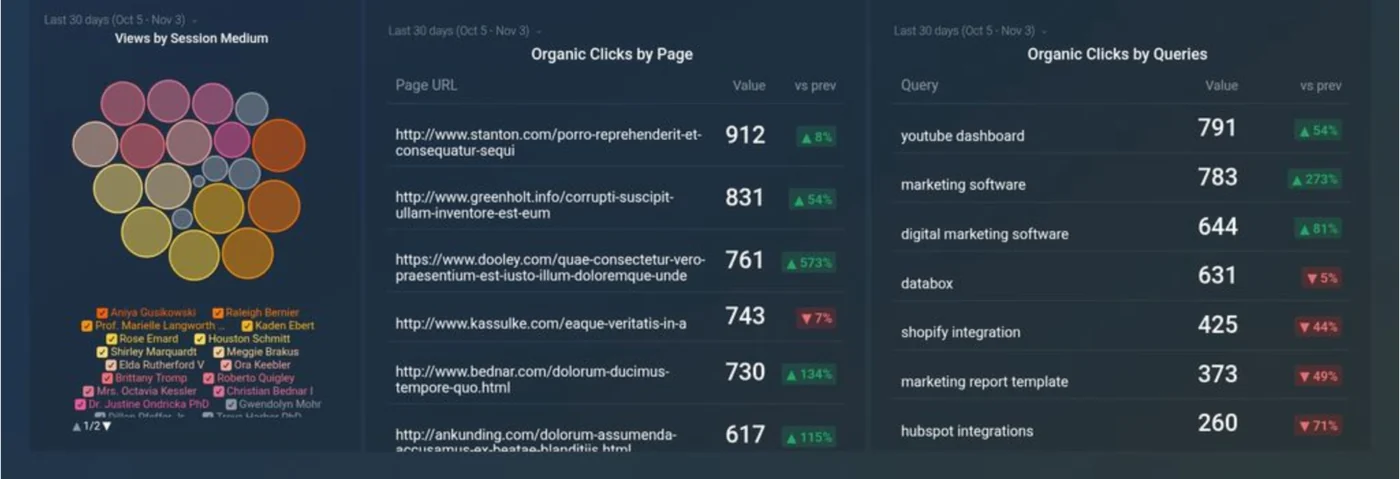
What the report gives you: dashboards and scheduled snapshots from Search Console, Google Analytics 4, Semrush, Ahrefs, Moz and AccuRanker, updated hourly on paid plans.
Good at: a wide range of SEO connectors, a free plan to try it on one site, and fast updates.
Falls short: sharing with clients is not on the Free or Analyst plans, white label costs extra, and it does not crawl sites. 10 clients cost $2,388 a year, or $3,348 with white label, billed yearly.
6. Whatagraph #
Best for: larger agencies that report on many channels, not only SEO, and buy through a sales team.
G2 rating: 4.5 out of 5 from 286 reviews.
Price: Max from $812 a month, billed yearly; Prime is priced on request. There is no monthly plan and no self-serve checkout: you book a demo. Users and reports are unlimited; Max starts at 50 credits, one per connected account. Its help centre says new accounts start with a 14-day Max trial.
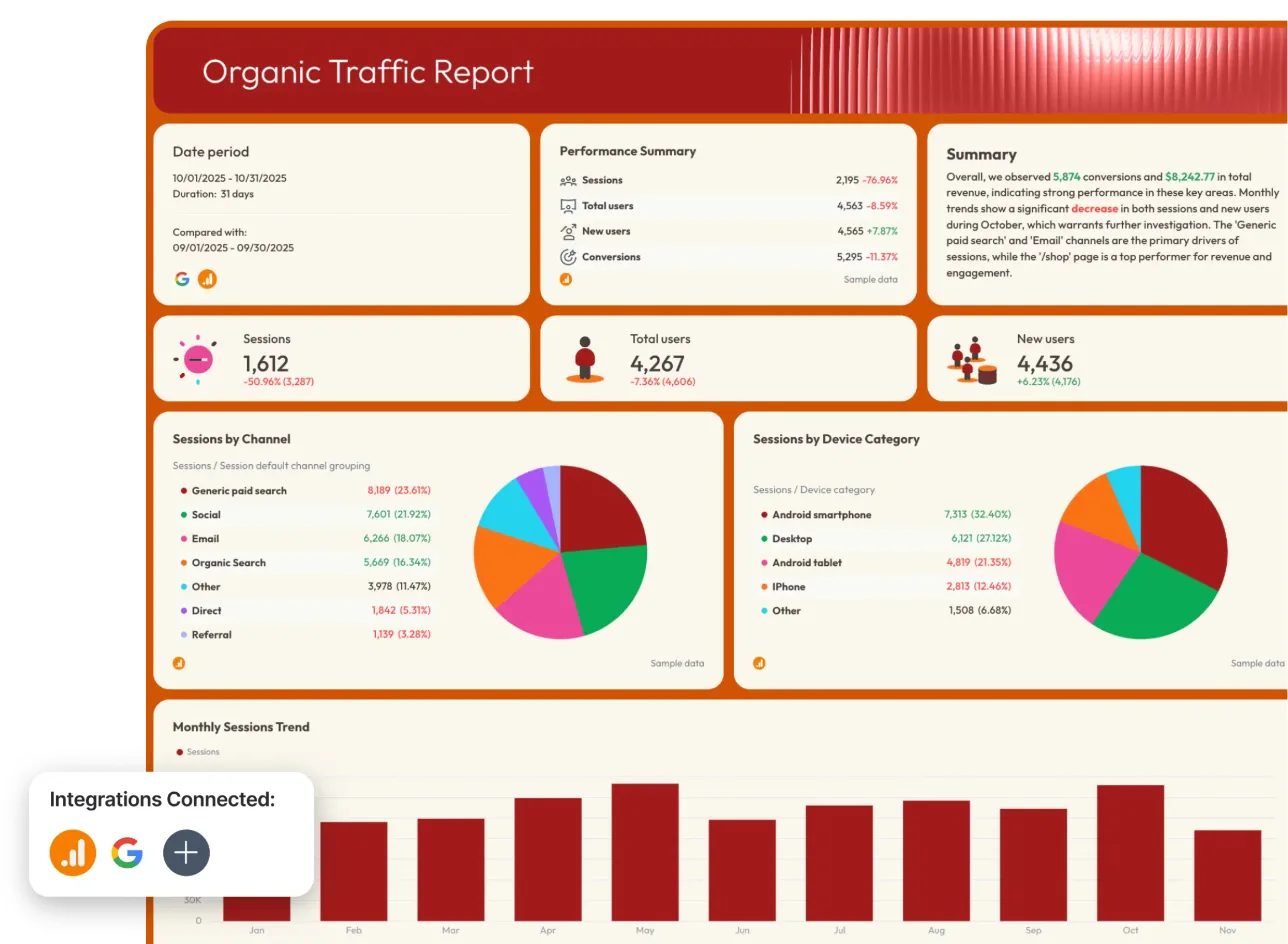
What the report gives you: polished reports and dashboards from Search Console, Google Analytics 4, Semrush, Ahrefs, SE Ranking, AccuRanker and others, with AI features to summarise them.
Good at: unlimited users and reports, a wide set of SEO connections, and white label on Max.
Falls short: the highest starting price on this list, at least $9,744 a year. A custom report domain is not on Max; it is a Prime add-on. It does not crawl sites.
7. SE Ranking Report Builder #
Best for: agencies that want their SEO data and branded reports in one subscription, at a flat fee for white label.
G2 rating: 4.8 out of 5 from 1,490 reviews, for SE Ranking as a whole, not only Report Builder.
Price: Core $129 a month or $103.20 billed yearly (10 projects, 1 user, 10 Report Builder reports), Growth $279 or $223.20 (30 projects, 3 users, 30 reports). White label comes with the Agency Pack, from $69 a month for 30 projects, billed yearly only. 14-day free trial, no card needed.
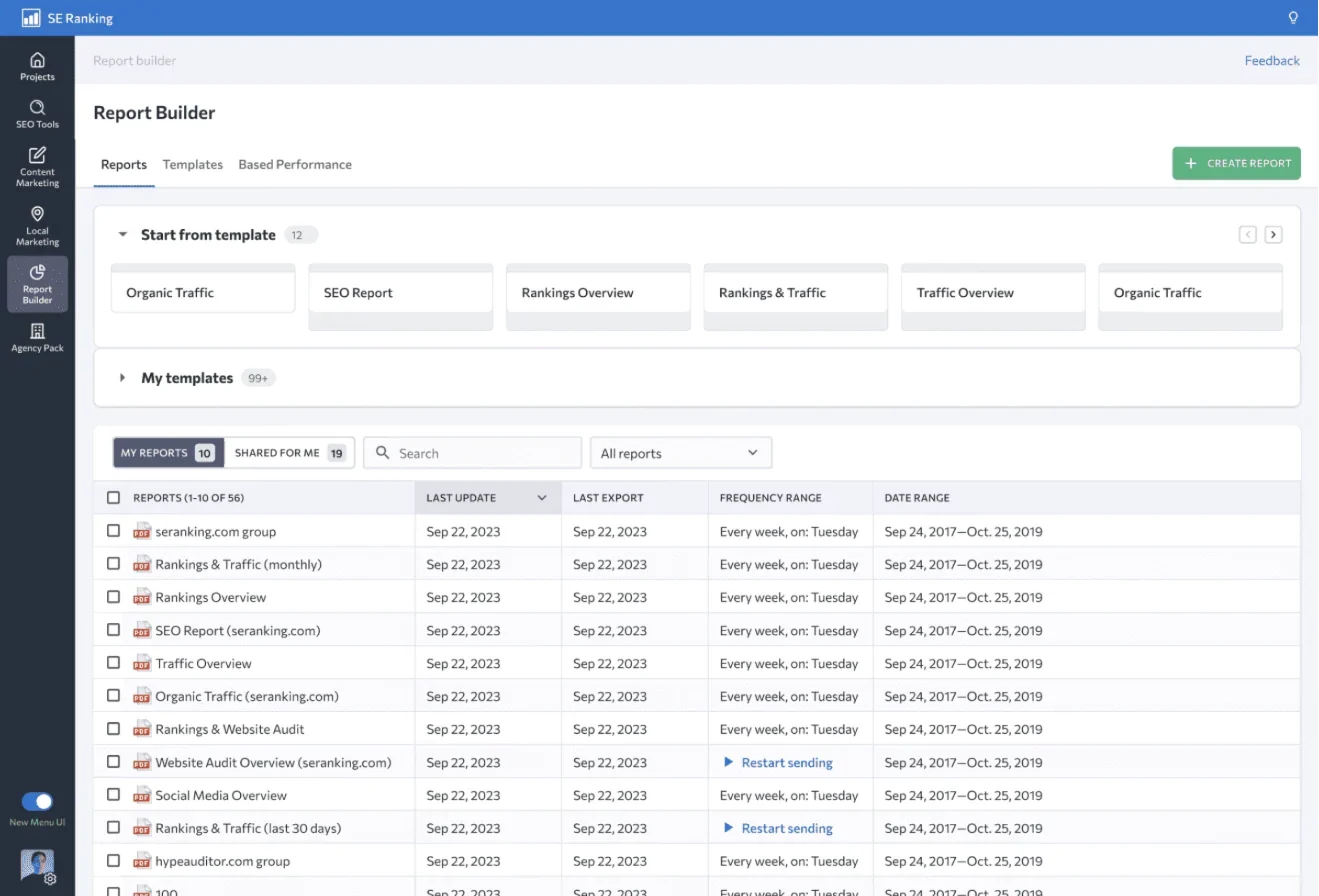
What the report gives you: scheduled reports with rankings, its own website audit (it crawls sites), backlinks, competitors, Search Console, Google Analytics and Google Ads data, as PDF, XLS or HTML.
Good at: SEO data, a crawler and branded reports from one company, with white label as one flat fee rather than a charge per report. 10 clients cost $2,066 a year (Core plus the Agency Pack, billed yearly).
Falls short: white label cannot be bought on monthly billing. A report goes to at most 5 people, and Core has one user and exactly 10 projects and reports, so an eleventh client means Growth. Its own pages disagree on how many client seats the Agency Pack includes.
8. Semrush My Reports #
Best for: agencies already paying for Semrush who want its data, and their logo, in client reports.
G2 rating: 4.4 out of 5 from 4,303 reviews, for Semrush as a whole, not only My Reports.
Price: SEO plan $139 a month or $117.33 billed yearly (5 websites), Pro+ $299 or $248.17 (15 websites), one user each. Reports are bought one at a time: every plan includes 3 Base reports without white label; a Pro report with your branding and custom domain costs $20 a month per report. 7-day free trial, and a card is needed.
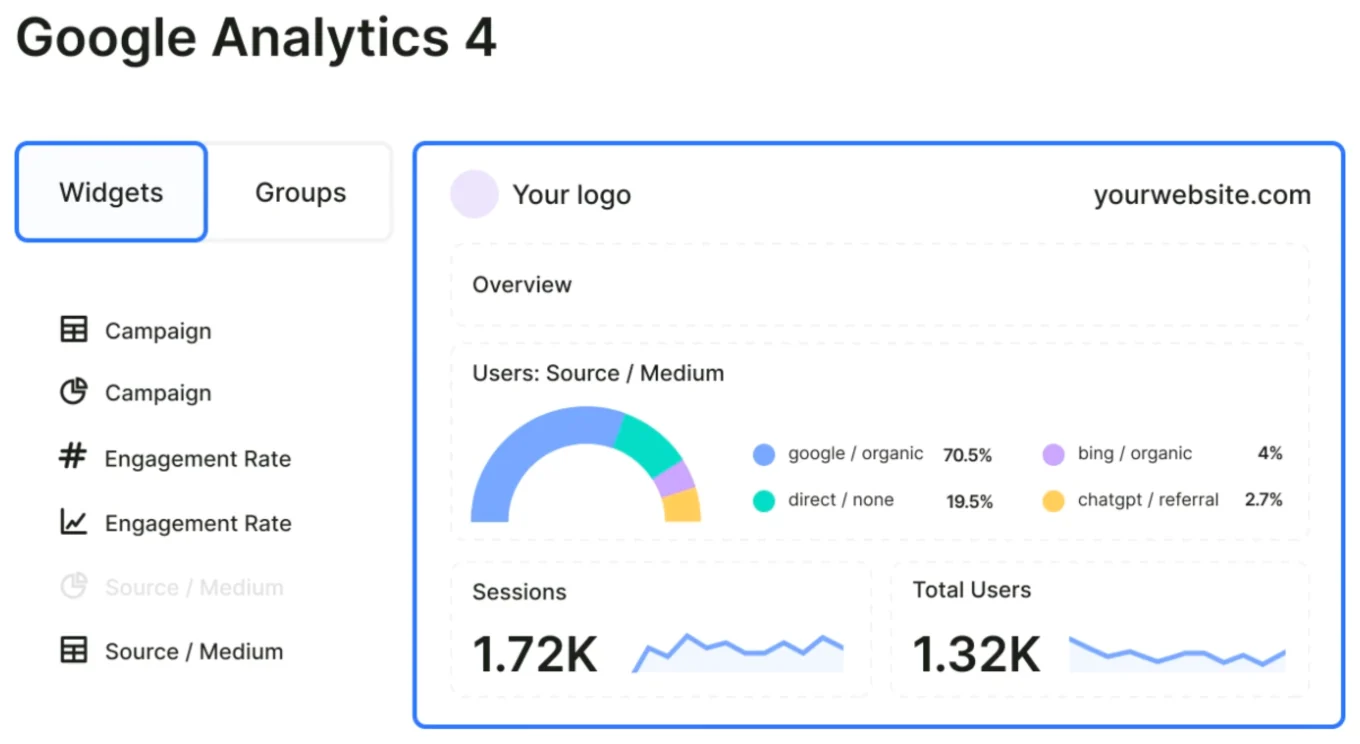
What the report gives you: reports built from more than 20 Semrush tools, such as Site Audit, Position Tracking and Backlinks, plus Google Analytics 4, Search Console and other sources, scheduled to up to 30 people.
Good at: the deepest SEO data of any report here, full white label on Pro reports with your own domain and sender, and AI summaries.
Falls short: the cost grows by $20 a month for every branded report, on top of the plan: about $5,378 a year for 10 clients on Pro+. The included Base reports cannot carry your logo.
9. Ahrefs Report Builder #
Best for: SEOs and in-house teams who want Ahrefs’ backlink and competitor data in a scheduled report, and do not need their own logo on it.
G2 rating: 4.5 out of 5 from 723 reviews, for Ahrefs as a whole, not only Report Builder.
Price: Lite $129 a month or $108 billed yearly, Standard $249 or $208, Advanced $449 or $374. Report Builder limits: Lite 5 reports and 30 widgets without scheduling, Standard 5 reports with scheduling, Advanced 15 reports; a Report Builder add-on gives 50 reports for $99 a month. No free trial.
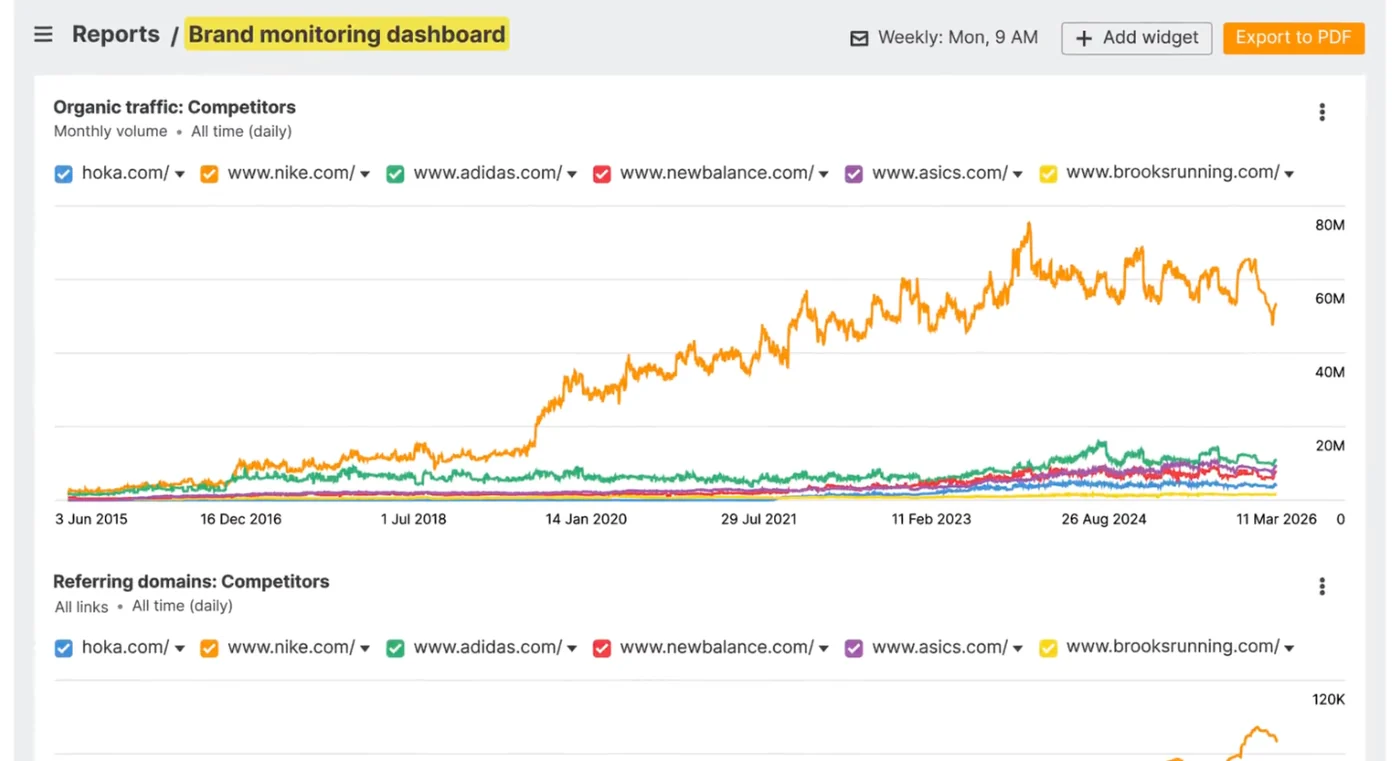
What the report gives you: widgets from Site Explorer (backlinks and organic traffic), Rank Tracker, Site Audit and Search Console, with text blocks for your notes, scheduled to up to 50 people who do not need an Ahrefs account.
Good at: backlink and competitor data that most reporting tools have to borrow from elsewhere, and reports that anyone can open.
Falls short: no white label: its own help centre says it does not allow white-labelled reports, so the report carries the Ahrefs logo. Report and widget limits are low, and 10 clients means Advanced, $4,490 a year.
10. Data Studio (formerly Looker Studio, free) #
Best for: anyone starting out, and anyone happy to build their own report layout from Google’s free data.
G2 rating: 4.4 out of 5 from 477 reviews.
Price: free for people who make and view reports. Data Studio Pro costs $9 per user per project a month, paid through Google Cloud. Google renamed Looker Studio back to Data Studio, and the old addresses now lead to the new name.
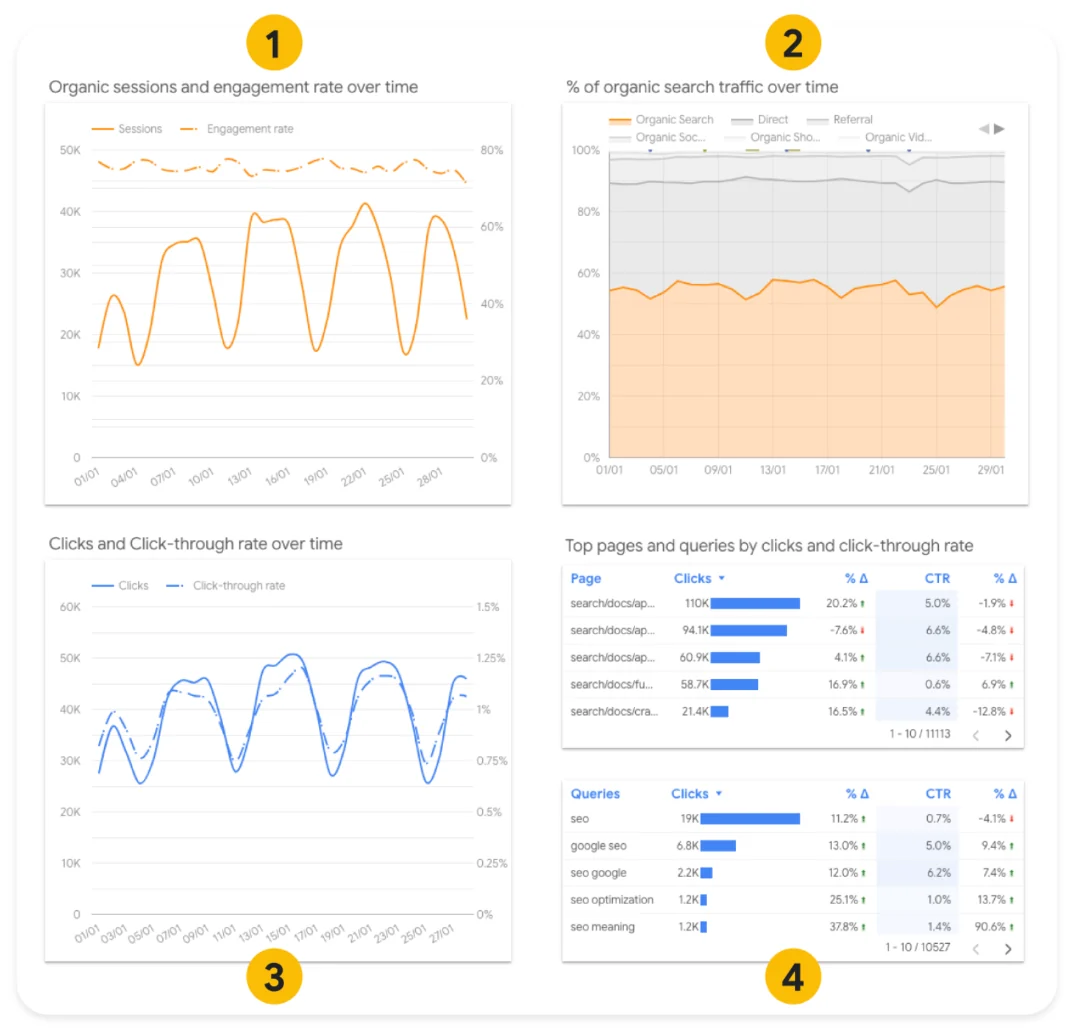
What the report gives you: charts and tables from Google’s own free Search Console and Google Analytics 4 connectors, shared as a link, embedded in a page or emailed as a PDF on a schedule.
Good at: it is free, it reads Search Console and Analytics directly from Google, and the layout is entirely yours.
Falls short: no true white label: you can add a logo image and theme, but reports live on Google’s site, with no custom domain. Rankings, backlinks or a site audit need outside connectors, which may cost money. One Search Console data source shows site data or page data, not both, and Google Analytics reports can hit Google’s usage limits.
How to choose an SEO reporting tool in four steps #
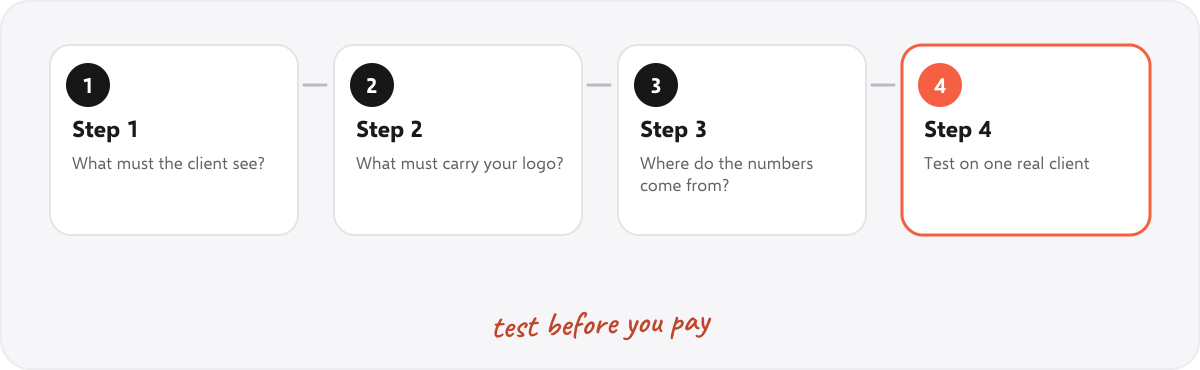
- List what the client must see. Usually: how healthy the site is, how many people found it from search, and one result such as enquiries. For ideas, see SEO KPIs and what to include in a client report.
- Mark what must carry your logo. If clients should see your brand, check that white label is on the plan you will buy, not only the top one. See what white label SEO is.
- Check where each number comes from. Health from a crawl, clicks from Search Console, enquiries from Analytics. A dashboard tool needs another tool for the crawl and rankings.
- Price it for your real client count, then test on one real client. Work out the cost for the clients you will have in a year, as in the 10-client example above, and make one real report before paying for a year.
Questions to ask before you buy #
- Is white label on the plan I will buy, and does it include my own domain and sender email?
- Is it priced per client, per dashboard, per data source or per report? What will 10, 20 and 50 clients cost?
- Does it crawl sites itself, or do I need another tool for site health and rankings?
- Which formats does it export? PDF, PowerPoint and Excel are the ones clients use.
- Does it keep a history, so this month can be compared with last month?
- Does it run in the cloud or on my computer, and who holds my clients’ data?
- Is the free trial long enough to make one real monthly report, and does it need a card?
Can you start with free tools? #
Yes. Google Search Console and Google Analytics are free and cover much of what clients ask for: clicks, impressions, visits and enquiries. Data Studio turns them into a shareable report for free, and a monthly crawl adds the site health story. Many small agencies run on that for a long time. Add a paid tool when a job takes too long by hand, or when clients should see your logo, not Google’s. For the document, our free monthly SEO report template and website audit report template need no tool at all.
Common mistakes when picking a reporting tool #
- Comparing monthly prices. Most tools charge per client, dashboard, data source or report, so compare the cost for your real client count.
- Assuming white label is included. On several tools it is an add-on, a higher plan or yearly only.
- Buying a dashboard for site health. Most dashboard tools do not crawl, so the site health numbers still need an audit tool.
- Choosing by number of metrics. Clients read ten numbers, not a hundred.
- Paying yearly before one real report. Make one first, with your logo, and see how it looks.
Summary #
Pick the kind of tool first: a dashboard builder, an SEO suite with reports, or an audit tool that makes the report. Then price it for your real number of clients, check that your logo is on the plan you will buy, and test it on one real client. For branded reports from a full crawl at the lowest price, SEOSage costs $149 a year for 10 clients; for client dashboards with white label, Swydo, DashThis and AgencyAnalytics are the next steps up; Data Studio is the free place to start.
FAQ #
What is the best SEO reporting tool? #
It depends on the report you send. For branded audit reports at the lowest price, SEOSage. For a branded client portal with rankings and backlinks, AgencyAnalytics. For simple white-label dashboards, Swydo or DashThis. For free, Data Studio.
What is SEO reporting software? #
Software that collects SEO data, such as site health, clicks, rankings, visits and backlinks, and presents it as a report or dashboard for a client or a team, often with the agency’s logo.
What is the best free SEO reporting tool? #
Data Studio (formerly Looker Studio). It is free and reads Search Console and Google Analytics directly from Google, but it has no true white label. Databox also has a free plan for one dashboard.
How much does SEO reporting software cost? #
From free (Data Studio) and $9 a month (SEOSage Solo) to $812 a month or more (Whatagraph Max). For 10 clients for a year, the tools on this list range from $149 (SEOSage Pro) to $9,744 (Whatagraph Max), checked on 10 November 2026.
Can I put my logo on SEO reports? #
On most tools, yes, but not always on every plan. SEOSage and DashThis include it on every plan, Swydo and AgencyAnalytics include it, SE Ranking and Databox charge extra, Semrush charges per report, and Ahrefs does not offer it.
Do I need a rank tracker for client reports? #
Not always. Clicks, impressions and average position from Search Console cover a lot. A rank tracker adds daily positions for chosen phrases from a set location.
Sources #
- Google Cloud: Data Studio
- Google Search Central: Using Search Console and Google Analytics data for SEO
- Google Search Console Help: About Search Console
- Prices, plans and features of the other tools: each tool’s own pricing, product and help pages, checked on 10 November 2026.
- Ratings: each tool’s reviews page on G2, checked on 10 November 2026.
Recommended #
- Best SEO Audit Tools in 2027: 10 Compared With Real Prices
- Monthly SEO Report: Free Template and Example (Word, PDF)
- Automated SEO Reports: What to Automate and What Not To
- SEO Client Report: What to Include (Real Example)
- What Is White Label SEO?
- Agency Reporting: Report to Many Clients Without Burning Out
- SEO Reporting Dashboard: What to Put on It (and When Not To)
- SEO KPIs: 12 Metrics to Track and Report to Clients
Run your own SEO audit
SEOSage crawls every page of your website, lists what is wrong and turns it into a report you can send to a client.