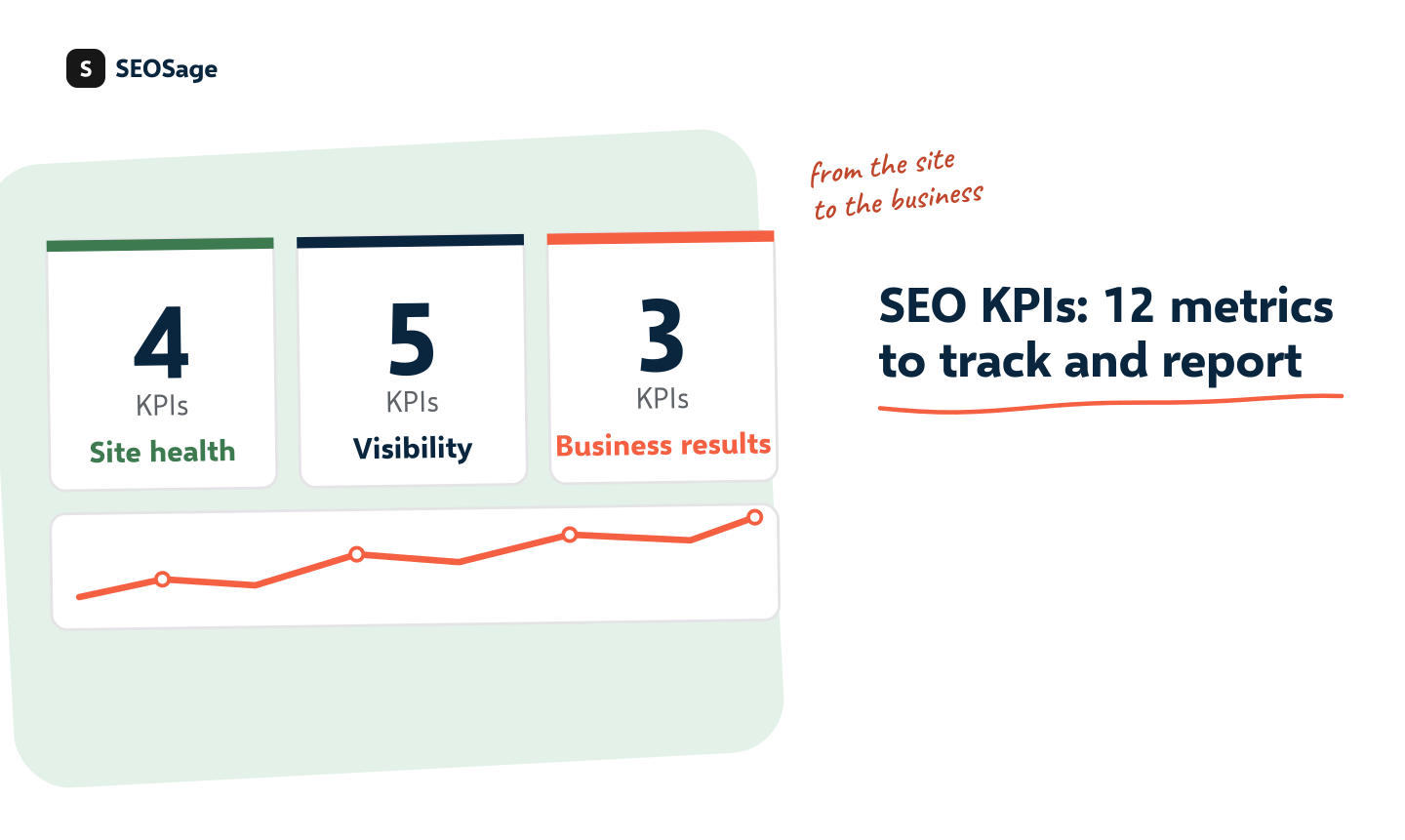
An SEO KPI is a number you track to see whether SEO work is helping the business. The useful ones sit in three layers: site health (is the site sound?), visibility (does Google show it?) and business results (do visits turn into enquiries or sales?). This guide gives you 12 SEO KPIs to track for clients, where each number comes from and how to report it.
It is written by the maker of SEOSage, an SEO audit app. A crawl gives the site health numbers, Google Search Console gives the visibility numbers, and your client’s own records give the business numbers. We say which is which.
TL;DR
- Track 12 SEO KPIs in three layers: four for site health, five for visibility and three for business results.
- Health comes from a crawl, visibility from Search Console, and results from the client’s own sales or enquiries.
- Take a baseline in the first week, set a target for month six, and compare like with like.
- Report a few numbers with a sentence each, not twenty numbers with none.
- The client cares about the third layer. The first two explain why it moves.
What is an SEO KPI? #
An SEO KPI is a measurable number that shows whether SEO work is moving a site toward a goal. KPI stands for key performance indicator. A KPI differs from a plain metric in one way: it is tied to a goal. Impressions are a metric. “Impressions for our five service pages, up 30% by month six” is a KPI.
A second distinction helps. Some numbers are KPIs, and others are diagnostics. A KPI says whether you are winning. A diagnostic says why. A drop in clicks is a KPI result. A noindex tag on the main page is the diagnostic that explains it.
What are the three layers of SEO KPIs? #
Group your KPIs in three layers, from the site to the business:
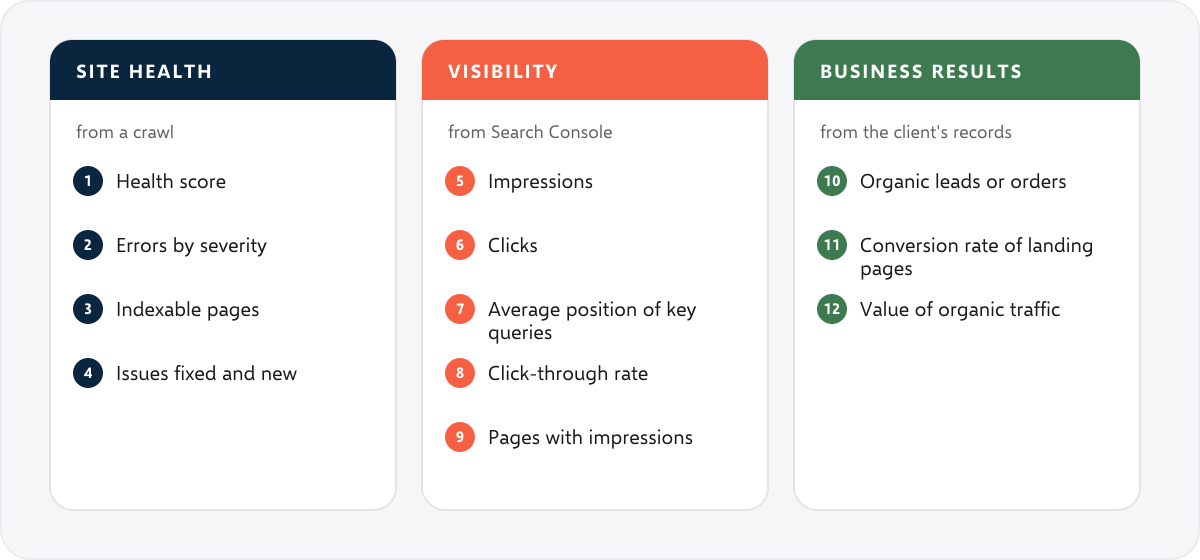
| Layer | Question it answers | Where the number comes from |
|---|---|---|
| 1. Site health | Is the site sound for search engines? | A crawl. SEOSage gives the score, the errors and what changed since last time. |
| 2. Visibility | Does Google show the pages, and do people click? | Google Search Console, in the Performance report |
| 3. Business results | Do visits become enquiries or sales? | The client’s analytics, call log, form sends or shop orders |
What are the 12 SEO KPIs to track? #
Layer 1: Site health KPIs (from a crawl) #
| # | KPI | What it tells you | How to use it |
|---|---|---|---|
| 1 | Health score | One number for the overall state of the site | Track the trend. A rising score means problems are being fixed. |
| 2 | Errors by severity | How many serious problems remain | Aim for zero errors. Report errors, warnings and notices separately. |
| 3 | Indexable pages | How many pages Google is allowed to index | Compare with the sitemap and with Search Console. A sudden drop is a warning. |
| 4 | Issues fixed and new | Progress, and new problems | Use the compare view of two crawls to report fixed, new and worse. |
Layer 2: Visibility KPIs (from Search Console) #
| # | KPI | What it tells you | How to use it |
|---|---|---|---|
| 5 | Impressions | How often pages appear in search | Track for the pages that matter. It often moves before clicks. |
| 6 | Clicks | How many visits came from Google search | The headline number for most clients |
| 7 | Average position of key queries | Where the main searches rank | Look at a short list of queries, not the site average |
| 8 | Click-through rate | The share of impressions that become clicks | Low rates on good positions point to weak titles and descriptions |
| 9 | Pages with impressions | How many pages Google shows at all | Growth means more of the site is visible |
Layer 3: Business KPIs (from the client’s records) #
| # | KPI | What it tells you | How to use it |
|---|---|---|---|
| 10 | Organic leads or orders | Enquiries, calls, bookings, sign-ups or sales that start from search | The number the client cares about most. Agree how it is counted before you start. |
| 11 | Conversion rate of organic landing pages | Whether visitors from search do what you want | A page with many visits and few conversions needs a better offer or layout |
| 12 | Value of organic traffic | The revenue or lead value tied to search | Use the client’s own numbers, such as average order value, not an estimate from a tool |
A thirteenth number often appears in lists: links from other sites. It needs a backlink tool, because a crawler of your own site cannot see who links to you. SEOSage does not have a backlink database. Add it as a separate line if the client cares.
What do site health KPIs look like in practice? A real example #
We crawled marketingly.org with SEOSage three times. The health score was 53 on 29 September, 98 on 12 October and 96 on 14 October.
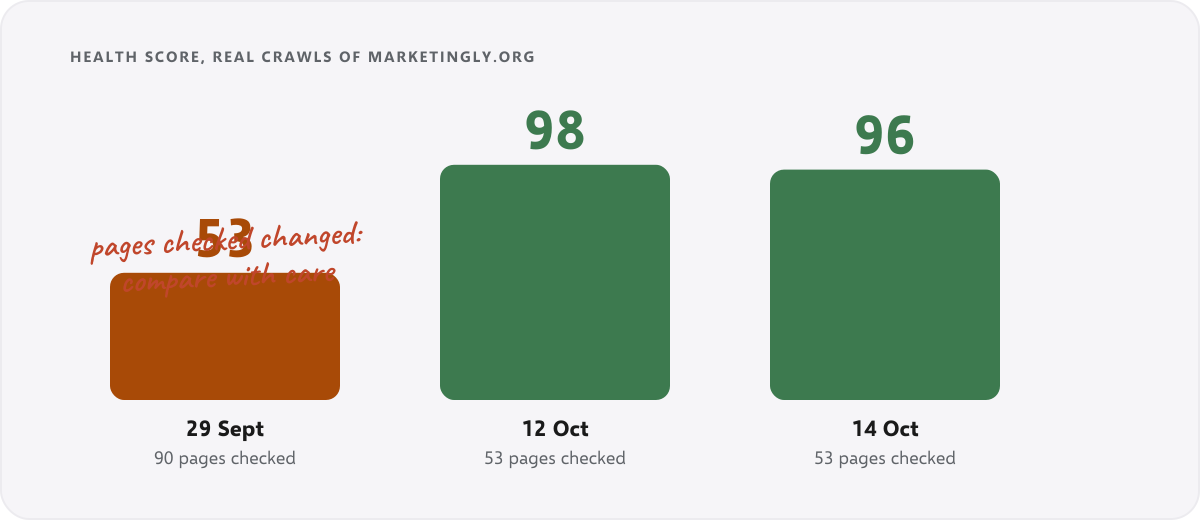
Two lessons come from this. First, the number of errors fell to zero, which is the KPI that matters most in layer one. Second, the later scores are slightly lower, and the 14 October crawl found more warnings than the 12 October one (36 against 13). That is normal: a site changes, and each crawl can surface new warnings. Report it honestly instead of hiding it.
There is also a trap. The first crawl checked 90 pages and the later ones checked 53, so the scope changed. A score is only a fair comparison when the crawl covers the same site in the same way. Always note how many pages were checked.
Which KPIs should you track for which type of client? #
| Client | Lead with | See also |
|---|---|---|
| Local business | Calls, direction requests and form sends from search | Local SEO audit |
| Online store | Organic orders, category page clicks, indexed products | Ecommerce SEO audit |
| Software company | Trial or demo sign-ups from organic, clicks on product pages | SaaS SEO audit checklist |
| Publisher or blog | Clicks, impressions and pages with impressions | SEO content audit |
| Agency selling to its own clients | All three layers, in a branded monthly report | SEO client report |
How do you set SEO KPI targets? #
- Take a baseline in week one. Crawl the site and export Search Console numbers for the last 3 to 12 months, and note the client’s current leads or sales from search.
- Pick two or three goals, one from each layer. For example: health score of 90 or more, clicks to the five service pages up 20%, enquiries from search up 15%.
- Set targets as changes from the baseline, not as absolute numbers you cannot know. Write them down in the proposal. Our SEO proposal template has a goals table for this.
- Review monthly, and re-set targets after six months.
Targets are a plan, not a promise. SEO depends on search engines and competitors, so promise the work and the reporting.
How do you report SEO KPIs to a client? #
Send a short report each month. Put one sentence above each number saying what it means. A good layout is:
- A summary of two or three sentences on how the site is doing and one clear next step.
- Three headline numbers, one from each layer.
- What changed since last month: issues fixed, new problems, pages that moved.
- What comes next, and who does it.
Our guide to the SEO client report shows a real report, and white label SEO reporting explains why the file should carry your own brand. In SEOSage, the compare view gives the health numbers, and a PDF, PowerPoint, Excel or CSV export carries your logo and colours on every plan. See the white label SEO audit tool.
How do you calculate the main SEO KPIs? #
Most SEO KPIs are simple. Write the formula in the report once, so the client knows what the number means.
| KPI | Formula or source | Example reading |
|---|---|---|
| Click-through rate | Clicks divided by impressions, from Search Console | 120 clicks from 4,000 impressions is 3% |
| Conversion rate of a landing page | Conversions divided by visits from search | 6 enquiries from 300 visits is 2% |
| Change from baseline | (This month minus the baseline) divided by the baseline | Clicks up from 200 to 240 is +20% |
| Indexable share | Indexable pages divided by pages crawled | 45 indexable of 53 crawled is 85% |
| Issues fixed | Issues in the last crawl that are gone in this one, from the compare view | “7 fixed, 3 new, 0 worse” |
The example numbers are only there to show the arithmetic. They are not benchmarks, and good values depend on the site.
What should you check when a KPI drops? #
When a KPI falls, look at the diagnostics in layer one first. They are cheap to check and they explain most sudden drops.
| What dropped | Check first |
|---|---|
| Clicks and impressions, suddenly, across many pages | A noindex tag or a robots.txt block added by mistake. See the technical SEO audit checklist. |
| Clicks on one important page | The page’s status, canonical and redirects, and whether its title changed |
| Impressions flat, clicks down | Titles and descriptions, and whether a competing result now sits above you |
| Indexable pages fell | New noindex tags, removed pages, a changed sitemap |
| Conversions down, visits steady | The page itself: the offer, the form, a broken button |
Which SEO numbers should you avoid reporting? #
- The number of keywords a site “ranks” for, on its own. It can grow while real visits do not.
- A made-up authority or traffic estimate from a third-party tool, presented as a fact. Use the client’s own numbers.
- Total traffic from all sources. It hides what search did.
- Anything you cannot explain in one sentence.
How often should you track SEO KPIs? #
Review them monthly. Health numbers can be checked more often, such as after each release of the site. Visibility and business numbers move slowly and are noisy day to day, so a monthly view is clearer.
Common SEO KPI mistakes #
- Reporting every number you can find. Pick a few and explain them.
- Reporting rankings for hundreds of keywords. Track a short list tied to what the client sells.
- Comparing crawls of different scope. Note how many pages were checked each time.
- Skipping layer three. Visits that do not become enquiries do not keep a client.
- Treating the score as the goal. A score of 96 on a site with no visits is still a problem.
- Promising a number. Set targets as plans, and be honest when a month goes badly.
Summary #
Track 12 SEO KPIs in three layers: site health from a crawl, visibility from Search Console, and business results from the client’s own records. Take a baseline, set targets as changes from it, and report a few numbers with a sentence each. The client cares about layer three. Layers one and two explain why it moves.
FAQ #
What are SEO KPIs? #
They are measurable numbers that show whether SEO work is helping the business, such as clicks from Google, the site’s health score and enquiries from search.
What KPIs should I track for SEO? #
Track a few in each of three layers: site health (score, errors, indexable pages), visibility (impressions, clicks, position, click-through rate) and business results (leads, conversion rate, value).
What is the most important SEO KPI? #
For the client, it is the business result, such as organic leads or sales. For you, the health score and errors tell you whether something is wrong.
How do you measure SEO success? #
Compare the numbers with the baseline you took at the start, across the three layers, month by month.
What is the difference between a KPI and a metric? #
A metric is any number. A KPI is a metric tied to a goal. A diagnostic explains why a KPI moved.
How often should I report SEO KPIs to a client? #
Monthly. Keep the report short, with a sentence of explanation above each number.
Can I track SEO KPIs for free? #
Yes. Google Search Console is free for visibility numbers, and the client’s own analytics give the results. A crawl for the health numbers needs a crawler. SEOSage has a 14-day free trial, then plans from $9 a month.
Does SEOSage track keyword rankings or backlinks? #
No. SEOSage covers site health and shows Search Console data. Use another tool for backlinks.