A local SEO audit checks how easily nearby customers can find a business in Google Search and Google Maps. It has three parts: the website, the Google Business Profile, and the listings and reviews around the web. This guide covers the website part in 12 checks that a crawler can run, and tells you what to check by hand for the rest.
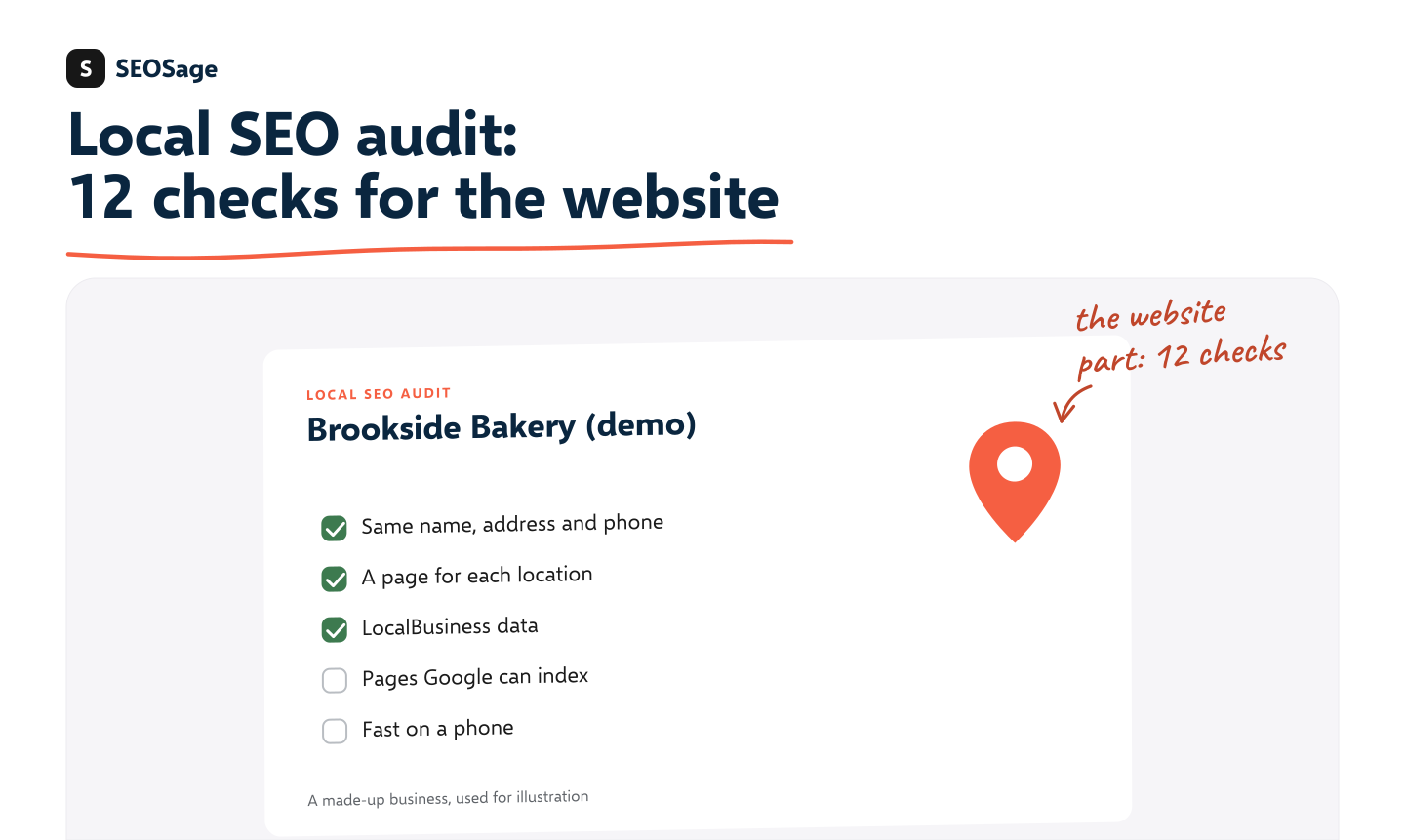
It is written by the maker of SEOSage, an SEO audit app. SEOSage audits the website part of a local business. It does not check Google Business Profiles, listings or local rankings, and we say where you need another tool.
TL;DR
- A local SEO audit has three parts: the website, the Google Business Profile, and listings and reviews.
- The website part has 12 checks. The biggest are the same name, address and phone number everywhere, one real page for each location, and pages that Google is allowed to index.
- A crawler finds most website problems in one pass. It cannot see your Business Profile or your reviews.
- Google says local results depend mainly on relevance, distance and prominence. Your website helps with relevance and prominence.
- For a client, turn the audit into a short report with the three biggest fixes first.
What is a local SEO audit? #
A local SEO audit is a check of everything that decides whether a business shows up when people search for it near them. That includes the business’s website, its Google Business Profile, its listings on other sites and its reviews.
It differs from a general SEO audit in one way: location. Besides technical health, it checks that the business’s name, address and phone number are right everywhere, that each place it serves has a page, and that Google can connect the website to the real-world business.
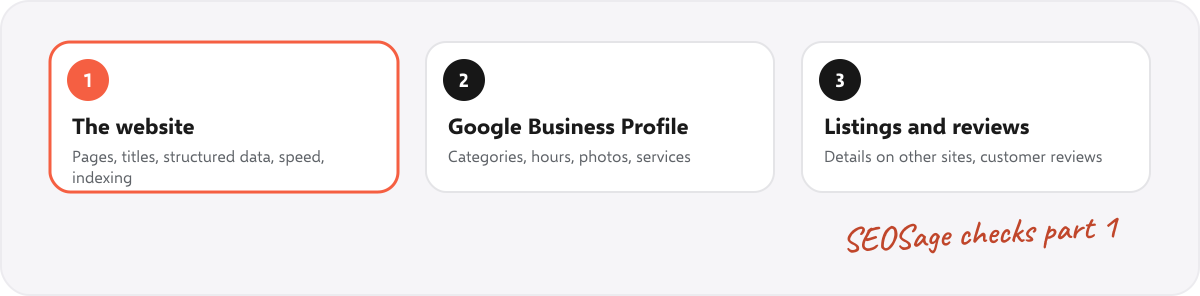
| Part | What it covers | How you check it |
|---|---|---|
| 1. The website | Pages, titles, location pages, structured data, speed, indexing, links | A crawler, plus a few free tools. This is what SEOSage does. |
| 2. The Google Business Profile | Categories, hours, services, photos, posts, questions | By hand, in the profile itself |
| 3. Listings and reviews | The same business details on other sites, and customer reviews and replies | By hand, or with a listings tool |
Why does the website matter for local SEO? #
Google says local results are based mainly on three things: relevance, distance and prominence. Relevance is how well a business matches what the person searched for. Distance is how far it is from them. Prominence is how well known it is. You can read how Google explains this in its guide to improving your local ranking.
The website feeds two of the three. Clear pages for each service and place help relevance. Good content, working links and a trustworthy site help prominence. Distance you cannot change.
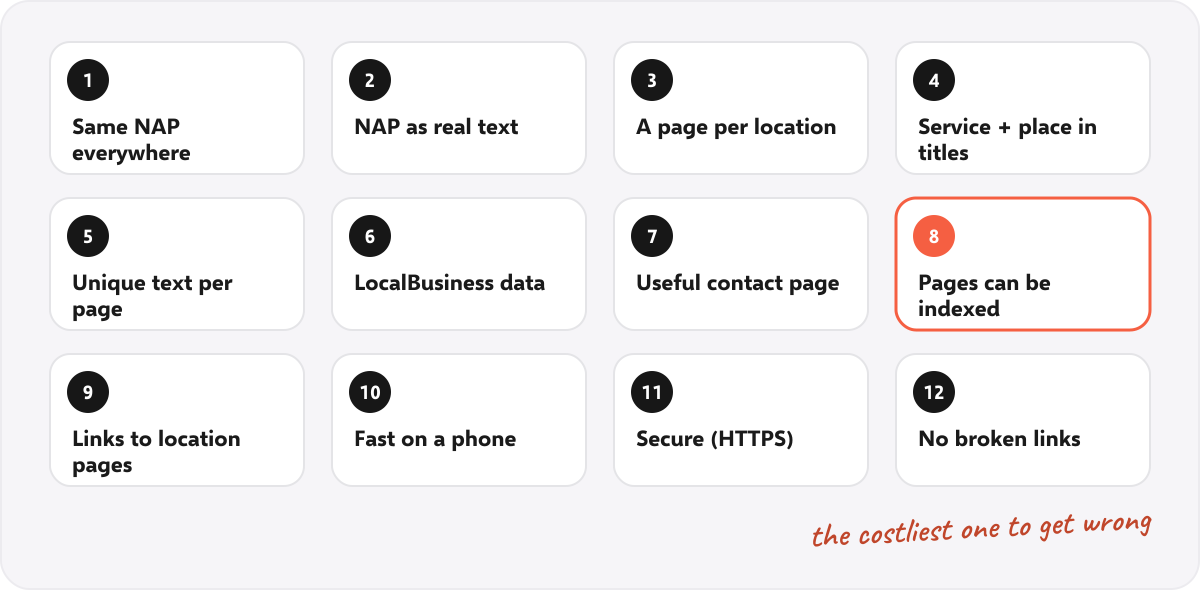
What are the 12 checks for the website part of a local SEO audit? #
Run these checks in order. The first four are about telling Google who and where the business is.
1. Is the name, address and phone number the same everywhere? #
The business’s name, address and phone number, known as NAP, should read the same on every page and match the Google Business Profile. “12 Mill Street” on one page and “12 Mill St.” on another is a small difference, but it is the kind that confuses matching. Pick one format and use it everywhere.
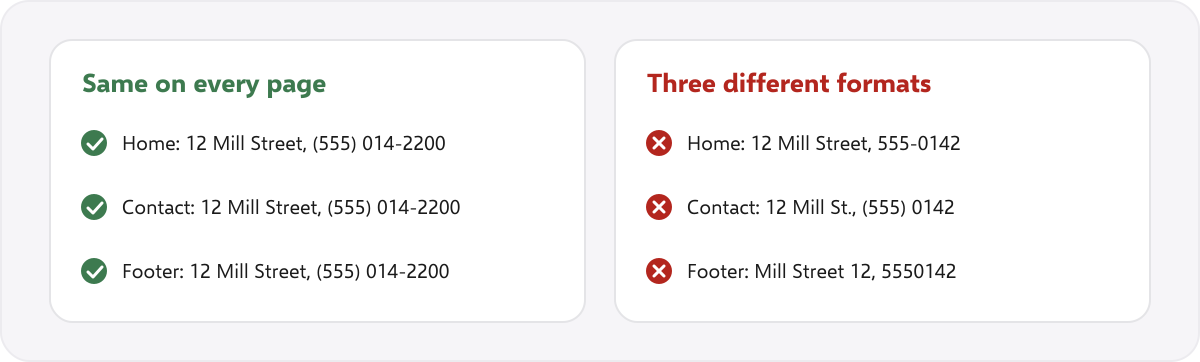
In SEOSage, a custom extraction rule can pull the phone number from every page, so you can see at a glance which pages differ. See the rules in the section on how to run it below.
2. Is the NAP real text? #
If the address is only inside a picture, search engines cannot read it. Put it in the page as text, in the footer and on the contact page. Make the phone number a tap-to-call link.
3. Does each location or service area have its own page? #
A business with three shops needs three location pages, each with its own address, hours, photos and a map. A business that serves several towns needs a page for each main service in each main town, but only if there is something real to say. Pages that swap the town name and repeat the same text add little.
4. Do the title and main heading say the service and the place? #
The title tag and the H1 of a location page should name the service and the town, for example “Wood-fired bakery in Brookside”. Check every location page for missing or repeated titles. The meta description checker shows how a page appears in results.
5. Is the text on each location page unique? #
Write something specific for each place: the street, nearby landmarks, local staff, local customers. A crawler flags duplicate titles and headings, and pages that share nearly the same text, so you can find the copies.
6. Is there LocalBusiness structured data? #
Structured data tells Google the business’s name, address, phone number and opening hours in a form it can read. Google describes the fields in its local business structured data guide. Test a page with the free schema markup validator.
7. Does the contact page do its job? #
It should show the full address, opening hours, a map, a tap-to-call number and a way to get directions. A contact page that is only a form leaves out what a nearby customer wants.
8. Can Google index the location pages? #
The most expensive mistake is a location page that is hidden from Google by a noindex tag or blocked in robots.txt. Test the pages with the noindex checker and the robots.txt tester, and make sure each page is in the sitemap.
9. Do other pages link to the location pages? #
A location page that nothing links to is an orphan, and it is hard to find. Link to every location page from the home page, the menu or a “locations” page. SEOSage lists orphan pages in each crawl.
10. Is the site fast on a phone? #
People often look for a nearby business while they are out, on a phone. Check that the pages load quickly and do not jump around. See how Core Web Vitals are checked, and read Google’s explanation of the Core Web Vitals.
11. Is the site secure? #
Every page should load over HTTPS with no insecure parts. A missing padlock puts customers off before they read anything. The security headers check looks at the rest.
12. Are there broken links or old redirects? #
Businesses move, rename and close branches. Each change can leave a broken link or a chain of redirects. A crawl finds them all. The free 404 checker and redirect chain checker test one page at a time.
How do you run these checks in SEOSage? #
SEOSage is a desktop app for Mac and Windows that crawls on your own computer, with no page limit. A local audit takes five steps:
- Crawl the website. Add the site as a project and start. The Issues page ranks problems by how serious they are.
- Look at the location pages first. Check each for noindex, a missing or repeated title, thin content and orphan status.
- Add two custom extraction rules. With custom extraction, one rule can collect the tap-to-call links and another can search for the street name. The first rule is a page element,
a[href^="tel:"], with the attributehref. The second is a pattern for the street name, such asMill St(reet)?. The results list each page’s value, so different formats stand out. - Fix, then crawl again. The compare view shows what was fixed.
- Export a report. A PDF, PowerPoint, Excel or CSV file with your logo and colours, for the client.
Plans start at $9 a month and the free trial lasts 14 days.
What should you check outside the website? #
These parts need other tools or a manual look. SEOSage does not check them.
- Google Business Profile: the main category, extra categories, services, hours (including holidays), photos, and answers to questions. Google lists its rules in the Business Profile guidelines.
- Listings: the same name, address and phone number on the main directories and on any industry-specific sites.
- Reviews: how many there are, how recent, whether the owner replies, and whether the review text mentions what the business does.
- Local rankings: where the business appears for its main searches, in different parts of the area.
What does it look like? A worked example #
To show the output without naming a real client, here is an example for Brookside Bakery, a made-up business. This is an illustration, not a real audit.
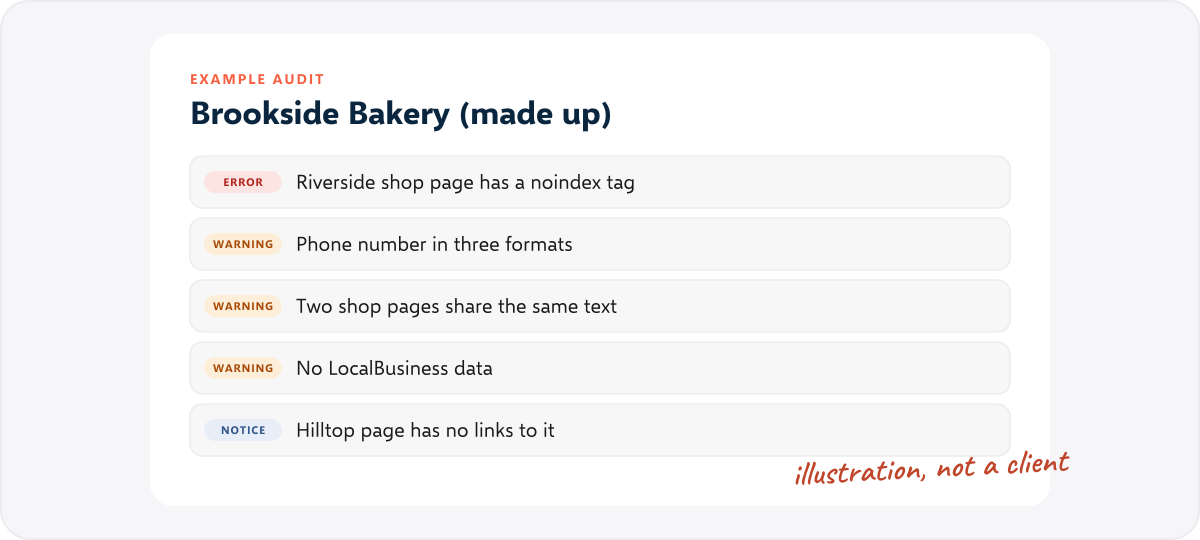
| Check | Finding | First fix |
|---|---|---|
| Indexing | The Riverside shop page is marked noindex | Remove the noindex tag and add the page to the sitemap |
| NAP | The phone number has three different formats | Pick one and update every page |
| Location pages | The Riverside and Hilltop pages share the same text | Write a separate page for each shop |
| Structured data | No LocalBusiness data on any page | Add it to each location page |
| Links | The Hilltop page has no links pointing to it | Link to it from the home page |
The order matters. The hidden page comes first, because a page Google cannot index cannot appear in results at all. The rest follows by how much each fix helps.
How do you present a local SEO audit to a client? #
Lead with the three biggest fixes and what they will do for the business, such as “your Riverside shop is hidden from Google”. Put the full list in an attachment. Our guide to the SEO client report shows the layout, and the SEO proposal template has an audit snapshot section and a table to adapt it for a local business.
Common local SEO audit mistakes #
- Checking only the Business Profile. A strong profile still points to a weak website.
- Building many near-identical town pages. They add little and may be treated as thin.
- Different phone numbers on different pages. Use one number, or clearly label each location.
- Hiding the address in an image. Search engines cannot read it.
- Forgetting the mobile site. Test on a real phone.
- Skipping the re-check. After the fixes, crawl again to prove it.
Summary #
A local SEO audit checks the website, the Google Business Profile, and the listings and reviews. The website part has 12 checks, from a consistent name, address and phone number to pages that Google can index. A crawler finds most of them in one pass. The rest needs a manual look. Fix the pages Google cannot see first, and crawl again to prove the change.
FAQ #
What is a local SEO audit? #
It is a check of everything that decides whether a local business shows up in nearby searches: its website, its Google Business Profile, its listings and its reviews.
How do you do a local SEO audit? #
Crawl the website and fix the problems it finds, then check the Google Business Profile, the listings and the reviews by hand. The 12 checks above cover the website.
What is included in a local SEO audit? #
The business’s name, address and phone number, location pages, titles and headings, structured data, indexing, links, speed, security, and the profile, listings and reviews.
Is there a free local SEO audit tool? #
Free tools check one page or one thing at a time, such as the free SEO tools on this site. A full-site crawl needs a crawler. SEOSage has a 14-day free trial.
How long does a local SEO audit take? #
The crawl takes minutes for a small business site. Checking the profile, listings and reviews by hand takes longer, because each is a separate place to look.
How often should you run a local SEO audit? #
Run a full one when you take on a client and after any change of address, phone number or website. Then crawl monthly to catch new problems.
What is the difference between a local and a regular SEO audit? #
The regular audit checks technical health and content. The local audit adds location: the same details everywhere, a page for each place, and the Business Profile, listings and reviews.
Does SEOSage check Google Business Profiles? #
No. SEOSage audits the website. Check the profile by hand or with a local listings tool.