White label SEO reporting means sending your clients SEO reports with your brand on them, not the software maker’s. Agencies need it because clients judge you by what lands in their inbox. A report with your logo, your words and clear next steps looks like your work, builds trust and shows what the SEO is doing.
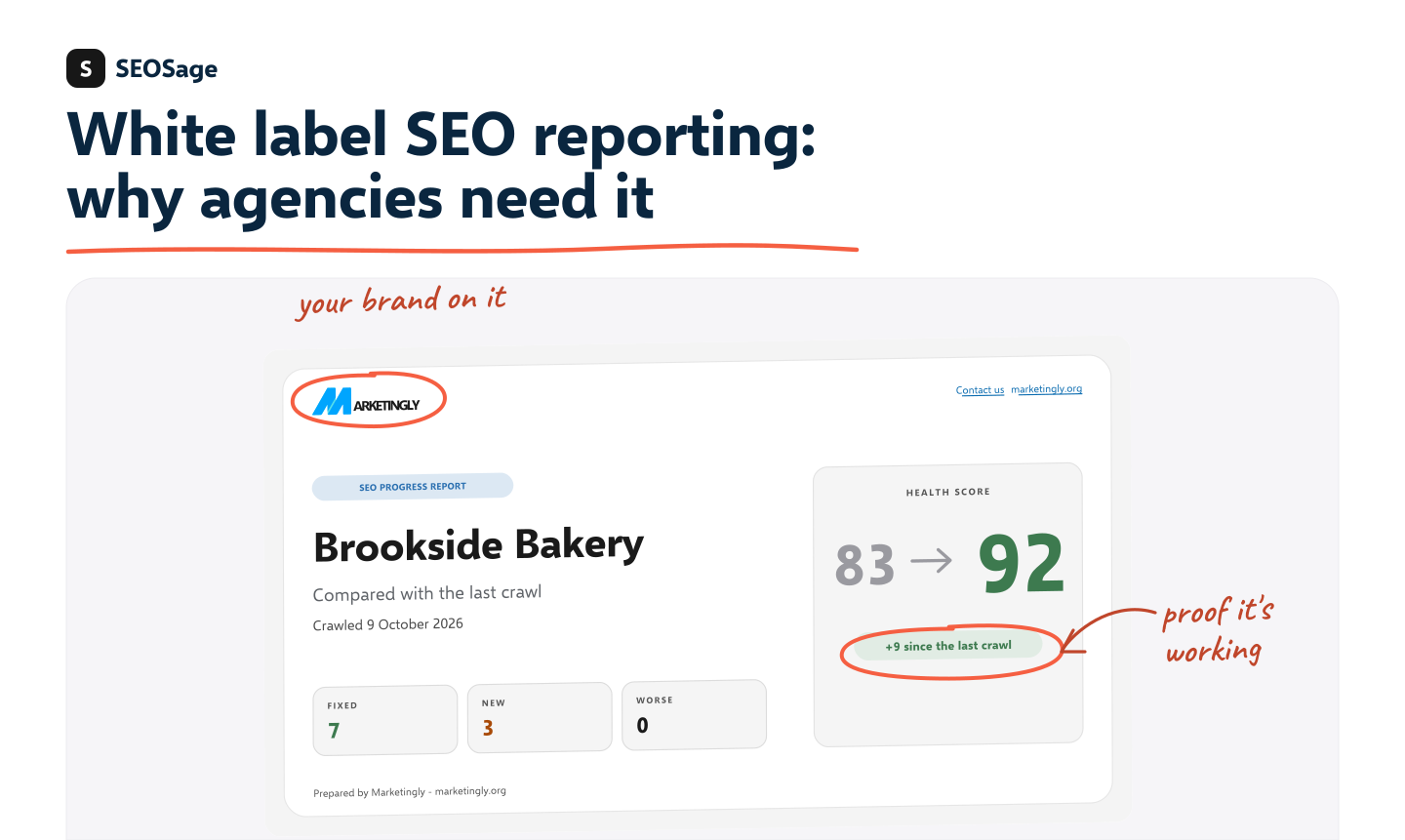
This guide explains what white label reporting is, six reasons it matters, what a good report contains and what to look for in a tool. It is written by the maker of SEOSage, which builds branded reports, so we say plainly where it helps and where it does not.
TL;DR
- White label SEO reporting is sending clients reports that carry your name, logo and colours instead of the tool’s.
- It matters because the report is often the only part of your work the client sees.
- A good report has a plain summary, a score, what changed, a ranked fix list and a next step.
- Check how deep the branding goes, which files you get, what the limits are and how the client receives the report.
- SEOSage makes branded PDF, PowerPoint, Excel and CSV reports. It has no client login.
What is white label SEO reporting? #
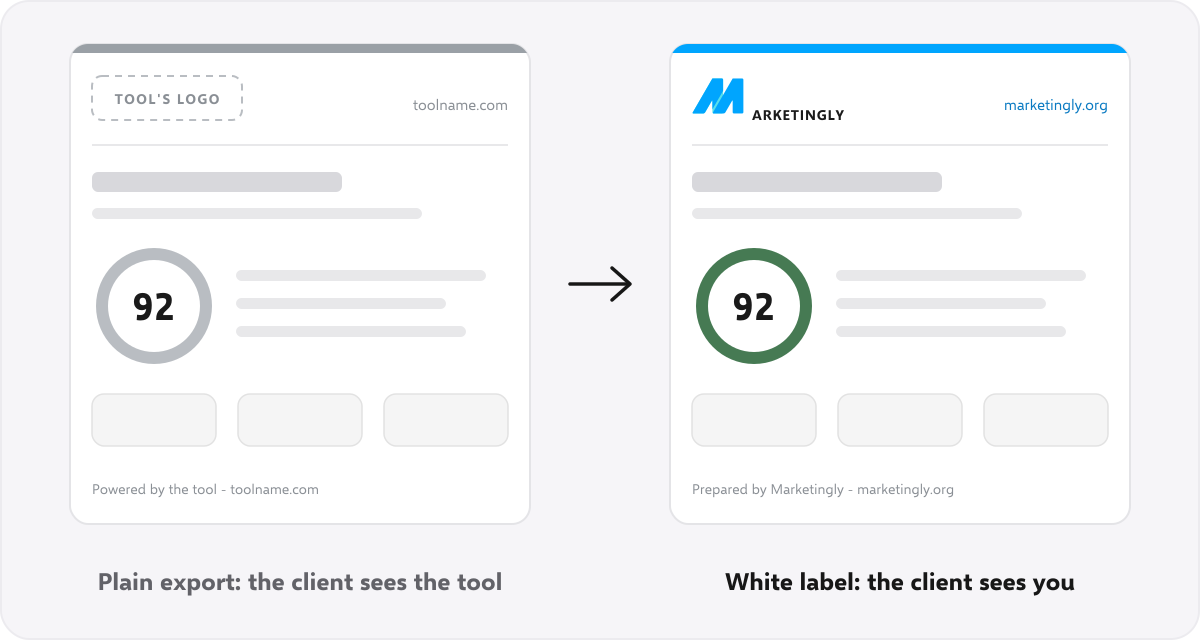
White label SEO reporting is the practice of sending clients reports that carry your company name, logo and colours instead of the software maker’s. The software does the work in the background. The client sees your brand.
It is one part of the wider idea of white label SEO, which also covers services and software. Our guide to what white label SEO is explains the three kinds.
Reports come in four common forms: a PDF, a slide deck, a spreadsheet or a live dashboard. A plain export from a tool is not white label. If the file shows the tool’s logo, footer or link, the client is looking at the tool, not at you.
Who needs white label SEO reporting? #
- Freelancers and consultants who send audits and monthly updates to a handful of clients.
- Small and mid-size agencies that want every client report to look the same, whoever wrote it.
- Web design and marketing firms that add SEO to a site build and need something to show for it.
- In-house marketers who report to a boss or a board and want a clean, branded file instead of a tool’s export.
Why white label SEO reporting is important #
1. Clients judge you by the report #
Most clients never see your crawl, your spreadsheets or your notes. They see the report. If it looks careful, clear and yours, they trust the work behind it.
2. It makes a small business look established #
A freelancer or a small agency with a consistent, branded report looks as professional as a larger firm. The same logo, colours and layout every month tell the client you have a process.
3. It shows the value of slow work #
SEO takes weeks or months to move traffic. In between, clients wonder what they are paying for. A report that shows what was fixed, what is new and what got worse since the last crawl gives them proof of progress before the traffic moves.
4. It helps you keep clients #
A client who understands what was done, and what is planned next, is less likely to wonder whether the work is worth it. The report is where you explain it, month after month.
5. It saves you time #
With a tool that crawls once and exports in your brand, you are not rebuilding a report by hand. The layout is the same each month, so you spend your time on the summary and the advice, which is the part clients value.
6. It keeps the relationship yours #
A report that carries another company’s logo and link invites the client to look at that company. Your own brand and contact link point back to you.
Branded report or plain export? #
| Plain tool export | White label report | |
|---|---|---|
| Whose brand the client sees | The tool’s | Yours |
| Logo and colours | The tool maker’s | Your logo, accent colour and font |
| Footer and contact link | Point to the tool | Point to you |
| What it says about you | You are reselling someone else’s output | This is your work and your advice |
| Who the client contacts | Possibly the tool | You |
What a good white label SEO report includes #
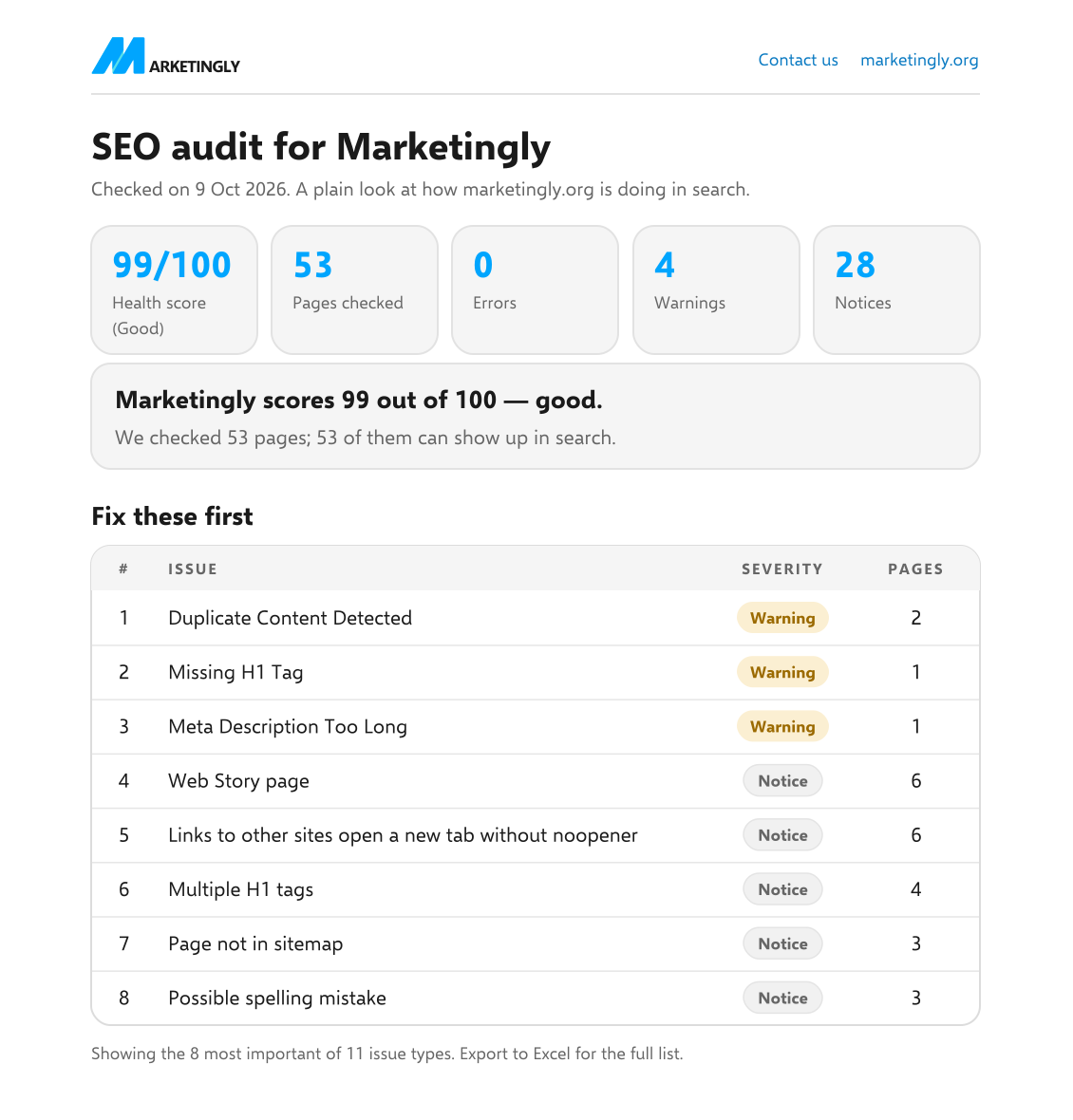
- A short summary in plain words. Two sentences on how the site is doing and one clear first step.
- A score and a few key numbers. Enough to see the picture in five seconds.
- What changed since last time. What was fixed, what is new and what got worse.
- Fixes ranked by what helps most, with how much work each one is.
- What happens next, and who does it.
- Your contact link, so the client knows where to reply.
We go through each part, with a real example, in our guide to the SEO client report.
PDF, slides or spreadsheet? #
You do not have to pick one. Each file does a different job:
| File | Best for | Why |
|---|---|---|
| A monthly update or a first audit | Opens anywhere and prints cleanly. Clients can forward it. | |
| PowerPoint deck | A call or a meeting | You can talk through it slide by slide. |
| Excel workbook | Your own work, or a client who wants the detail | One row per issue, easy to sort and filter. |
| CSV file | A developer fixing the issues | Plain rows that any tool can read. |
Reports or dashboards? #
White label reporting comes in two styles, and it helps to know which one you are buying.
- Reports as files (PDF, deck, spreadsheet). You send them. They work with every client, need no login and are easy to keep as a record. The client sees a snapshot, not live numbers.
- Live dashboards. The client logs in and sees fresh numbers whenever they like. That suits clients who like to check in, but it means another login to manage, and a dashboard shows data from other tools more than it audits the site.
Many agencies send a monthly file and keep a dashboard for the clients who ask for one. SEOSage makes the files.
What to look for in a white label reporting tool #
- How deep is the branding? A logo on the cover is not enough. Name, logo, colours, font, footer and contact link should all change, and nothing should point back to the tool maker.
- Which files do you get? Clients open PDFs and slide decks. You may want a spreadsheet for yourself and a CSV for a developer.
- What are the limits? Look for caps on pages, sites or reports, and ask what happens when you go over.
- Can you show progress? Check that you can compare one crawl with the last and report what changed.
- How does the client receive it? Some tools give clients a login to a live dashboard. Others give you a file to send. A file works with any client. A login suits clients who like to check in themselves.
- What does it cost per client? Divide the plan price by the number of clients you serve. With a fixed plan and no site limit, each new client makes the tool cheaper per client.
For a longer list, see our guide to white label SEO software.
How SEOSage does white label reporting #
SEOSage is a desktop app for Mac and Windows. The steps are short:
- Crawl the client’s site. It runs on your own computer, with no page limit. Each client site is its own project.
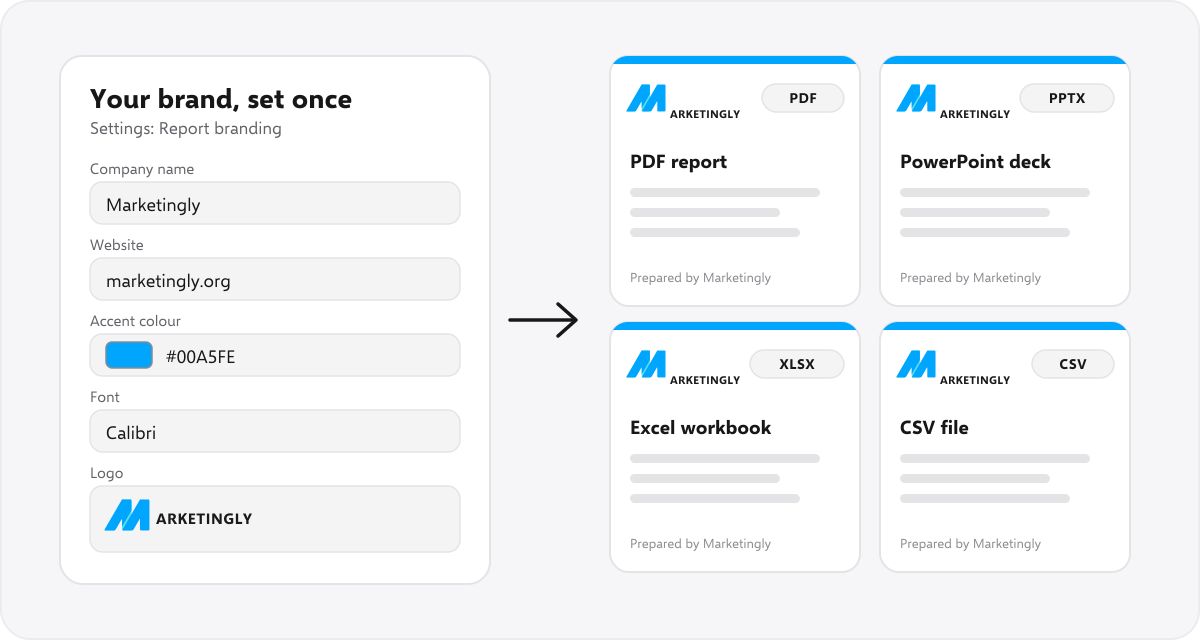
- Set your brand once. Company name, website, logo, accent colour, font, contact link and footer line go on every file.
- Export the report. Choose a PDF, a PowerPoint deck, an Excel workbook or a CSV file. Ask Claude can draft the client summary.
- Crawl again next month and compare. The compare view shows what was fixed, what is new and what got worse, so your progress report writes itself.
Plans start at $9 a month and the free trial lasts 14 days. White label reporting comes with every plan. To see what a client receives, open the sample report (PDF), or read about our white label SEO audit tool.
It does not have a client login or dashboard, and it has no backlink or keyword database. Your client receives a file. If you need a live portal, pair it with another tool.
A simple monthly reporting routine #
- Crawl the site on the same day each month, so the numbers are easy to compare.
- Compare it with last month. Note what was fixed, what is new and what got worse.
- Look at the search data. Check which pages get the visits before you rank the fixes, so the fix list follows what helps.
- Write the summary last. Two sentences on how the site is doing and one clear next step.
- Export in your brand and read it once before it goes out.
- Send it with a short note, and book the next check so the client knows what comes next.
Best practices for white label SEO reports #
- Write for the person who has two minutes. Lead with a short summary and keep the detail at the back.
- Use your client’s words. Say “visits from Google”, not “organic sessions”, unless they use the jargon first.
- Tie the report to a goal. Name what the client wants, such as more enquiries, and say how this month moved it.
- Keep the layout the same each month. Clients learn where to look.
- End with one clear next step. A report with no next step invites silence.
- Keep your brand consistent across the PDF, the deck and the email that carries them.
Mistakes to avoid #
- Branding only the cover. The footer or a link on page three can still show the tool.
- Sending raw data with no summary. Clients need words, not tables.
- Hiding bad news. If something got worse, say so and say what you will do about it.
- Sending the same report every month. If nothing changes between reports, clients stop reading them.
- Too many numbers. Every number needs a “so what”.
- Sending it unread. Your name is on it, so read it first.
FAQ #
What is white label reporting? #
It means sending clients reports that carry your brand instead of the software maker’s. The tool creates the report and your name, logo and colours are on it.
Is white label SEO reporting the same as a dashboard? #
No. A report is a file you send. A dashboard is a live page clients log in to. Either can be white label. SEOSage makes files, not dashboards.
Do my clients need a login? #
Not with SEOSage. You send the PDF, PowerPoint, Excel or CSV file. If you want clients to log in to a live dashboard, SEOSage does not offer that.
How often should I send a white label SEO report? #
A fuller report when a client starts, then a short progress report each month, works well. Pick a rhythm and keep to it.
Can I try white label reporting for free? #
Yes. SEOSage has a 14-day free trial with every feature, including your own logo and colours on reports. You can also open the sample report as a PDF with no sign-up.
Is it honest to send reports under my own brand? #
Yes, when the audit and the advice are yours and the tool only produces the file. If you resell someone else’s work, be honest if a client asks who did it. This is not legal advice.
Should I send a PDF or a PowerPoint deck? #
Send a PDF for a regular update, because it opens anywhere. Use a deck when you are presenting on a call. You can export both from the same crawl.
What if a client asks for the raw data? #
Send the Excel or CSV export. It has one row per issue, and it carries your brand too.