An SEO audit presentation is a short walk-through of what you found on a client’s site, why it matters and what to fix first. A nine-slide deck and a 20-minute meeting are enough. It works better than sending a report alone, because the client hears the three findings that matter and agrees on the first fixes while you are in the room. Below are the nine slides, a meeting plan, answers to questions clients ask, and a free PowerPoint template with a real example.
It is written by the maker of SEOSage, an SEO audit app that exports branded PowerPoint, PDF, Excel and CSV reports. The example deck uses a real SEOSage crawl of marketingly.org from 29 September 2026. The owners, dates and effort in it are examples.
Download the free SEO audit presentation template (PowerPoint) · See the filled-in example (PowerPoint) · Opens in PowerPoint, Keynote and Google Slides. No sign-up and no email form.
TL;DR
- Use nine slides: cover, the short version, the three biggest findings, what it means for the business, what to fix first, the fix plan, the next 30 days, what you checked and next steps.
- Run it in 20 minutes: two for the short version, six for the findings, four for the meaning, four for the plan, four for questions.
- Talk about the business, not the tool. “Pages hidden from Google”, not “noindex directives”.
- Promise the work, not a ranking. Show impact and effort for every fix.
- Send the plan and the date of the next crawl the same day.
This guide is part of our series on how to sell SEO services. To win the work, start from the free SEO proposal template.
Why present an audit instead of sending a report? #
A report is read alone, late, and often not at all. A presentation puts the three findings that matter in front of the person who decides, lets them ask questions and ends with a decision. It also lets you read the room: if the client cares about enquiries, you start there. You still send the written report for the detail. See how to write a website audit report, and use the deck to talk it through. If you are selling the work, the presentation is the step between the audit and the proposal. See how to sell SEO services.
What are the nine slides? #
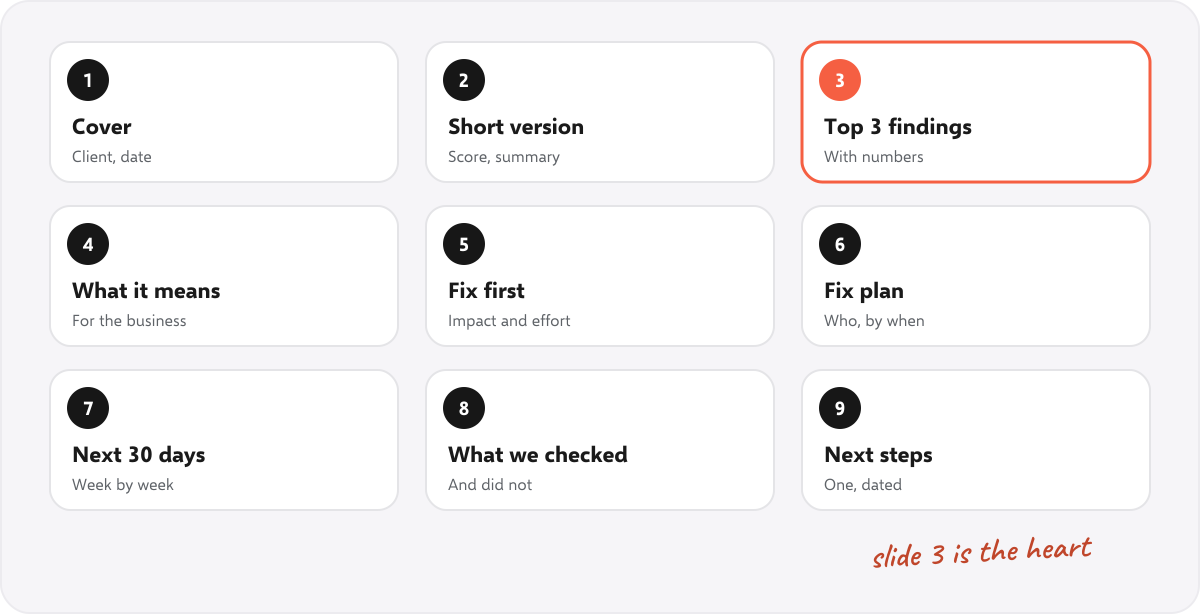
- Cover. The client, the date and the health score.
- The short version. The score, three numbers and two sentences.
- The three biggest findings. Each with a number and a plain-words reason. This is the heart of the deck.
- What it means for the business. For each finding: what it means for visitors and enquiries, and the fix.
- What to fix first. Impact against effort, with the findings placed in the boxes.
- The fix plan. Each fix with impact, effort, who does it and by when.
- The next 30 days. Week by week, so the client sees how it unfolds.
- What we checked. The areas covered, and what was not.
- Next steps. One, with a date.
The template has all nine slides in the site’s own style, with the tips in the speaker notes. Replace every yellow bracket.
How do you run the meeting in 20 minutes? #
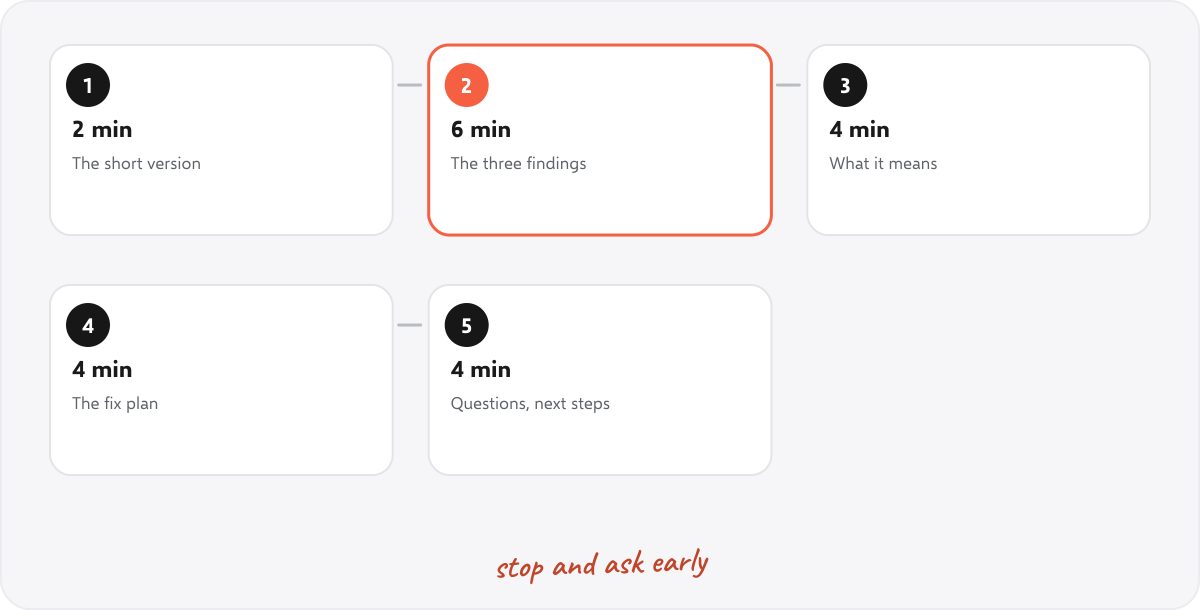
| Time | What to do | Tip |
|---|---|---|
| 2 minutes | The short version: the score, and the one thing that matters most | Say it in one sentence before you show a slide |
| 6 minutes | The three findings, one at a time | Pause after each and ask “does this match what you see?” |
| 4 minutes | What it means for the business, and the fix for each | Use their words for what matters: enquiries, orders, calls |
| 4 minutes | What to fix first, the plan and the next 30 days | Agree the first three fixes, and who does them |
| 4 minutes | Questions, then the next step | End with a date, not “let’s talk” |
What questions will the client ask? #
- “How long until we see results?” It depends on the site. Say what you will do and when, and what you will report. Do not promise a ranking. See the SEO contract template for why.
- “Why did nobody tell us this?” Do not blame anyone. Say it is common, often left from a site build, and quick to fix.
- “What does it cost?” Have the plan ready. See how much to charge for SEO and the SEO retainer options.
- “Can our developer do it?” Often yes. Hand over the fix list with the page addresses.
- “How will we know it worked?” Crawl again, compare, and report. See the monthly SEO report and SEO KPIs.
What does a real example look like? #
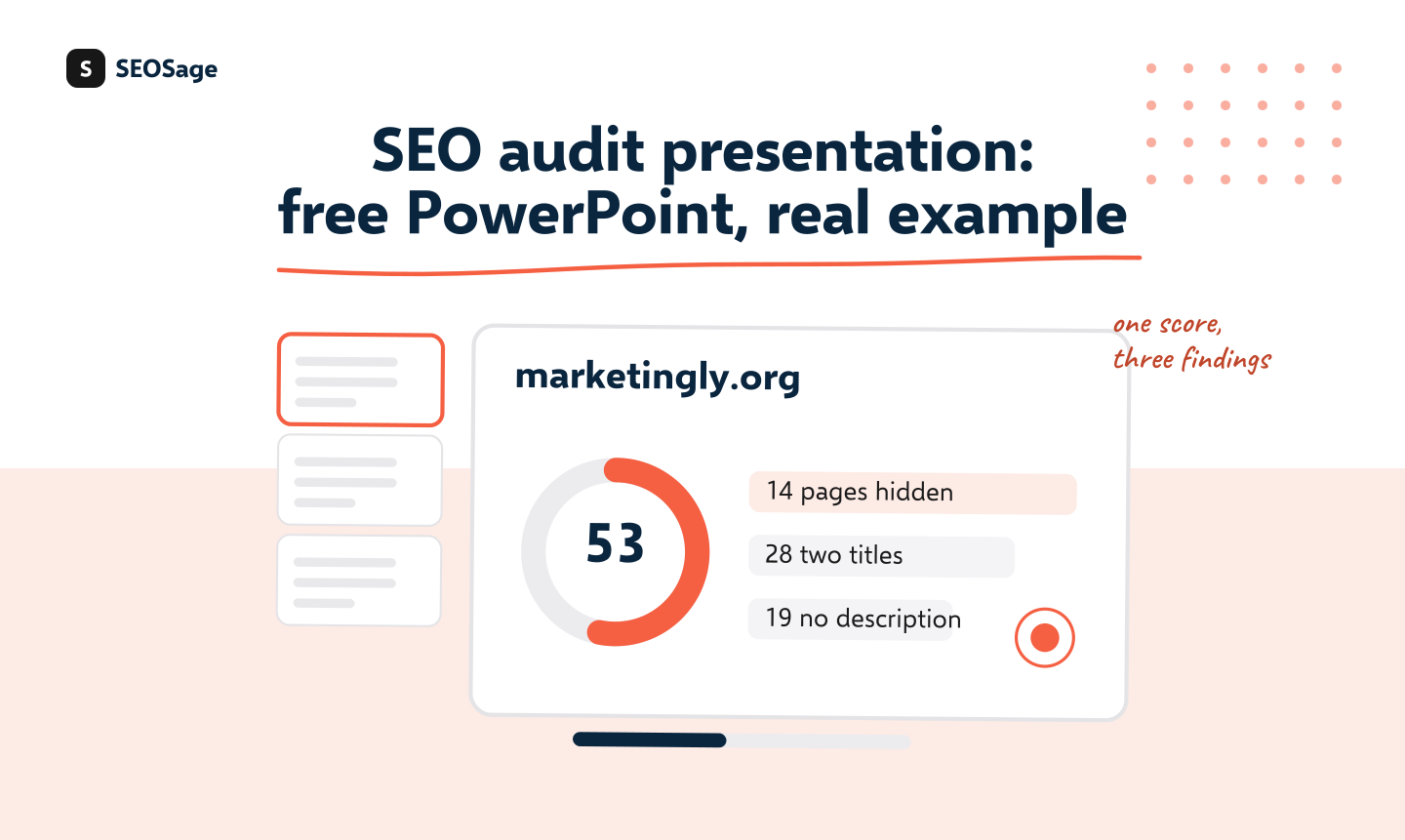
The example deck uses a real SEOSage crawl of marketingly.org on 29 September 2026: a health score of 53 out of 100, 90 pages checked, 14 pages with a noindex tag, 28 with two title tags and 19 with no meta description. The three findings become the three cards on slide 3, and the fix plan on slide 6 names who would do each fix. Open the example deck. The owners, dates and effort in it are examples.
What should you do after the meeting? #
- Send a short email the same day with the agreed fixes, who does them and by when.
- Attach the full report for anyone who wants the detail.
- Book the next crawl and call, and put them in both diaries.
- Start the first fix. Speed after the meeting builds trust.
- After the work starts, run a short onboarding. See SEO client onboarding, and turn the result into an SEO case study if the client agrees.
How does SEOSage help with an audit presentation? #
SEOSage is a desktop SEO audit app for Mac and Windows that crawls on your own computer with no page limit. It finds and groups the issues, shows how many pages each touches, saves every crawl and exports a branded PowerPoint, PDF, Excel or CSV report with your logo on every plan, so the findings, the health score and the numbers for slides 2 and 3 are one export away. Plans start at $9 a month, and the free trial lasts 14 days. It does not write the business meaning or the plan for you, because those depend on the client.
Common mistakes in audit presentations #
- Showing every issue. Pick the three that matter. The rest go in the report.
- Using the tool’s words. Say “pages hidden from Google”, not “noindex directives”.
- No business meaning. A client cares about enquiries, not error codes.
- Promising a ranking. Promise the work and the reporting.
- Ending without a date. “We’ll be in touch” loses momentum.
- Reading the slides aloud. Talk to the client, and use the slide as a prompt.
Summary #
Present an SEO audit in nine slides and 20 minutes: the score, the three biggest findings, what they mean for the business, what to fix first, the plan and one dated next step. Talk about the business, promise the work and not the ranking, and send the plan the same day. Our free PowerPoint template has the slides ready.
FAQ #
How do I present an SEO audit to a client? #
Use about nine slides and 20 minutes: the short version, the three biggest findings, what they mean for the business, what to fix first, the plan and a dated next step.
How many slides should an SEO audit presentation have? #
About nine. Put the detail in the written report.
Is there a free SEO audit presentation template? #
Yes, download ours in PowerPoint. It opens in Keynote and Google Slides too.
What should I include in the first slides? #
The health score, three numbers and one sentence on what matters most.
How do I explain technical findings to a non-technical client? #
Use plain words and say what each finding means for visitors and enquiries.
Should I promise results in an audit presentation? #
No. Promise the work and the reporting, not a ranking.
Can SEOSage export a PowerPoint? #
Yes. It exports a branded PowerPoint report with your logo, on every plan.
Recommended #
- Website Audit Report: Free Template and Example (Word, PDF)
- Free SEO Proposal Template (Editable, With Example)
- How to Sell SEO Services: The Audit-First Method
- SEO Client Onboarding: Checklist and Questionnaire (Free Template)
- How to Get SEO Clients: 9 Ways and a Weekly Routine
- SEO Case Study: How to Write One (Free Template and Example)
- SEO Client Report: What to Include, With Example
Run your own SEO audit
SEOSage crawls every page of your website, lists what is wrong and turns it into a report you can send to a client.