SEO client onboarding is the first 30 days after a client says yes: you get access to their tools, ask the right questions, save a dated baseline and agree the first fixes. Doing it the same way every time saves weeks of back and forth. Below is a checklist, a questionnaire and a free editable template you can send to each new client.
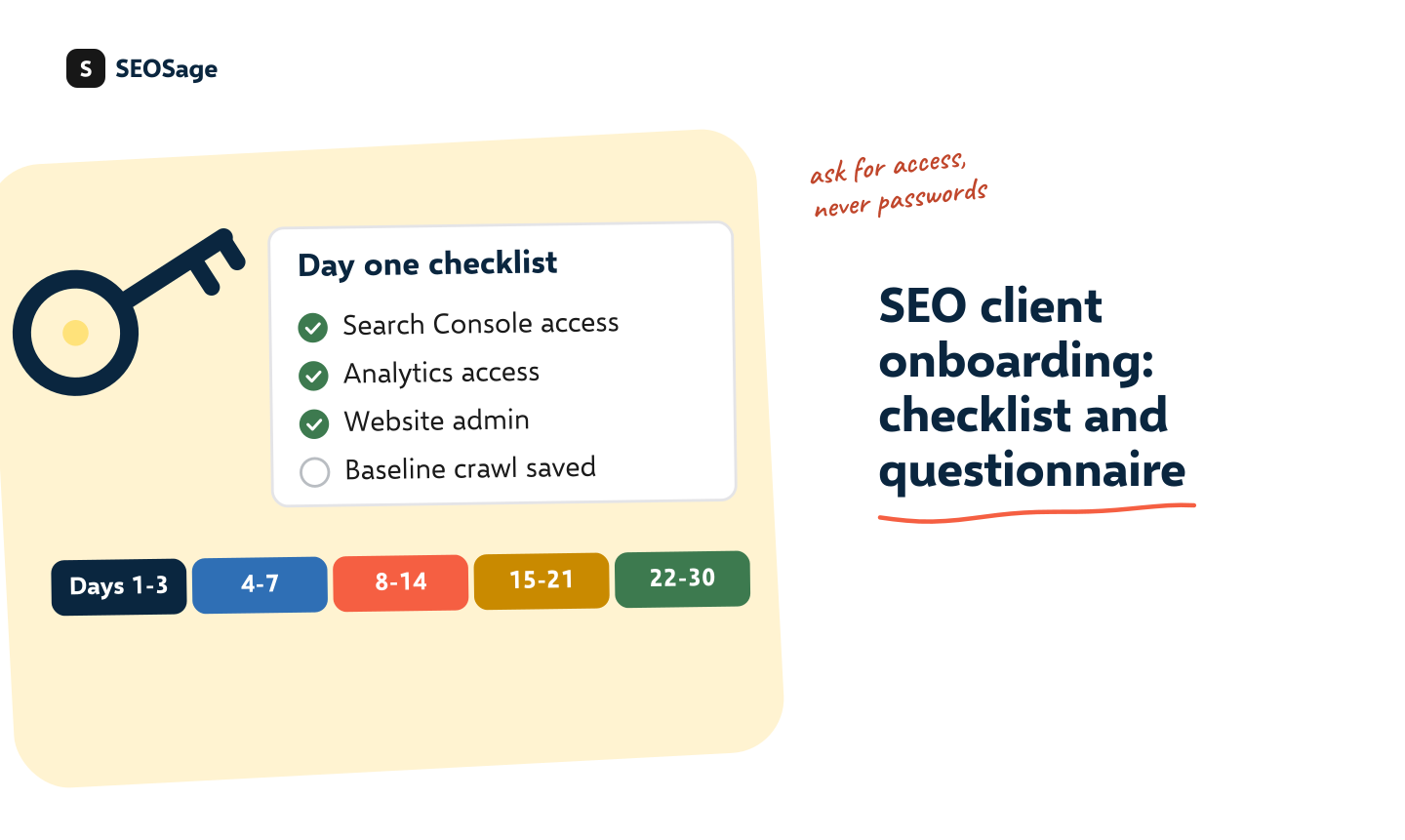
It is written by the maker of SEOSage, an SEO audit app with branded client reports. The baseline crawl in step 3 is the “before” for every report you send later.
Download the free SEO client onboarding template (Word) · Works in Word, Google Docs and Pages. No sign-up and no email form.
TL;DR
- Ask for access, never passwords: Search Console, analytics, the website admin, hosting, domain, tag manager, business profile and past SEO work.
- Ask about goals first: what a new customer is worth, what has been tried and who approves changes.
- Crawl the site and export Search Console before any change, and save both with dates. That is your baseline.
- Follow a 30-day plan: access, baseline, audit, first fixes, first report.
- Send the same welcome and form to every client, so each start is calm and complete.
Why does SEO client onboarding matter? #
Most slow starts have the same causes: missing access, unclear goals and no record of how the site looked at the start. A set process fixes all three, and it shows the client you are organised. It also protects you later, because a dated baseline proves what changed and when. If you are still finding clients, see how to get SEO clients and how to sell SEO services. The agreed scope belongs in your SEO proposal.
What are the steps of SEO client onboarding? #
- Send a welcome email with what happens next, the form and a date for the first call.
- Collect access to the tools below.
- Save the baseline: a full crawl, a Search Console export and the client’s conversions.
- Ask the questions about goals, history and how you will work together.
- Write the audit and agree the first three fixes. See how to do an SEO audit.
- Make the fixes, crawl again and send the first report.
What access should you ask a new SEO client for? #
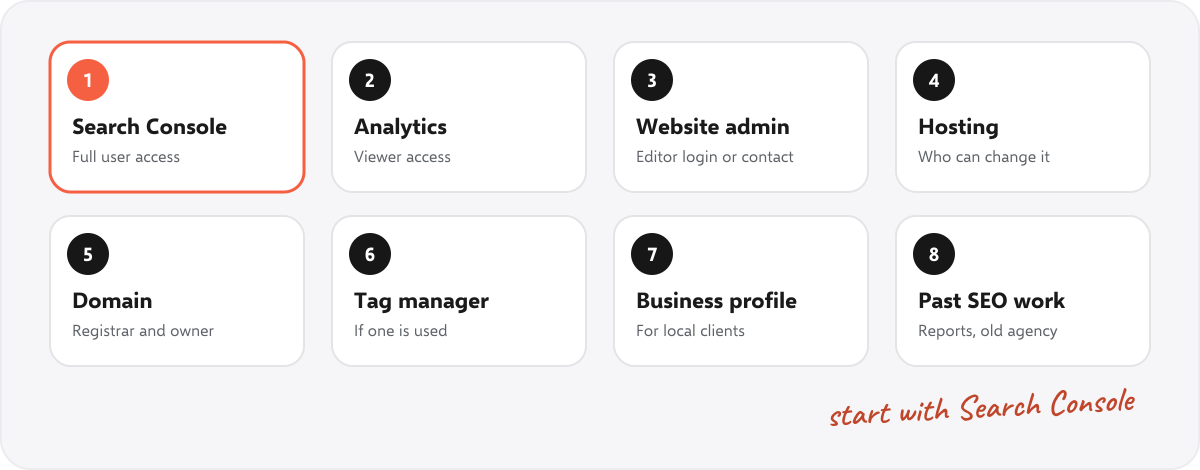
| Tool | What to ask for | Why |
|---|---|---|
| Google Search Console | Full user access for your email | Clicks, impressions and indexing problems |
| Google Analytics | Viewer or analyst access | Visits and what visitors do |
| Website admin (CMS) | An editor login, or a developer contact | To fix titles, links and tags |
| Hosting or developer | Who can change the server | Redirects, speed and security fixes |
| Domain and DNS | The registrar, and who owns the login | Needed if the address or email setup changes |
| Tag manager | Access, if one is used | Shows what tracking exists |
| Google Business Profile | Manager access | Local SEO work. See the local SEO audit |
| Past SEO work | Old reports and any previous agency | What was tried and what to avoid |
Ask for an invitation by email, never a password. Every tool above lets the owner add a person.
What questions should an SEO client questionnaire include? #
Keep it to about twenty questions and about twenty minutes. The template has all of these:
- The business: what earns the most, the ideal customer, the areas served and what is different.
- Goals: success in six months in their words, what a new customer is worth and any target number.
- The website: who built it, who can change it, any redesign or move planned and any launch soon.
- History: past SEO work, any penalty or big drop and the keywords they care about.
- Competitors: three sites they see as competitors and any they admire.
- Working together: who approves changes, who gets the report and how they like to hear from you.
The goal questions matter most. A client who wants phone calls needs a different plan from one who wants online sales.
What baseline should you save before any change? #
- A full crawl, saved with the date. It gives the health score, the errors and the pages hidden from Google. See the Page Indexing statuses and the technical SEO checklist for what to look at.
- A Search Console export of the last 16 months of clicks, impressions and pages.
- The conversions from search, from the client’s own records.
- Screenshots of the dashboards you will show later.
Without this, nobody can say what changed. The compare view in SEOSage sets the next crawl against this first one, and a good baseline is the “before” in an SEO case study.
What does the first 30 days look like? #
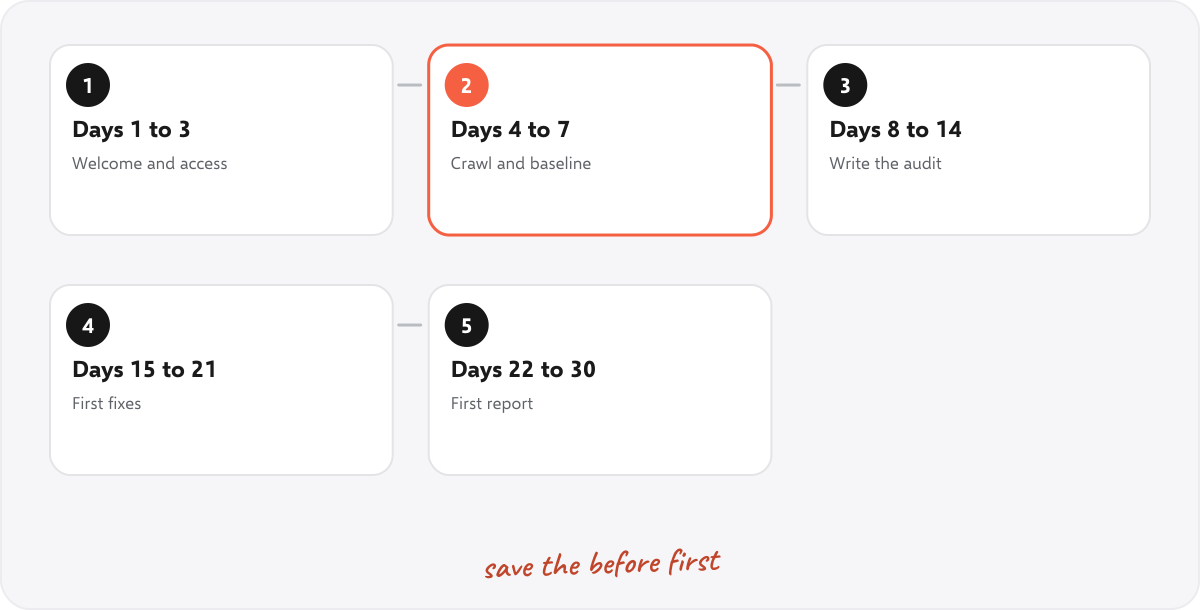
| When | What happens |
|---|---|
| Days 1 to 3 | Welcome email and form. Get access to Search Console, analytics and the site. |
| Days 4 to 7 | Crawl the site, export Search Console and note the starting points. |
| Days 8 to 14 | Write the audit, rank the findings and agree the first three fixes. |
| Days 15 to 21 | Make the first fixes, then crawl again to check them. |
| Days 22 to 30 | Send the first report and book the monthly call. See what to put in an SEO client report and SEO KPIs. |
The days are a suggestion. A big site or a slow developer will stretch them.
What should the welcome email say? #
Hi [name], welcome, and thank you. Here is how we will start. First, please add me to your Search Console and analytics (instructions are in the attached form), and send the name of whoever looks after your website. Second, please spend 20 minutes on the questions in the form, and tell me where you are unsure. In the first week I will crawl the site and save a starting point, so we can show progress later. On [date] I will send what I found, and we will pick the first three fixes together. Questions at any time.
How does SEOSage help with onboarding? #
SEOSage is a desktop SEO audit app for Mac and Windows that crawls on your own computer with no page limit. It crawls staging and password-protected sites too, saves every crawl so your first one becomes the baseline, and exports a branded PDF, PowerPoint, Excel or CSV report with your logo, on every plan. Plans start at $9 a month, and the free trial lasts 14 days. It does not collect access or send forms for you, so use the template for that.
Common mistakes in SEO client onboarding #
- Asking for passwords. Ask for an invitation. It is safer for both sides.
- Changing the site before the baseline. Crawl and export first.
- Skipping the goals. Work without a goal is hard to judge.
- No single contact. Agree who approves changes on day one.
- A different start each time. Use one template, and improve it.
Summary #
Onboard every SEO client the same way: ask for access without passwords, ask about goals and history, save a dated baseline before any change and follow a 30-day plan to the first report. Use our free template to send it in minutes.
FAQ #
What is SEO client onboarding? #
It is the first stage after a client signs: getting access, asking questions, saving a baseline and agreeing the first fixes.
What access do I need from an SEO client? #
Search Console and analytics first, then the website admin, hosting, domain, tag manager, business profile and any past SEO reports.
What questions should I ask a new SEO client? #
Ask about the business, goals, the website, past SEO work, competitors and how you will work together. The template has about twenty.
How long does SEO onboarding take? #
About 30 days to a first report for a small site, longer for a large one or when access is slow.
Is there a free SEO onboarding checklist? #
Yes, download ours in Word. It opens in Google Docs and Pages too.
Should I ask for passwords? #
No. Ask to be added as a user in each tool.
What should I do first after a client signs? #
Send the welcome email and form, then crawl the site and save the baseline before any change.
Recommended #
- SEO Case Study: How to Write One (Free Template and Example)
- Free SEO Proposal Template (Editable, With Example)
- SEO Client Report: What to Include (Real Example)
- How to Get SEO Clients: 9 Ways and a Weekly Routine
Run your own SEO audit
SEOSage crawls every page of your website, lists what is wrong and turns it into a report you can send to a client.