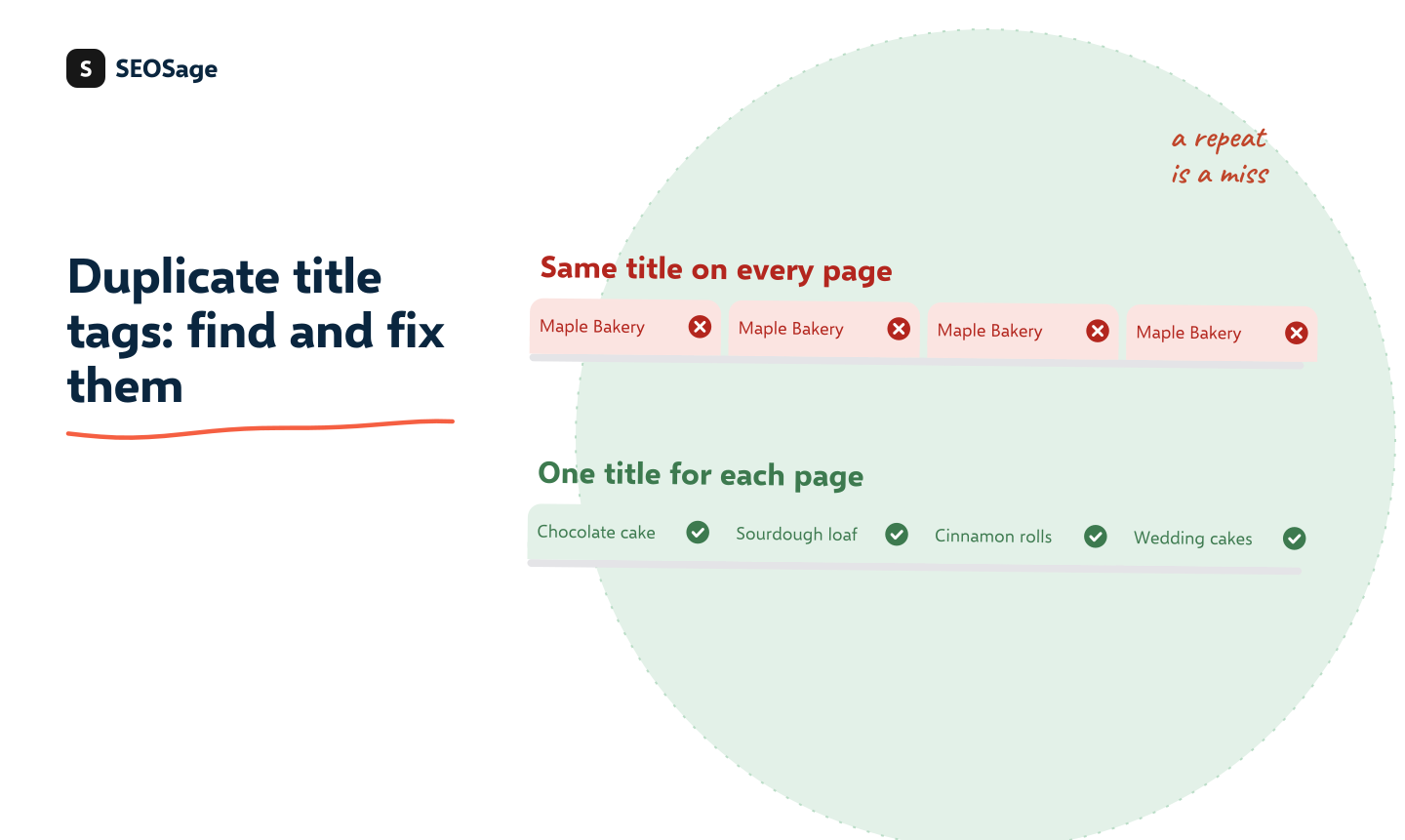
Duplicate title tags happen when two or more pages on your site share the same title. Search engines and visitors then struggle to tell the pages apart, and you waste the one line that decides whether someone clicks. The fix is a unique title for each page, written to say what that page is. This guide shows how to find duplicates, how long a title should be and a simple pattern for shops and blogs.
It is written by the maker of SEOSage, an SEO audit app that flags duplicate titles in a crawl. In a SEOSage crawl of marketingly.org on 29 September 2026, 28 pages had two title tags on the same page, a related and just as common problem described below.
TL;DR
- Every page needs its own title tag. A repeat wastes the line that earns the click.
- Find repeats by crawling the site and filtering for Duplicate page title. Group them by page type.
- Write titles with the page’s subject first and the site name last, at about 50 to 60 characters.
- Fix templates before single pages. One change can repair hundreds of pages.
- Do not confuse duplicate titles (many pages, one title) with multiple title tags (one page, two titles).
This guide is part of our series on how to do an SEO audit. Keep your findings in the free SEO audit template.
Why do duplicate title tags matter? #
The title is the blue line in search results. It is the first thing a person reads and a main way search engines learn what a page is about. When many pages share one title:
- Searchers cannot choose. Ten results that read the same look like one page, so nobody clicks the right one.
- Search engines may rewrite your title or pick the wrong page to show for a phrase.
- Pages compete with each other for the same phrase. See our guide on keyword cannibalization.
- You miss chances to match what people actually type for each product, place or topic.
How do you find duplicate title tags? #
- Crawl your whole site. A crawl reads every page’s title.
- Filter for repeats. In SEOSage look for the issue Duplicate page title. It lists the title and every page that shares it.
- Group by page type. Most repeats come from a template: all product pages, all tag pages, all pages of a paginated list.
- Check Search Console. The Performance report shows pages that appear for the same search with the same title, which is a sign the repeat is hurting you.
The on-page SEO checklist has the title as its first group, and the how to do an SEO audit guide shows where this step fits in a full audit.
What is the difference between duplicate titles and multiple title tags? #
| Problem | What it means | SEOSage issue | Usual cause |
|---|---|---|---|
| Duplicate title | Many pages share one title | Duplicate page title | A template with a fixed title, or copied pages |
| Multiple title tags | One page has two or more <title> tags |
Multiple title tags | A theme and an SEO plugin both adding a title |
| Title too long | A title that search results may cut off | Title Too Long | Adding the site name and extra words |
Fix them in that order: repeated titles first, then pages with two title tags, then lengths.
How do you write a unique title? #
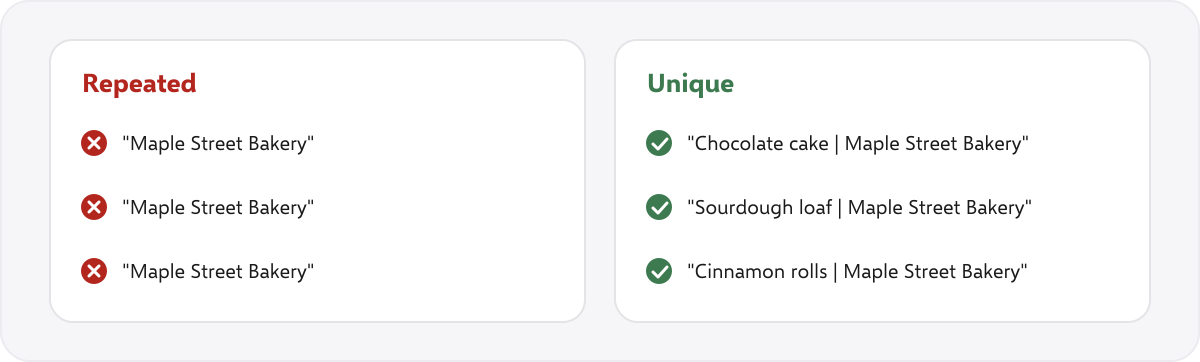
Use a simple pattern that puts the subject first:
- Shop product page: Product name | Short detail | Shop name
- Category page: Category name: what is inside | Shop name
- Blog post: The question or promise of the post (the site name is optional)
- Local business page: Service in Town | Business name
Keep each title to about 50 to 60 characters. Put the main phrase near the start, and make it a line a person would want to click, not a list of keywords. Never write the same title for two pages, even for similar products. Add the size, the colour or the variant instead.
How do you fix them? A five-step plan #
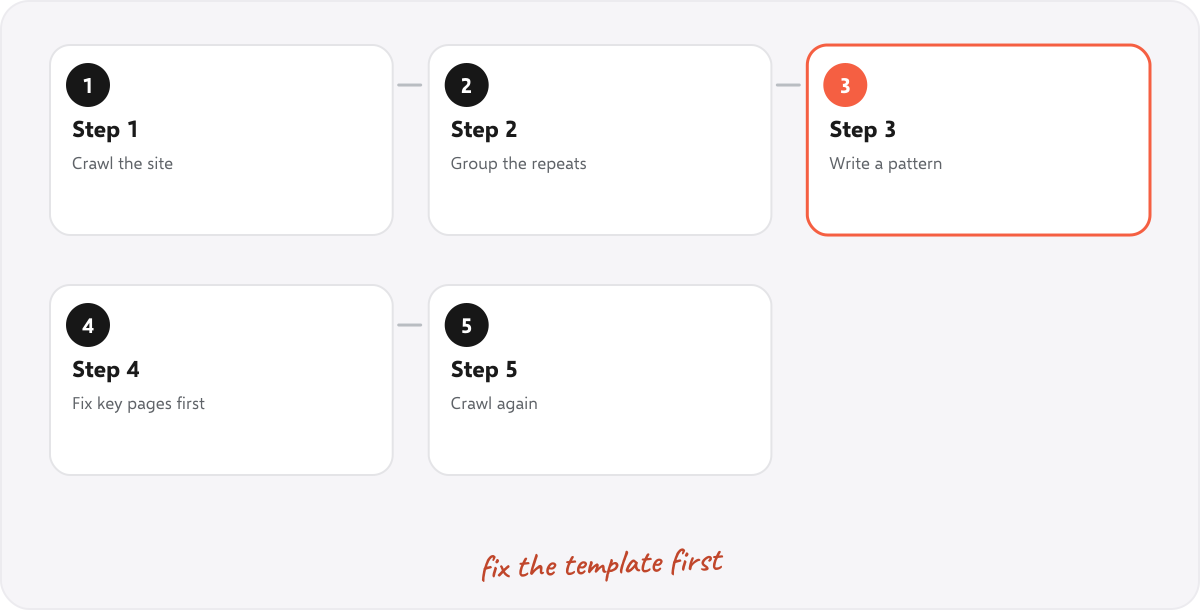
- Crawl the site and export the repeated titles.
- Group the repeats by template or page type.
- Write a pattern for each group, so the title is built from the page’s own name, product or place. Most platforms and SEO plugins allow a title template with fields.
- Fix the important pages by hand first: the home page, categories and top products or articles.
- Crawl again. The compare view shows which repeats are gone and whether anything new appeared.
What about paginated lists and filters? #
- Page 2, 3, 4 of a list: add the page number to the title (for example “Cakes, page 2 | Maple Street Bakery”).
- Filter and sort pages: these are usually not meant to be found. Block or noindex them, rather than writing a title for each.
- Printer-friendly or copied pages: redirect or canonicalise them to the main page.
How does SEOSage help find duplicate title tags? #
SEOSage is a desktop SEO audit app for Mac and Windows that crawls on your own computer with no page limit. It flags Duplicate page title, Multiple title tags and Title Too Long, lists the pages behind each and compares two crawls to confirm the fix. Plans start at $9 a month, and the free trial lasts 14 days. It cannot write the titles for you, because only you know what each page offers.
Common mistakes with title tags #
- Using the site name alone as the title. It says nothing about the page.
- Stuffing keywords. A readable title wins more clicks.
- Fixing one page at a time when a template causes hundreds of repeats.
- Ignoring pages with two titles. The extra tag can confuse what shows in search.
- Rewriting titles that work. Leave good pages alone and fix the repeats.
Summary #
Every page needs its own title, with the subject first and the site name last, at about 50 to 60 characters. Find repeats with a crawl, group them by template, fix the templates and the key pages first, and crawl again to confirm.
FAQ #
What are duplicate title tags? #
Two or more pages that share the same title tag.
Do duplicate title tags hurt SEO? #
They are not a penalty, but they make pages harder to tell apart for searchers and search engines, and pages may compete for the same phrase.
How do I find duplicate title tags? #
Crawl the site and filter for duplicate page titles, or sort the crawl by title.
How long should a title tag be? #
About 50 to 60 characters. Longer ones may be cut off in search results.
Can two pages have the same title? #
It is better if they do not. Add a detail such as the size, the place or the page number to tell them apart.
What is the difference between duplicate and multiple title tags? #
Duplicate titles are one title across many pages. Multiple title tags are two title tags on one page.
Should the site name be in the title? #
Often at the end, if there is room. Put the page’s subject first.
Recommended #
- On-Page SEO Checklist: 20 Checks for Every Page
- Technical SEO Audit Checklist: 25 Checks + Free PDF
- How to Do an SEO Audit: 12 Steps (With Free Tools)
- Broken Links and 404 Errors: How to Find and Fix Them
- Canonical Tag Issues: 10 Problems, Checked on 177 Top Sites
- Orphan Pages in SEO: How to Find and Fix Them
- Internal Linking Audit: 8 Steps to Find and Fix Weak Links
- Search Console Page Indexing Report: Every Status Explained
Run your own SEO audit
SEOSage crawls every page of your website, lists what is wrong and turns it into a report you can send to a client.