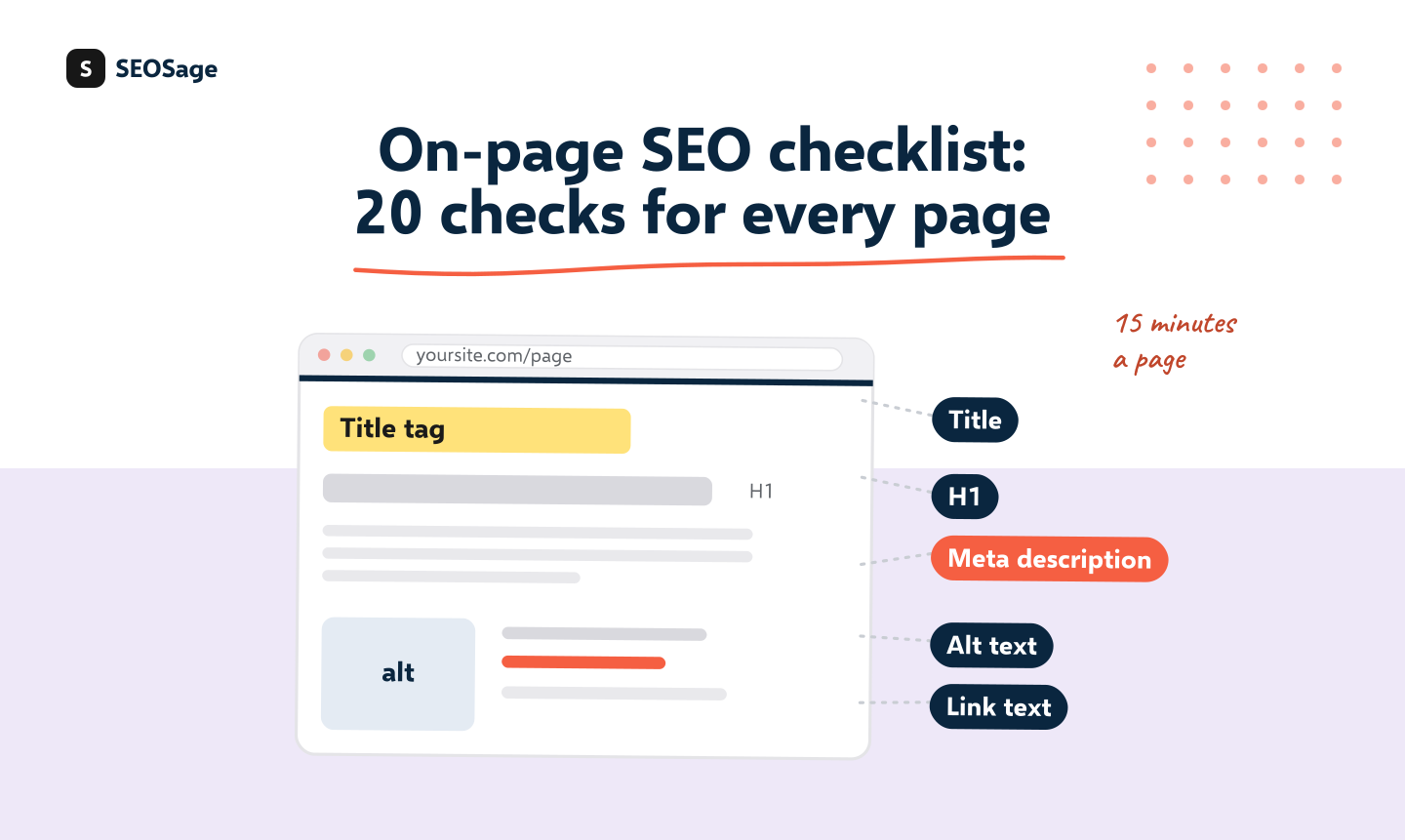
An on-page SEO checklist is a list of the things you can check and change on a single page: its title, description, headings, content, links, images and a few technical basics. The 20 checks below are in four groups, and each says how to test it, which SEOSage issue to look for and how to fix it. A 15-minute routine at the end shows how to do it for one page.
It is written by the maker of SEOSage, an SEO audit app that crawls your whole site and flags the issues named in the tables. You can run the checks by hand on one page, or use a crawl to find every page that fails.
TL;DR
- On-page SEO is what you control on a page: text, tags, links and images.
- Check 20 things in four groups: title and snippet, headings and content, links and images, technical basics.
- Content comes first. A page that does not answer the question will not rank, whatever the tags say.
- Use a crawl to find every page that fails a check, and fix the ones on your most important pages first.
- A page takes about 15 minutes to check by hand.
This guide is part of our series on how to do an SEO audit. Keep your findings in the free SEO audit template.
What is on-page SEO? #
On-page SEO is the work you do on a page to help search engines understand it and to help visitors use it. It covers what the page says, how it is marked up, how it links to other pages and how fast it loads. It does not cover things outside the page, such as links from other websites. For a whole-site view that adds crawling, indexing and structure, use the technical SEO audit checklist. This list is for one page at a time.
What are the 20 on-page SEO checks? #
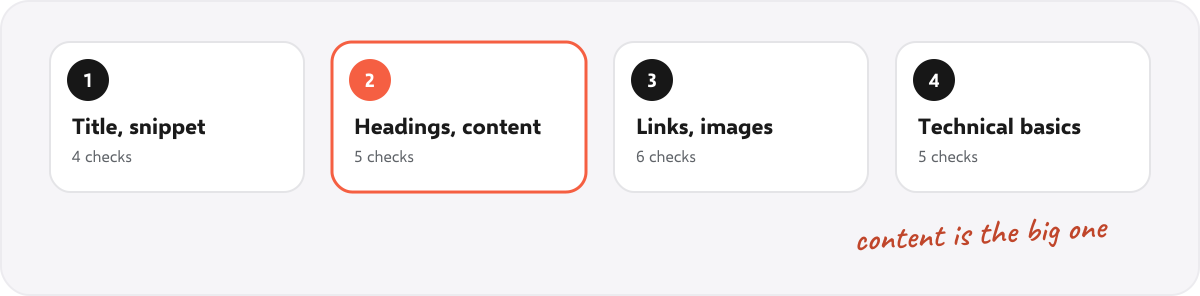
Title and snippet (4 checks) #
| # | Check | How to test it | SEOSage issue | How to fix it |
|---|---|---|---|---|
| 1 | The page has its own title tag, about 50 to 60 characters | View the page source, or sort a crawl by title | Duplicate page title, Multiple title tags, Title Too Long | Write a unique title that puts the main phrase near the start |
| 2 | The page has its own meta description, about 140 to 160 characters | Filter the crawl for pages with none or repeats | Missing Meta Description, Duplicate meta description, Meta Description Too Long, Meta Description Too Short | Write one that says what the page gives the reader |
| 3 | The title and description match what the page delivers | Read them next to the page, as a visitor would | Manual check | Rewrite whichever makes a promise the page does not keep |
| 4 | The address is short, readable and has the main phrase | Look at the address of the page | URL too long, Pages with URL parameters | Shorten it, and 301 the old address if you change it |
Headings and content (5 checks) #
| # | Check | How to test it | SEOSage issue | How to fix it |
|---|---|---|---|---|
| 5 | One H1, and it says what the page is about | Check the heading outline of the page | Missing H1 Tag, Multiple H1 tags, Duplicate H1 | Use one H1 with the main phrase in natural words |
| 6 | Headings run in order, without skipped levels | Check the outline for H2 to H4 jumps | Heading Levels Skipped | Fix the levels, and use headings to split the page, not to style text |
| 7 | The page answers the question people searched for | Search the main phrase and compare your page with the top results | Manual check | Add the missing answers, steps or examples |
| 8 | The page has enough content for its job | Look at the word count against pages that rank | Thin Content | Add what is missing. Do not add words for their own sake |
| 9 | The main phrase appears in the first paragraph, in plain words | Read the first 100 words | Manual check | State the answer or topic early, then explain |
Links and images (6 checks) #
| # | Check | How to test it | SEOSage issue | How to fix it |
|---|---|---|---|---|
| 10 | The page links to related pages with descriptive text | Scan for "click here" and "read more" | Vague link text | Rewrite the link text to describe the target page |
| 11 | Other pages link to this page | Count the links in to the page | Orphan page, Page has only one dofollow incoming internal link | Add links from related pages |
| 12 | No links on the page are broken | List links that return an error | Page links to broken page, Broken external link | Update, replace or remove them |
| 13 | Links point to the final address, not to a redirect | List links that lead to a redirect | Page links to redirect | Edit the links to use the final address |
| 14 | Images have a size and a short, true description | Look for images with no size or no alt text | Images Without Dimensions, Images Without Alt Text, Image alt text too long | Set width and height, and describe what the image shows |
| 15 | Images are compressed and the right size | Check image file sizes in the crawl | Manual check | Resize and compress before upload |
Technical basics for the page (5 checks) #
| # | Check | How to test it | SEOSage issue | How to fix it |
|---|---|---|---|---|
| 16 | The page can be found: no noindex tag, not blocked | Check the source, the header and robots.txt | Noindex Tag Present, Noindex in HTTP header | Remove the block if the page should rank |
| 17 | The canonical tag points at this page | Check the canonical tag in the source | Missing Canonical URL, Canonical URL Different | Add a self-referencing canonical |
| 18 | The page is in the XML sitemap | Look for the page in the sitemap | Page not in sitemap | Add it, and keep dead pages out |
| 19 | The page loads quickly on a phone | Open it on a phone and look at response time in the crawl | Slow Response Time, Moderate Response Time | Look at the largest image, scripts and hosting |
| 20 | Structured data suits the page type, if there is a type | Test with the schema markup validator | No Structured Data | Add the right markup, such as Article or Product, and fix errors |
How do you check one page in 15 minutes? #
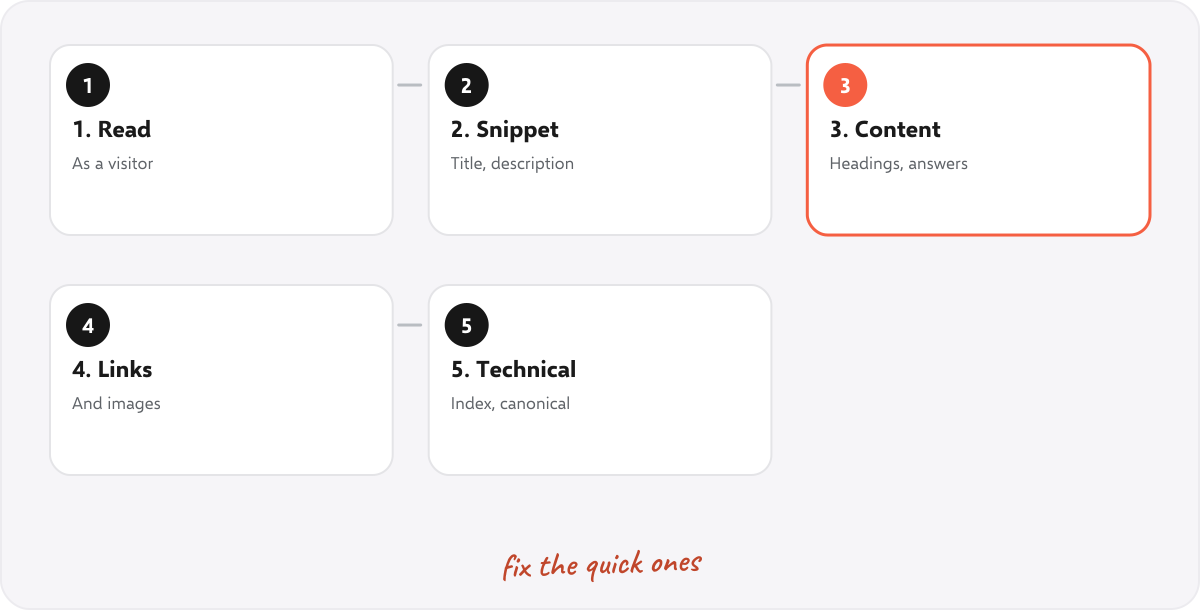
- Read the page as a visitor. Does it answer the question in the title? Note what is missing.
- Check the title and snippet (group 1). Look at the source, or the crawl.
- Check headings and content (group 2). Compare with the top results for the main phrase.
- Check links and images (group 3). Look for vague link text and missing descriptions.
- Check the technical basics (group 4). Make sure nothing blocks the page and the canonical is right.
- Fix the quick ones now, and write the rest in a list with the page address.
To check many pages, crawl the site and sort the issues by how many pages they touch. See how to run a content audit to decide which pages to improve, keep or remove.
Which checks matter most? #
If you only have time for a few, start here:
- The page can be found. No noindex tag, not blocked, in the sitemap.
- The page answers the question. Nothing else on the list can fix a page that does not.
- A good title and description. They decide whether anyone clicks.
- Other pages link to it, with descriptive text.
- One H1 and headings in order, so the page is easy to scan.
How does SEOSage help with on-page SEO? #
SEOSage is a desktop SEO audit app for Mac and Windows that crawls on your own computer with no page limit. It flags the issues in the tables above, such as Duplicate page title, Missing H1 Tag and Vague link text, shows how many pages each touches and lets you filter to the pages that fail. Its quick wins view lists the easiest fixes first. Plans start at $9 a month, and the free trial lasts 14 days. It does not tell you whether a page answers the search question. That check needs you.
Common on-page SEO mistakes #
- Stuffing the main phrase. Write for the reader. One natural use in the title, H1 and first paragraph is enough.
- Copying titles across pages. Each page needs its own.
- Thin pages. A page with a few lines rarely answers anything.
- Heading levels used for style. Use CSS for size, and headings for structure.
- Images with no description. It helps accessibility as well as search.
- Fixing tags on a page nobody links to. Add links first.
Summary #
An on-page SEO checklist covers twenty checks in four groups: title and snippet, headings and content, links and images, and technical basics. Start with whether the page can be found and whether it answers the question, then fix titles, headings and links. Fifteen minutes per page is enough, and a crawl finds the pages that fail.
FAQ #
What is an on-page SEO checklist? #
A list of what to check and fix on one page: title, description, headings, content, links, images and technical basics.
What are the most important on-page SEO factors? #
Whether the page can be found, whether it answers the question, its title and description, links to it from other pages and its headings.
How long should a title tag be? #
About 50 to 60 characters. Longer titles may be cut off in search results.
How long should a meta description be? #
About 140 to 160 characters, and written to say what the page gives the reader.
How many H1 tags should a page have? #
One, saying what the page is about.
How is on-page SEO different from technical SEO? #
On-page SEO is about one page’s content and tags. Technical SEO is about the whole site’s crawling, indexing and structure. See the technical SEO checklist.
How often should I check on-page SEO? #
Check a page when you publish it, and again when it stops getting visits. Crawl the whole site monthly for the issues in the tables.
Recommended #
- Technical SEO Audit Checklist: 25 Checks + Free PDF
- SEO Content Audit: 6 Steps and a Free Template
- What Is an SEO Audit? What It Includes (Real Example)
- Website Audit Report: Free Template and Example (Word, PDF)
- How to Do an SEO Audit: 12 Steps (With Free Tools)
- SEO Site Migration Checklist: 30 Steps + Free Redirect Map
Run your own SEO audit
SEOSage crawls every page of your website, lists what is wrong and turns it into a report you can send to a client.